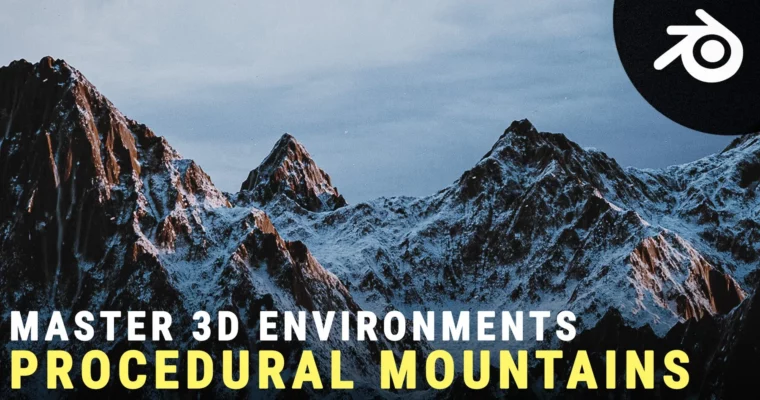
Create Realistic Looking Mountains in Blender by Yassine

Actual Duration:2h 30m
Release date:2023
Publisher:Artstation
Skill level:Intermediate
Language:English
Exercise files:Yes
Software:Blender
Course URL:https://www.artstation.com/marketplace/p/1LoKY/create-realistic-looking-mountains-in-blender
Build a fully procedural desert landscape in Blender using nothing but nodes. No third-party textures, no external tools—just Blender’s built-in power. This course walks you through the entire process, from studying real-world references to final compositing.
🎯 What you’ll learn
- Create procedural desert terrain using Blender’s node system
- Build realistic sand shaders with micro-displacement
- Light and composite a cinematic landscape shot
- Optimize render settings for fast, high-quality results
✅ Requirements
- Skills: Basic familiarity with Blender’s interface and node editor
- Tools: 3-button mouse
- Hardware: Minimum 8GB RAM, dedicated GPU recommended
📝 Description
This course is all about procedural workflows in Blender. You’ll start by studying real desert references to understand the key features that make a landscape convincing—things like wind patterns on dunes, the scale of sand ripples, and how light behaves across vast open spaces.
From there, you’ll build everything from scratch using Blender’s node system. No external textures, no photo bashing. Just pure procedural generation. You’ll create the main dune shapes, add layers of surface detail (big waves, small waves, even smaller ripples), and scatter rocks across the terrain. The shader work is where things get interesting—you’ll learn how to build a realistic desert material that responds to light and distance.
The course also covers practical production techniques: how to add background mountains and dust without killing your render times, how to set up a flying camera animation, and how to break your scene into render layers for better compositing control. The final section walks you through color grading and export, so you end up with a polished, portfolio-ready shot.
🧑🎓 Who this course is for
- Blender users who want to master procedural terrain and shader workflows
- Environment artists looking to add desert landscapes to their portfolio
- 3D artists interested in node-based, non-destructive workflows
🧑🏫 About the Author
Yassine is a VFX generalist with a passion for the technical side of 3D—shading nodes, procedural systems, and anything that makes most people’s eyes glaze over. He’s also a skilled video editor and enjoys breaking down complex processes into clear, actionable lessons. His teaching style focuses on practical techniques and real-world application, helping students achieve that “Aha!” moment.
🏁 Final Result
- A fully procedural desert landscape scene with sand dunes, rocks, and background mountains
- A polished, composited render with proper lighting and color grading
- A flying camera animation showcasing the scene from multiple angles
 Channel