


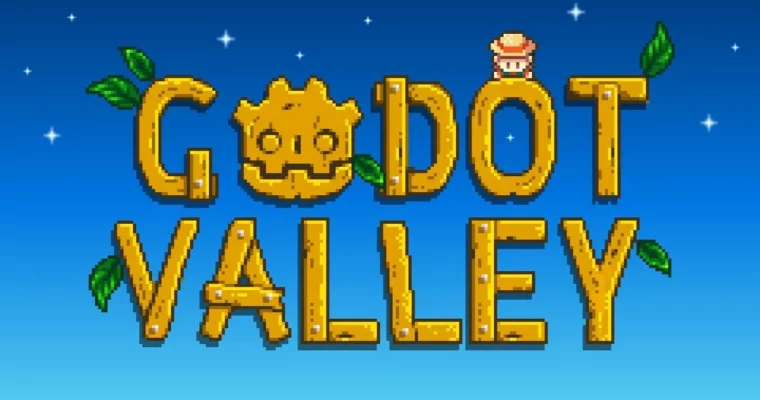
Recreating Stardew Valley in Godot by Christian Koch

Duration:10 hours on-demand video
Actual Duration:10h 17m
Release date:2025, December
Publisher:Udemy
Skill level:Intermediate
Language:English
Exercise files:Yes
Software:Godot
Course URL:https://www.udemy.com/course/recreate-stardew-valley-in-godot
Ready to level up your game dev skills? This course dives deep into building a full-fledged 2D game inspired by Stardew Valley using the Godot Engine. You’ll tackle advanced features like shaders, tools, resources, and animation trees to create a complex, engaging project that will seriously boost your portfolio and understanding of professional game development workflows.
🎯 What you’ll learn
- Learn powerful Godot features like Tools, Resources, and Animation Trees.
- Build a modular yet complex game project from scratch.
- Create a fully playable 2D game with farming, fighting, and resource management mechanics.
- Master your understanding of GDScript for efficient game logic.
- Use shaders to enhance the visual appeal of your game.
✅ Requirements
- Skills: You should know the basics of Godot: Scenes, nodes, and a bit of GDScript.
- Tools: A computer capable of running Godot Engine.
- Hardware: Not specified, but a standard modern PC should suffice.
📝 Description
Ready to push your game development skills to the next level? This course is all about building a Stardew Valley style game in Godot, and it’s packed with advanced engine features that will make creating complex games way easier. You’ll get hands-on experience with shaders for cool visual effects, Tools to add interactive elements right in the editor, and Resources for smart data management. We’ll also cover the performance monitor to help you squash bugs and optimize your game, plus animation trees for sophisticated character movements and autotiling to build massive levels quickly.
By the end of this course, you’ll have transitioned from a beginner to a more seasoned Godot developer, equipped with essential concepts for professional game projects. Christian Koch walks you through every step, explaining concepts in detail with plenty of practical examples. He’s also actively answering questions daily, so you won’t get stuck. If you’re comfortable with basic Godot and want to accelerate your learning, this is the perfect path. We’ll build upon your existing knowledge, making game development more efficient and reinforcing what you already know.
🧑🎓 Who this course is for
- Anyone who knows the basics of Godot and wants to dive into more advanced features.
- Developers aiming to master managing larger, more complex game projects.
- Those looking to build a portfolio piece that showcases advanced game development techniques.
🧑🏫 About the Author
Christian Koch is an experienced game developer focused on teaching practical skills with the Godot Engine. He emphasizes hands-on learning and breaking down complex topics into digestible steps. His goal is to empower students to create more sophisticated and professional-quality games by mastering advanced engine features and efficient coding practices.
🏁 Final Result
- A fully playable 2D game inspired by Stardew Valley, featuring farming, resource management, combat, and interactive NPCs. This project will serve as a strong portfolio piece demonstrating your mastery of advanced Godot features and GDScript.
 Channel

Thank you so much, Strawberry!
This one would be amazing, especially if it included the sections from 11 onward: https://cobracode.teachable.com/p/jrpg-masterclass