Maya Modeling Modeling Tools

Duration:00:59:00
Actual Duration:59m
Release date:2018
Skill level:Beginner
Language:English
Exercise files:Yes
Course URL:https://create3dcharacters.com/maya-modeling-fundamental-tools/
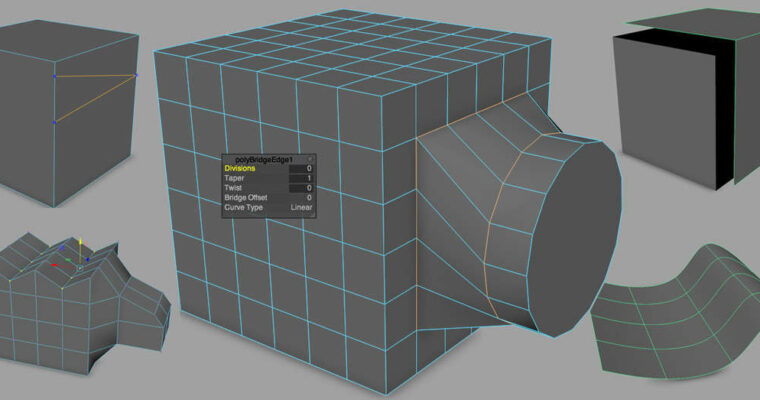
This page shows you through the bulk of Maya’s polygon toolset. Use these foundations to create complex models. You’ll discover how to use each of polygon tool with lots of extra hidden tips.
The basics like Cut, Merge and Delete are covered here along with Extrude, Bevel, Extract and Combine. You’ll learn how to mirror objects and model symmetrically with efficiency.
Then it’s onto deleting history and bridging and filling holes. In the last section, you’ll see some of the foundations of SubD surfaces for creating smooth objects. These are the core tools.
You’ll also have the choice of using the specialized C3dC hotkeys that turn modeling into a fun and creative endeavor. Many insights and shortcuts on this page are missed in most vanilla Maya tutorials.
Learn how to model quickly like a pro without the hassle, and get started with this foundational class on polygon modeling here on this page.
Modeling Tools – Maya Character Generalist
modeling-fundamentals-1.1_cutting-and-deleting
modeling-fundamentals-1.2-merging-welding-components
modeling-fundamentals-2.1-extrude
modeling-fundamentals-2.2-extrude-advanced
modeling-fundamentals-2.3-bevel
modeling-fundamentals-3.1-extract-and-combine
modeling-fundamentals-4.1-symmetry-modes
modeling-fundamentals-4.2-mirroring
modeling-fundamentals-5.1-deleting-history
modeling-fundamentals-6.1-bridging-connecting-tools
modeling-fundamentals-6.2-bridging-example
modeling-fundamentals-7.1-subd-surfaces
modeling-fundamentals-7.2-subd-topology
modeling-fundamentals-7.3-poly-smooth
 Channel