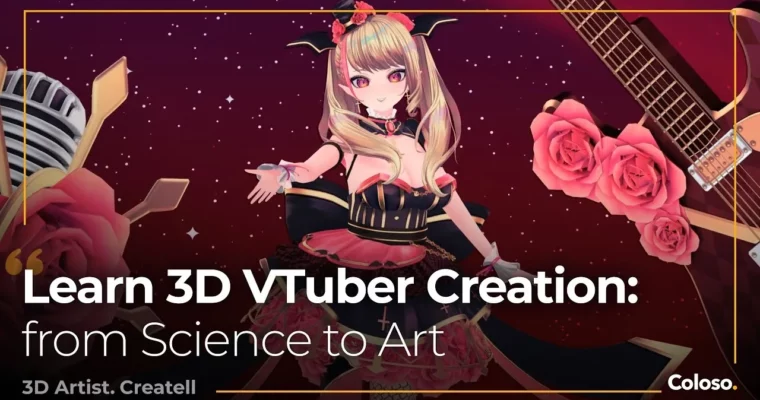
3D VTuber Creation and Learning Techniques from Science to Art by Createll

Duration:17Hours 45Minutes
Actual Duration:17h 46m
Release date:2024
Publisher:Coloso
Skill level:Advanced
Language:English
Exercise files:Yes
Software:Blender, Unity, Warudo
Course URL:https://coloso.global/en/products/3dartist-createll-us
Want your own 3D VTuber you can actually stream with? This class walks you from a blank Blender file to a live, talking, physics-ready character in Unity and Warudo, with a repeatable workflow you can reuse for clients.
🎯 What you’ll learn
- Model a full VTuber character in Blender – body, head, hair, clothes, and accessories
- Build procedural materials for skin, eyes, hair, and metallic parts and bake them to textures
- Rig with structure using auto-weights, metarig, and helper bones for body and clothes
- Create a face rig with Rigify and 52 ARKit shapekeys for live expressions
- Set up Unity with Poiyomi shaders, Magica Cloth physics, and animation toggles
- Import and perform with your model in Warudo
- Use Python snippets and Geometry Nodes to speed up boring tasks
✅ Requirements
- Skills: Basic Blender navigation helpful, no formal art training needed
- Tools: Blender v3.6 LTS, Unity 2021.3.18, Warudo
- Hardware: PC capable of running Blender and Unity, dedicated GPU recommended
📝 Description
This is not a follow-along button-press class. Createll teaches you how he thinks. You get a problem-solving loop: spot the concept, turn it into a procedure, test it, review it. That is why the class starts with philosophy before touching a single vertex.
Mesh creation is all about minimums. You block out shape and silhouette first, then add topology flow only where deformation needs it. You will do 8 hands-on exercises — hand, body, head, hair, ear puff + tail, top + shorts, accessories — and learn when to poly-model, when to sculpt, and when to stop.
Texturing skips hand-painting entirely. You break references into shapes, flow, and light, then rebuild them with procedural shaders. Think SDFs for eyes, vertex data for hair flow, normals for skin bounce. Then you bake everything to clean textures for Unity. It is analytical, reusable, and way less painful to revise.
Rigging is where this class really stands out. Instead of fighting weight painting pixel by pixel, you build structure first with metarig and let auto-weights generate usable data. Helper bones, transition bones, and physics bones handle clothes and loose parts. For the face, you combine Rigify with iteration to hit all 52 ARKit blendshapes. The result is stable, editable, and safe to fail with.
Last stretch is all practical: Unity import, Poiyomi shaders, Magica Cloth, toggles and animation clips, then Warudo setup for actual streaming. Plus bonuses on Blender Python for auto-baking and Geometry Nodes for varying outlines. You finish with a character you can perform with, not just render.
🧑🎓 Who this course is for
- Beginners to intermediate Blender users who want to make their own stream-ready VTuber without getting lost
- Character artists and freelancers who want a faster, iterable rigging and procedural texturing workflow for commissions
🧑🏫 About the Author
Createll is a freelance 3D character artist focused on VTubers, known for his weirdly effective Blender rigging tricks. With a background in civil engineering and zero formal art school, he started in late 2021 and built a methodical, scalable workflow from scratch.
His work was featured twice on 80 Level for cursed-but-brilliant weight painting and flexible body rig setups. He now takes VTuber commissions and teaches others how to build their own reliable process for modeling, texturing, and rigging.
🏁 Final Result
- A complete original 3D VTuber character — modeled and textured in Blender, fully body-rigged with face ARKit setup, with Unity materials, physics, toggles, and Warudo live performance ready for your portfolio and stream
📢 Guys, this is a Group Buy campaign, check the GBC forum thread to get access
You can find the course preview in the download section below.
 Channel