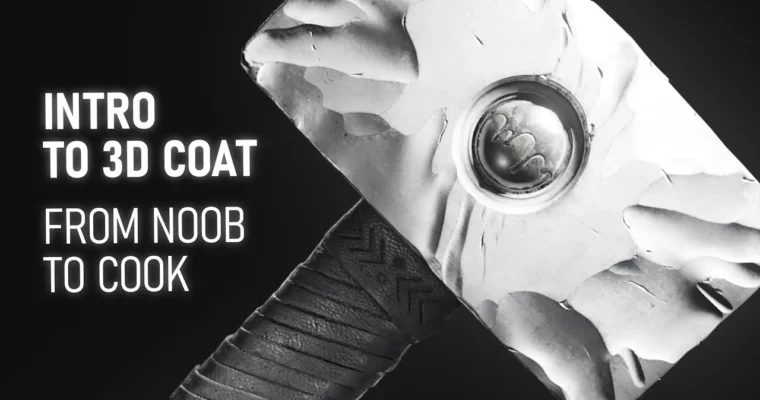
Intro to 3D Coat – From Noob to Cook by Anton Tenitsky

Duration:8h 5m
Release date:2024, October
Publisher:Udemy
Skill level:Beginner
Language:English
Exercise files:Yes
Software:3D Coat, Blender, Photoshop, Inkscape
Course URL:https://www.udemy.com/course/intro-to-3d-coat-from-noob-to-cook
If you’ve never opened 3D Coat before, this is your shortcut. You’ll sculpt a hammer and case with voxel sculpting, clean it up with retopology and UVs, texture it, then take it into Blender for lighting and render. Short 1-3 minute tool videos, plus narrated timelapses for the long stuff.
🎯 What you’ll learn
- Navigate the 3D Coat interface and customize hotkeys and workspace
- Sculpt with voxels and surface mode using brushes, alphas, and stencils
- Use Pose, Move, Split, Blob, and Live Booleans for hard-surface forms
- Perform manual retopology for clean, game-ready topology
- Mark seams, unwrap, and pack UV shells without stretching
- Bake maps and fix common baking errors
- Texture with PBR smart materials, layers, and hand-painted detail
- Export to Blender and set up materials, HDRI lighting, and cameras
- Use auto-retopo and auto-UV for fast props
- Render stills and animate a turntable with depth of field
✅ Requirements
- Skills: No prior experience with 3D Coat required, basic understanding of 3D navigation helps
- Tools: 3D Coat, Blender, Photoshop for composition preview, Inkscape for vector shapes
- Hardware: 3-button mouse, 16GB RAM minimum, dedicated GPU recommended for baking and rendering
📝 Description
This isn’t theory. You watch a tool for 1-3 minutes, then you use it right away on a real prop. The course follows a hammer and case build from blockout to final render, so every voxel sculpting trick, boolean, and stencil has a job to do. Long sculpts are shown as narrated timelapses, so you see the decisions, not just clicks.
You’ll get both sides of 3D Coat: fast and messy voxels for concepting, then tight surface mode for detail, freezing, noise, and sculpt layers. That includes instancing for rivets, Live Booleans for the hammer head, Sketch tool for the stand, and Replicator for arrays. When stuff breaks – and it will – there’s a fix: reprojection, artifact cleanup, low-poly proxy for big deformations, backup volumes with Pose tool.
Then you make it usable. You’ll do manual retopology edge by edge, unwrap clean UV shells, and bake without wavy normals. After that it’s all about look: PBR smart materials, layer masks, hand-painted scratches, oily wood smudges, roughness variation. You finish in Blender with materials, studio lights, HDRI, camera animation, and DOF for a portfolio turntable.
🧑🎓 Who this course is for
- Total beginners who opened 3D Coat once and closed it in panic
- 2D artists who want to try 3D sculpting without drowning in menus
- Blender or ZBrush users who want retopo, UVs, and baking done in one app
- Game and prop artists who need clean topology and solid PBR textures fast
🧑🏫 About the Author
Anton Tenitsky has been teaching 3D Coat on YouTube for over 7 years, breaking down sculpting, retopology, and texturing into short practical videos. He works primarily with hard-surface props and stylized assets, focusing on a fast voxel-to-render workflow. His teaching style is straight tool-by-tool demos plus real-time problem solving, which is exactly how this course is built.
🏁 Final Result
- Finished hard-surface hammer with stand and storage case – sculpted, retopoed, UVed, and textured in 3D Coat, lit and rendered in Blender with studio lighting and turntable camera animation ready for portfolio.
 Channel