Vellum Hair Simulation in Houdini by Saravmit Singh

Duration:4h 56m 54s
Actual Duration:4h 56m
Release date:2026
Publisher:Gnomon
Skill level:Intermediate
Language:English
Exercise files:Yes
Software:Houdini
Course URL:https://www.thegnomonworkshop.com/workshops/vellum-hair-simulation-in-houdini/
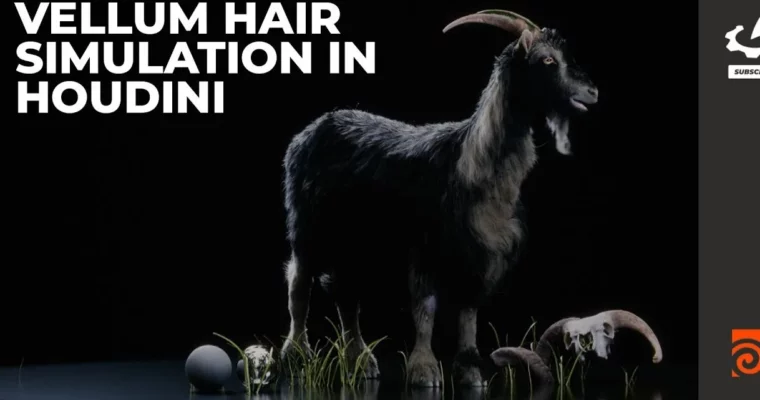
Ready to take your character hair simulations from personal projects to studio-level quality? This workshop dives deep into building robust, production-ready hair and fur setups using Houdini and its Vellum solver. You’ll learn to create custom tools, automate caching, and implement workflows that are both efficient and scalable, making your Character FX pipeline significantly smoother.
🎯 What you’ll learn
- Build production-level hair simulation templates in Houdini.
- Develop custom tools using the dGroom workflow for streamlined grooming.
- Design custom bend constraints with curve ramp controllers for realistic hair dynamics.
- Create automated caching systems for improved simulation efficiency and reliability.
- Set up automated systems that seamlessly rerun simulations when assets update.
- Troubleshoot common production issues and optimize workflows for large-scale projects.
✅ Requirements
- Skills: Familiarity with Houdini, understanding of 3D animation principles.
- Tools: Houdini
- Hardware: Standard professional 3D workstation.
📝 Description
This workshop is all about getting hair simulation right for production. Saravmit Singh walks you through building a complete Character FX pipeline in Houdini, focusing on the Vellum solver. You’ll go beyond basic setups to create reusable templates and custom tools, like the dGroom workflow, that make managing complex hair and fur much easier. The course emphasizes efficiency, covering automated caching and how to handle asset updates without re-simulating everything. You’ll also get insights into rendering with Karma and see how these techniques apply to real-world projects, using a provided chipmunk scene file.
🧑🎓 Who this course is for
- Intermediate to advanced Houdini artists looking to level up their grooming and CFX skills.
- Character FX artists, technical artists, and pipeline developers aiming for industry-standard workflows.
- Freelancers and studio artists who need to bridge the gap between personal experimentation and professional-grade deliverables.
🧑🏫 About the Author
Saravmit Singh is a seasoned Character FX Lead with a strong background in cloth, hair, fur, and muscle simulation for major feature films and animated productions. He’s a master of Houdini, Maya, VEX, and Python, having led Rig FX development and shot simulations at top studios like Bardel Entertainment, Animal Logic, MPC, and DNEG. His credits include big names like Leo, The Flash, and Aquaman. Saravmit is known for his blend of technical skill and artistic vision, building efficient workflows and mentoring artists in demanding production environments.
🏁 Final Result
- A portfolio-ready hair simulation setup in Houdini, demonstrating production-level techniques for Character FX.
- The ability to build and implement custom tools, automated caching systems, and reusable templates for efficient grooming and simulation.
 Channel