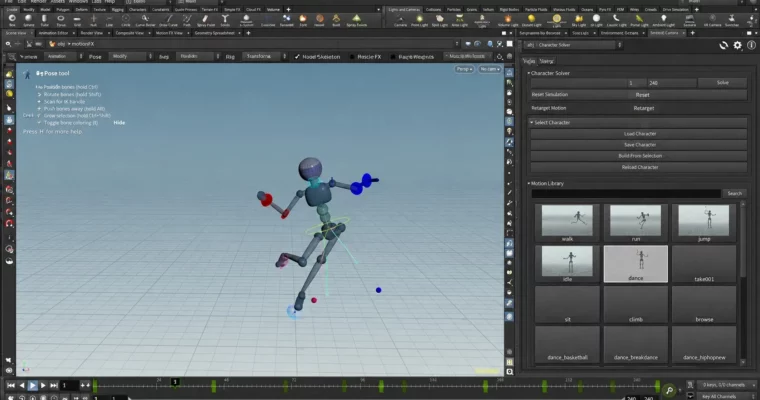
Houdini KineFX Rig Packaging by Simon Hayes

Duration:7h 30m
Actual Duration:7h 43m
Release date:2024
Publisher:Udemy
Skill level:Intermediate
Language:English
Exercise files:Yes
Software:Houdini
Course URL:https://www.udemy.com/course/houdini-kinefx-rig-packaging/
You already built a KineFX rig — now make it usable. This course takes a basic humanoid rig and turns it into a clean, single-node HDA with distribution, UI tools, and animator extras that actually get used in production.
🎯 What you’ll learn
- Create an interface for a KineFX rig
- Create a Character Picker for a KineFX rig
- Create a Pose Library for a KineFX rig
- Create tools to make a KineFX rig easier to animate
✅ Requirements
- Skills: Houdini knowledge, understanding of rigging with KineFX, Basic Python knowledge
- Tools: Houdini 20.0+ installed, 20.5 recommended for updated Character Picker workflow
📝 Description
Building the joints is only half the job. If animators can’t pick it, pose it, and key it fast, the rig won’t get used. Here you stop tweaking the skeleton and start on the stuff around it: interface, distribution, and helper tools.
You start with a pre-made humanoid rig and convert it into a single-node HDA built for animation. That means proper file input, outputs, transforms, and clean parameters, plus export setup. Then you cover how to actually hand it off — folders vs Houdini Packages vs installers — so someone else can load it without breaking paths.
After that it’s all quality-of-life. You’ll add zero pose and default pose handling, keyframe helpers, mirror tools, and channel groups for faster keying. Then you build two big systems twice: once with native HDA UI and once with custom Python panels — a full pose library with scan/save/load and icons, and a character picker including the default Houdini picker and a fully custom version with its own logic. There’s also T-pose scripts and bug-fix passes, which is pretty honest and close to real production.
🧑🎓 Who this course is for
- Intermediate Houdini users who already understand KineFX rigging basics and want to package rigs for others
- Rigging TDs and technical animators who need practical HDA distribution, Python panels, and pose tools
🧑🏫 About the Author
Simon Hayes works in Houdini rigging with a focus on KineFX workflows for games and film-style pipelines. His teaching is very hands-on — less theory, more building HDAs, tools, and UI that animators can actually click. This course comes from that packaging side of rigging that rarely gets covered: distribution, pickers, and pose systems.
🏁 Final Result
- A packaged humanoid KineFX HDA with custom interface, Python panel tools, working pose library with icons, and default + custom character pickers — ready to distribute and animate.
 Channel