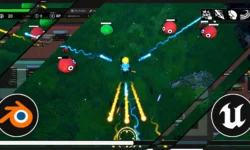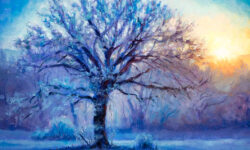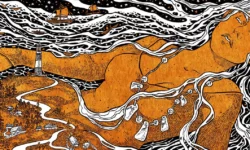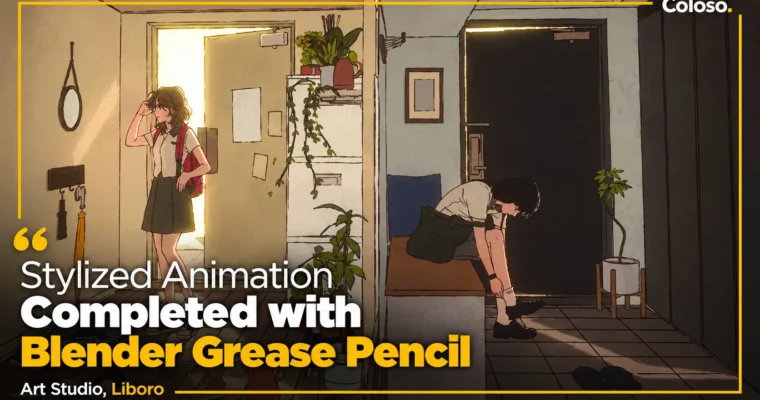
Stylized animation completed by Blender Grease Pencil by Liboro

Duration:13 hours 34 minutes
Actual Duration:20h 17m
Release date:2024, May
Publisher:Coloso
Skill level:Intermediate
Language:English
Exercise files:Yes
Software:Blender, Daz 3D
Course URL:https://coloso.co.kr/products/3danimation-leeboro
This is not a button-tour of Blender. Studio Liboro shows you how to actually finish work — 2D drawings, chunky toon-shaded models, and short animation clips that still look hand-drawn but move in real 3D space.
🎯 What you’ll learn
- Draw and animate directly in 3D with Grease Pencil 3.0
- Build 2D props, backgrounds and characters into 3D layouts
- Model simple assets and shade them for a flat 2D look
- Use Eevee Next, render layers and compositor for stylized finishes
- Create characters fast with Daz 3D and bring them into Blender
- Add hand-drawn effects, cloth sims and camera work for animation scenes
- Finish three full examples: Cafe, Playing Card Magician, Train Animation
✅ Requirements
- Skills: Basic Blender UI navigation, simple drawing experience helpful
- Tools: 3-button mouse, drawing tablet recommended for Grease Pencil
- Hardware: 16GB RAM minimum, dedicated GPU recommended for Eevee Next
📝 Description
This is the second class from media art studio Liboro, and it picks up where basics stop. You already know what Grease Pencil is — now you learn how to use it like a working studio does. The focus is on output: watercolor-style drawings, vintage card illustration looks, and that old-school retro anime vibe, all done inside Blender 4.2.
The workflow is pretty practical. You sketch a concept, draw in 2D, then cheat depth with real 3D. That means Geometry Nodes for reusable details, toon shaders that sit well with hand-drawn lines, and the new compositor tools like Kuwahara node and render layers to push the look without re-drawing everything. No endless theory on nodes — just pre-built setups you tweak and apply right away.
Then it gets faster. You will build a base character in Daz 3D, pull it into Blender, fix shapes, paint textures, and shade it flat so it reads as 2D. For animation, you block camera moves, use mocap-style helpers for body motion, run a simple cloth sim for outfits, and draw effects on top with Grease Pencil. It is a solid way to get decent motion without keyframing every frame by hand.
Part 1 is warm-up: 2D drawing plus basic modeling and compositing. Part 2 is two full 2.5D artwork pieces — a cafe scene and a magician / playing card piece with layered compositing. Part 3 is the fun one: a retro train animation clip with storyboard, two connected cuts, and final shading. You get shortcut sheets, concept sketches, and the actual project files, so you can pull them apart and reuse the setups.
🧑🎓 Who this course is for
- Illustrators and 2D artists who want to add 3D depth without losing the hand-drawn feel
- Blender users who want to make varied stylized work, not just photoreal renders
- Anyone who tried Grease Pencil before and wants the updated 3.0 workflow with real examples
🧑🏫 About the Author
Liboro is a Seoul-based media art studio run by animator RidiBi and technical artist Alexander Thornborough. They work right in that 2D / 3D overlap — Grease Pencil drawing mixed with modeling, shaders, and spatial staging.
RidiBi has directed 2D & 3D work for the Netflix x Climax Studio animation, led the National Museum of Modern and Contemporary Art Game Society VR piece, and handled character build and animation for the Indie-AniFest opening. The team has also shown VR live-drawing and metaverse work, plus wins at Bucheon Fantastic Film Festival and Unite Seoul 2020. In short: they ship this style for clients, not just tutorials.
🏁 Final Result
- Three finished portfolio pieces: a stylized Cafe 2.5D artwork, a Magician playing-card animation with effects and cloth, and a two-cut retro Train animation clip with full composite and render.
📢 Guys, this is a Group Buy campaign, check the GBC forum thread to get access
You can find the course preview in the download section below.
 Channel