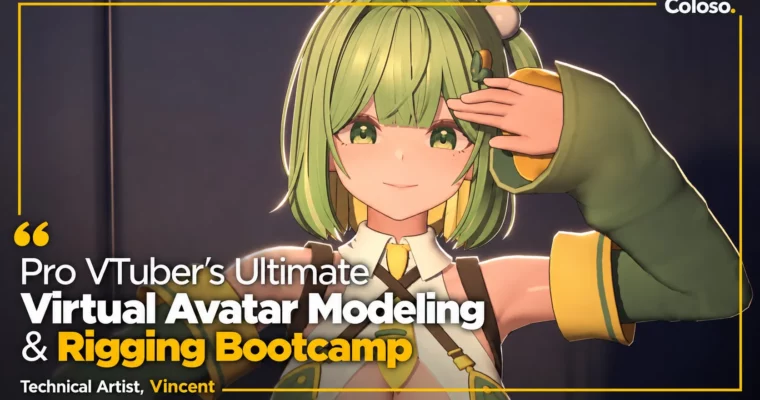
Pro VTuber’s Ultimate Virtual Avatar Modeling & Rigging Bootcamp by Vincent

Duration:12 hours 45 minutes
Actual Duration:25h 28m
Release date:2025, April 17
Publisher:Coloso
Skill level:Intermediate
Language:English
Exercise files:Yes
Software:Blender, Unity
Course URL:https://coloso.co.kr/products/3ddesign-vincent
If your avatar breaks the second you turn on tracking, this class fixes that. You will model an anime-style character in Blender, set up a tracking-ready rig in Unity, and finish with a short video made with Cinemachine.
🎯 What you’ll learn
- Model an anime-style VTuber head and body in Blender with clean topology
- Unwrap UVs and paint casual-style textures with proper lighting logic
- Build bones, weight paint, and skin characters for animation
- Create facial morphs compatible with iPhone ARKit facial capture
- Understand Unity Humanoid, Mecanim retargeting, and dynamic animation
- Use Unity Constraints without flipping and quaternion errors
- Fix candy-wrapper collapse with twist bones and Linear Blend Skinning logic
- Rig arms, chest, legs, and accessories for real-time tracking
- Export correctly from Blender to Unity and set up for Warudo, VRChat, VSeeFace
- Shoot and edit a short-form video with Cinemachine, Timeline, and Recorder
✅ Requirements
- Skills: Basic Blender navigation, basic understanding of 3D space and topology
- Tools: Blender 4.2 or higher (4.3 used in class), Unity Engine 2019 or higher (2022 used in class)
- Hardware: Minimum 16GB RAM, dedicated GPU for Unity real-time preview, 3-button mouse
📝 Description
This is not a generic modeling class. It is built specifically for virtual avatars that have to move live. Vincent starts with Blender modeling, but always with tracking in mind. You learn why game characters and VTuber avatars need different topology, volume, and facial setups.
The middle part is where most people get stuck, and where this class shines. Unity Constraints are powerful but messy. Rotation flips, weird Humanoid muscles, coordinate differences between Blender and Unity – he breaks all of it down. You get practical workarounds like the flip-free reference trick, twist bones for Linear Blend Skinning, and Blender setups that actually translate to Unity instead of breaking on import.
Then you put it to work. You will configure your avatar for Warudo, VRChat, and VSeeFace, and learn weight limits and compatibility gotchas. Last section is pure output: lighting, shaders, post-processing, camera work with Cinemachine and Timeline, and encoding with Unity Recorder. By the end you do not just have a model. You have a character you can stream and film.
You also get the working files: Blender project with avatar setup, Unity package with avatar setup, 2 constraint example files, a Cinemachine sample scene, and the character modeling example.
🧑🎓 Who this course is for
- Beginner 3D virtual creators who want natural, immersive movement without rig glitches
- Aspiring avatar artists who want paid VTuber commission skills
- Hobbyists and future VTubers who want to move their own favorite character
🧑🏫 About the Author
Vincent is a freelance Technical Artist and lecturer at Kaywon University of Art & Design, former content dev team lead at Rona Universe. He has been building virtual avatars since 2018, from the early days of the Korean VTuber scene.
His credits include VTuber avatars like Okssu, Kkotpin, Petit Herb, Hega and others, plus tracking client implementation and Unity demo work with EBS Pongpong and VOOZ Pucca. Before VTubers, he shipped mobile games as a technical artist, which is why his rigging approach is so pipeline-minded and practical.
🏁 Final Result
- A complete anime-style 3D VTuber avatar modeled in Blender, rigged for Unity Humanoid tracking, set up for VRChat / VSeeFace / Warudo, plus a short-form video shot with Cinemachine and Timeline for your portfolio.
📢 Guys, this is a Group Buy campaign, check the GBC forum thread to get access
You can find the course preview in the download section below.
 Channel