Unreal Engine 5 Interior Visualization (PRO) by Farrukh Gulamzhanov

Duration:8h 48m
Actual Duration:4h 22m
Release date:2025
Publisher:Udemy
Skill level:Intermediate
Language:English
Exercise files:Yes
Software:Unreal Engine 5, 3ds Max, Rizom UV, DaVinci Resolve
Course URL:https://www.udemy.com/course/unreal-engine-5-interior-visualization
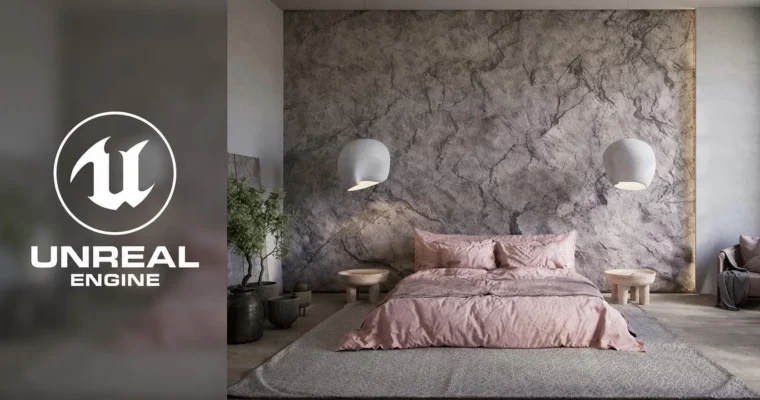
This course is for 3ds Max artists who want to jump into Unreal Engine 5 for interior visualization. It focuses on a practical, step-by-step pipeline: cleaning up your scene, setting up Lightmaps, baking lighting, and creating materials. You’ll end up with a portfolio-ready render without the fluff.
🎯 What you’ll learn
- Transfer a complete interior scene from 3ds Max to Unreal Engine 5.
- Master Lightmap UV creation and optimization for baked lighting.
- Set up and configure lighting using UE5’s native tools and GPULightmass.
- Create realistic materials for glass, metal, wood, and fabric.
- Render high-quality videos using the Movie Render Queue and edit them in DaVinci Resolve.
✅ Requirements
- Skills: Experience with 3ds Max and Corona/V-Ray. Understanding of interior lighting, camera angles, and artistic composition.
- Tools: 3ds Max, Rizom UV (trial or full), DaVinci Resolve (free).
- Hardware: Nvidia GPU with RTX and CUDA support (minimum 6GB VRAM). 32GB RAM minimum.
📝 Description
This course skips the theory and gets straight to the point. You’ll take a finished interior scene from 3ds Max and bring it into Unreal Engine 5 for real-time rendering. The focus is on baked lighting—a technique that gives you high-quality, static lighting that looks great and runs fast.
The workflow is practical. First, you’ll clean up your 3ds Max scene, optimize the geometry, and set up Lightmap UVs using Rizom UV. Then, you’ll import everything into UE5, set up your lighting with tools like Directional Light and Sky Light, and bake it all using GPULightmass. The course also covers fixing common issues like light leaks and flipped normals.
You’ll also build a material library from scratch—glass, chrome, wood, fabric, and more. Finally, you’ll render a cinematic video using the Movie Render Queue and do a quick edit in DaVinci Resolve. It’s a complete, no-nonsense pipeline for archviz pros.
🧑🎓 Who this course is for
- 3ds Max artists who want to add Unreal Engine 5 to their skillset.
- Interior designers and architects looking for a faster, more interactive visualization workflow.
- Anyone who wants to achieve photorealism in real-time without relying on Lumen.
🧑🏫 About the Author
Farrukh Gulamzhanov is an architect-designer with years of experience in 3D visualization. He works with clients worldwide, creating interiors and exteriors using Unreal Engine, 3ds Max, V-Ray, and Corona. He holds multiple certifications and has taught over 100 students.
🏁 Final Result
- A fully baked, photorealistic interior scene in Unreal Engine 5.
- A rendered cinematic video of the scene, edited in DaVinci Resolve.
- A solid understanding of the Lightmap UV and baked lighting pipeline.
 Channel