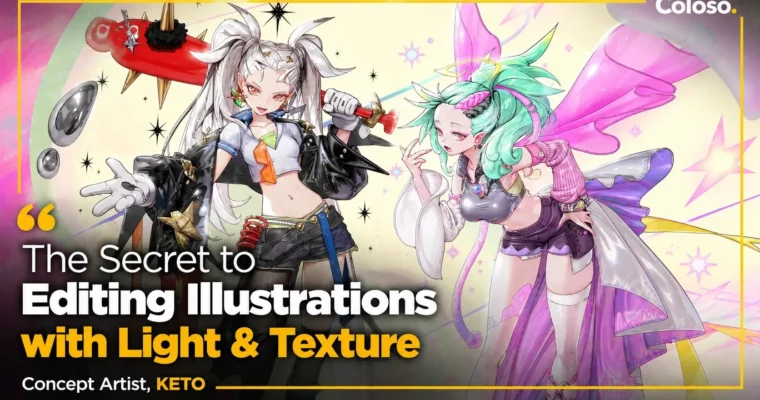
The Secret to Editing Illustrations by Light & Texture by Keto2

Actual Duration:51h 38m
Release date:2025
Publisher:Coloso
Skill level:Intermediate
Language:English
Exercise files:Yes
Software:Photoshop
Course URL:https://coloso.global/en/products/conceptartist-keto2-us
You know that feeling when your illustration is 98% done but still looks flat? This class is all about fixing that. Keto2 walks you through light, shadow, and texture corrections that make your work pop without repainting everything from scratch.
🎯 What you’ll learn
- How to read and place lighting so forms feel solid and intentional
- How to calculate and paint natural-looking shadows in any scene
- How to handle environmental light for different weather and times of day
- How to render dual light sources without muddying your colors
- How to paint transparent, metallic, and fabric textures with depth
- How to use layered drawing to add movement and sparkle
- Final correction workflow to polish illustrations fast and clean
✅ Requirements
- Skills: Basic understanding of digital illustration, color and layers
- Tools: Graphics tablet, Photoshop or equivalent paint software
📝 Description
This isn’t a “paint along with me” class. It’s a correction class. Keto2 starts with the theory of light — where it comes from, how it falls, how it bounces — then shows you how to actually use it to fix dull work. You’ll get why your shadows look dirty, why your highlights feel pasted on, and what to tweak to make it click.
Then it gets practical. You’ll work through environmental lighting setups: sunny day, overcast, night street, warm indoor lamp. Same character, totally different mood just by changing light color, intensity, and shadow shape. Keto breaks down dual lighting too, like when you have a cool moonlight plus a warm secondary glow. Super useful for fantasy and concept pieces where you want that cinematic edge.
The second half is all about textures and finish. Transparent skin, glass, wet surfaces, shiny metal, soft fabric, worn leather — each needs a different brush logic. You’ll learn how to layer details to suggest motion and sparkle without over-rendering everything. And at the end, Keto shares his final check routine: what to adjust, what to leave alone, and how to save time while still getting that clean, high-end look.
If your pieces feel “almost there,” this is the missing workflow.
🧑🎓 Who this course is for
- Illustrators who can finish a piece but struggle with that final polished look
- Concept artists and fanart creators who want better light, mood, and material reads
🧑🏫 About the Author
Keto2 is a Korean illustrator and concept artist known for sparkling detail work and sharp light and texture control. Their pieces are often shared as examples of clean correction — glowing skin, crisp highlights, and rich material rendering that still feels light, not overworked. In this Coloso class, they teach the exact correction process they use to push client and personal work to a finished, portfolio-ready state.
🏁 Final Result
- A set of corrected, portfolio-ready illustrations showing improved lighting, shadow logic, and detailed material textures
📢 Guys, this is a Group Buy campaign, check the GBC forum thread to get access
You can find the course preview in the download section below.
 Channel