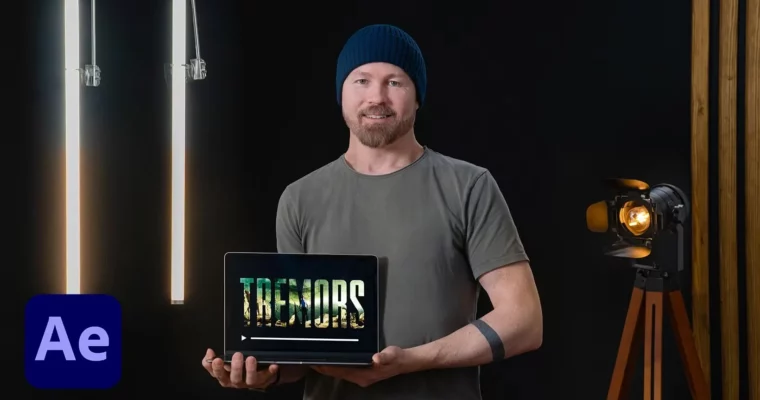
Title Sequence Animation in After Effects by Paul McDonnell

Actual Duration:3h 33m
Release date:2022, November
Publisher:Domestika
Skill level:Intermediate
Language:English
Exercise files:Yes
Software:Adobe After Effects, Adobe Photoshop
Course URL:https://www.domestika.org/en/courses/4109-title-sequence-animation-in-after-effects
Learn how to build a striking opening sequence for a movie or series. Paul McDonnell walks you through his entire process, from sourcing and editing images in Photoshop to animating them in After Effects. This course is about the practical workflow of a professional title designer, not just theory.
🎯 What you’ll learn
- Source and compile atmospheric images for a mood board.
- Design and layout two distinct scenes in Photoshop.
- Create a custom logo for your title sequence.
- Convert 2D scenes into 2.5D parallax animations in After Effects.
- Edit and animate your sequence to a sample score.
- Composite, grade, and export your final title sequence.
✅ Requirements
- Skills: Basic knowledge of Adobe Photoshop and After Effects.
- Tools: A 3-button mouse is recommended for After Effects navigation.
- Hardware: A computer capable of running Adobe After Effects and Photoshop.
📝 Description
This course is a straight-to-the-point look at how a professional title sequence designer works. Paul doesn’t waste time on fluff. He starts by analyzing what makes a successful atmospheric title, then jumps straight into building a mood board and brainstorming scenes.
You’ll learn his specific method for sourcing images and compositing them in Photoshop to create a strong visual foundation. The real meat of the course is in the After Effects section, where he shows you how to convert your flat 2D scenes into a 2.5D parallax animation. He covers file management, animating transitions, and editing your sequence to a sample score. The final lessons on compositing and grading are where you’ll see how to polish your work to a professional finish. It’s a practical, hands-on workflow designed to get you a finished project.
🧑🎓 Who this course is for
- Motion graphics artists looking to break into title sequence design.
- Film enthusiasts who want to understand the craft behind opening credits.
- Anyone with basic After Effects and Photoshop skills wanting to build a portfolio piece.
🧑🏫 About the Author
Paul McDonnell is a professional title sequence designer based in London. With over a decade of experience, he has created opening titles for major shows like The Walking Dead, Chucky, and The Serpent. His work has earned him multiple BAFTA nominations and a Primetime Emmy for Da Vinci’s Demons. He is also a three-time recipient of the SXSW Excellence in Title Design award. He currently works out of HUGE Designs.
🏁 Final Result
- A short, atmospheric title sequence clip for a film of your choice, ready to add to your motion design portfolio.
 Channel