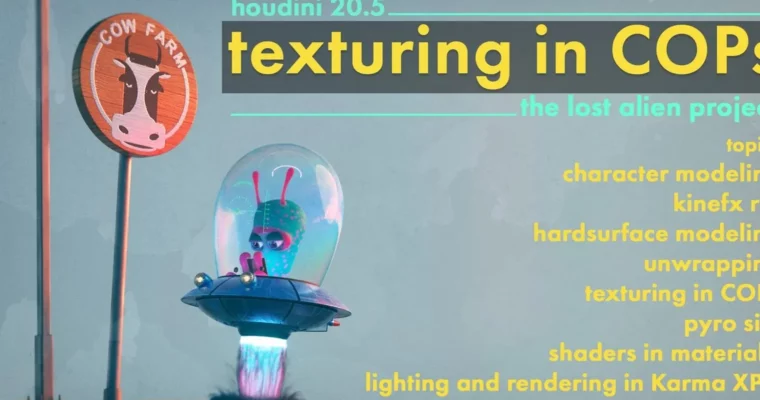
Texturing in COPs – The lost alien project by Rohan Dalvi

Duration:8 hours 10 minutes
Actual Duration:8h 2m
Release date:2024, October
Publisher:Rohan Dalvi
Skill level:Intermediate
Language:English
Exercise files:Yes
Software:Houdini, Karma XPU, MaterialX, KineFX
Course URL:https://www.rohandalvi.net/texturing-in-cops
This course is your ticket to mastering texturing in Houdini 20.5, using the brand-new COPs nodes on a complete project from start to finish. You’ll build an entire scene, from modeling and rigging to VFX and final rendering, all within Houdini.
🎯 What you’ll learn
- Model a detailed alien character and spaceship interior/exterior.
- Rig the alien using KineFX for posing.
- Create complex textures using COPs and MaterialX.
- Simulate pyro effects for spaceship exhaust.
- Light and render the entire scene with Karma XPU.
- Understand a full CG pipeline from scratch.
✅ Requirements
- Skills: Basic working knowledge of Houdini.
- Tools: Standard 3D modeling tools.
- Hardware: A computer capable of running Houdini and Karma XPU smoothly.
📝 Description
This training dives deep into texturing using Houdini’s new COPs (Compositing Operators) in version 20.5, but it’s way more than just texturing. You’ll follow along as we build a complete project from the ground up: “The Lost Alien Project.” This means we’ll cover everything from initial character modeling and hard surface modeling for the spaceship, to rigging the alien with KineFX. We’ll then move into UV unwrapping and dive headfirst into COPs for all the texturing work, creating unique looks for the alien, spaceship, and environment. You’ll also learn to set up MaterialX shaders and even handle pyro simulations for exhaust effects. Finally, we’ll bring it all together in Solaris for lighting and render the entire scene using Karma XPU. This course is designed to give you a comprehensive understanding of a full CG pipeline within Houdini.
🧑🎓 Who this course is for
- Intermediate Houdini users looking to explore texturing with COPs.
- Artists who want to learn a complete CG pipeline from modeling to rendering.
- Anyone interested in creating detailed character and environment assets.
- Professionals looking to update their skills with Houdini 20.5 features.
🧑🏫 About the Author
Rohan Dalvi is a seasoned 3D artist and educator known for his in-depth tutorials on Houdini. He has a knack for breaking down complex workflows into digestible steps, making advanced techniques accessible to a wider audience. His expertise spans modeling, VFX, texturing, and rendering, with a particular focus on practical, project-based learning.
🏁 Final Result
- A portfolio-ready scene featuring a textured alien character posed inside a detailed spaceship, complete with VFX elements and professional lighting, all rendered in Karma XPU.
 Channel