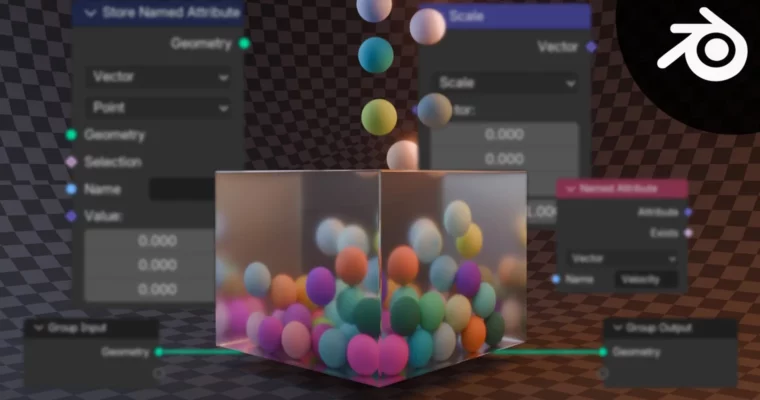
Master Simulations Using Geometry Nodes in Blender by Yassine Larayedh

Duration:1h 23m
Actual Duration:1h 21m
Release date:2025
Publisher:Skillshare
Skill level:Intermediate
Language:English
Exercise files:Yes
Software:Blender
Course URL:https://www.skillshare.com/en/classes/master-simulations-using-geometry-nodes-in-blender/1496727971
Forget hitting bake and hoping for the best. This course shows you how to build a working physics system from scratch with Geometry Nodes in Blender, so you actually get why particles move, collide, and settle the way they do.
🎯 What you’ll learn
- How Simulation Zones and Repeat Zones work in Geometry Nodes
- The real meaning of velocity, acceleration, and gravity in a sim
- How to store and read data with custom attributes
- How to fix unstable motion with correct delta-time handling
- How to add constraints to keep your simulation stable
- How to control particle size with radius logic
- How to set up collision and particle spawning from scratch
- How to add friction for more believable motion
✅ Requirements
- Skills: Basic understanding of Blender interface and 3D navigation, familiarity with Geometry Nodes basics helps
- Tools: Blender 4.0 or newer with Simulation Zones support, 3-button mouse
- Hardware: Standard computer capable of running Blender, dedicated GPU recommended for viewport playback
📝 Description
This isn’t a click-here, plug-this-in type of tutorial. Yassine walks you through the logic behind every node setup, so you think like an engineer, not just an operator. You start with simple ideas — what moves a point, what changes its speed — and turn them into a real, working system.
You’ll work directly with Simulation Zones, Repeat Zones, and custom attributes. That means gravity isn’t just a slider. You build it. Velocity isn’t magic. You store it, update it per frame, and fix it when delta-time tries to break your sim. Once you get that, constraints, radius control, and spawning start to make sense fast.
The second half is where it gets fun. You’ll add collision, clamp runaway particles with constraints, and dial in friction so motion feels weighty instead of floaty. Short lessons, no fluff, lots of why behind the how. By the end you can tweak, break, and rebuild setups on your own instead of copying someone else’s node tree.
🧑🎓 Who this course is for
- Blender users who know basic Geometry Nodes and want to understand simulations properly
- Motion designers and VFX folks who are tired of black-box solvers and want full control
🧑🏫 About the Author
Yassine Larayedh is a VFX generalist who lives in the technical side of 3D — shading nodes, procedural setups, and all the stuff most artists avoid. He also works in video editing, which pairs pretty naturally with effects work. He teaches because he likes that aha moment when something complicated finally clicks, and his courses break heavy topics into plain, practical steps.
🏁 Final Result
- A fully procedural particle physics system built with Geometry Nodes, with gravity, collision, constraints, radius control, spawning, and friction — ready to reuse in your own dynamic scenes.
 Channel