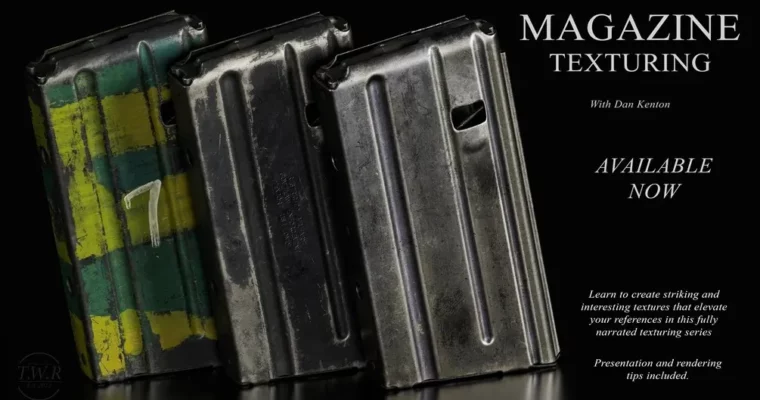
Magazine Texturing Tutorial by Dan Kenton

Duration:~10 hours
Actual Duration:10h 34m
Release date:2024, March
Publisher:Gumroad
Skill level:Intermediate
Language:English
Exercise files:Yes
Software:Substance 3D Painter, Moi 3D
Course URL:https://dankenton.gumroad.com/l/magazine
A 10-hour deep dive into texturing a magazine cover in Substance 3D Painter, with a bonus high-poly sculpting section. Dan Kenton walks through his entire thought process, from setting up the model to final rendering, showing revisions and problem-solving along the way.
🎯 What you’ll learn
- Build realistic paper and print textures from scratch
- Use stencils and custom masks for surface detail
- Bake and leverage normal, AO, and curvature maps
- Render your textured model for a polished portfolio piece
✅ Requirements
- Skills: Basic familiarity with Substance 3D Painter interface
- Tools: Substance 3D Painter (any version), Moi 3D (for bonus section)
- Hardware: 3-button mouse, dedicated GPU recommended
📝 Description
This isn’t a button-mash tutorial. Dan Kenton narrates every step, explaining why he makes each decision. You’ll see him revise and iterate, which is exactly how real production work goes.
The course focuses on Substance 3D Painter as the main tool. You get his actual model, custom stencils, and all the baked maps you need to follow along. The bonus section covers high-poly sculpting in Moi 3D, giving you a complete look at the asset creation pipeline.
The rendering module is fully narrated too, so you’ll understand how to light and present your final textured piece. No fluff, just practical workflow knowledge.
🧑🎓 Who this course is for
- Intermediate 3D artists wanting to improve their texturing skills
- Artists looking for a realistic, production-oriented workflow
- Anyone who wants to see a pro’s thought process during texturing
🧑🏫 About the Author
Dan Kenton is a 3D artist known for detailed product visualizations and realistic texturing work. He shares his practical, no-nonsense approach to Substance 3D Painter, focusing on real-world techniques rather than theory.
🏁 Final Result
- A fully textured magazine cover, ready for portfolio presentation
- A rendered image showcasing your texturing and lighting skills
- Understanding of a complete texturing pipeline from model to final render
 Channel