Ad Clicks : Ad Views : Ad Clicks : Ad Views : Ad Clicks : Ad Views : Ad Clicks : Ad Views :
Oh Snap!

It looks like you're using an adblocker. Adblockers make us sad. We use ads to keep our content happy and free. If you like what we are doing please consider supporting us by whitelisting our website. You can report badly-behaved ads by clicking/tapping the nearby 'Advertisement' X text.

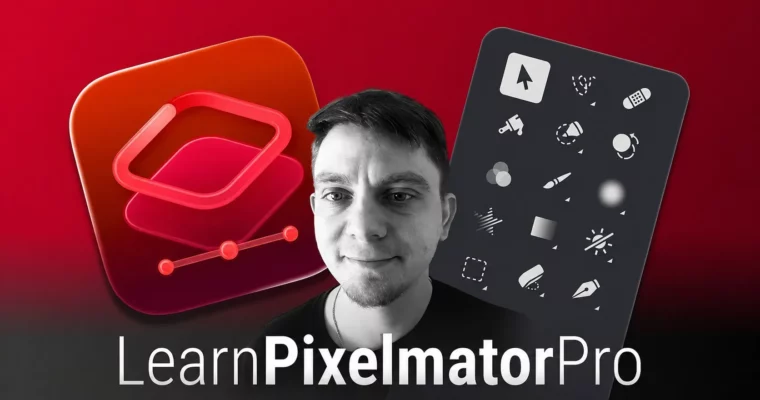
Learn Pixelmator Pro For Beginners by Mark Krukowski

Learn Pixelmator Pro For Beginners by Mark Krukowski

/

Author:Mark Krukowski

Duration:3 hours

Actual Duration:2h 53m

Release date:2025, February

Publisher:Udemy

Skill level:Beginner

Language:English

Exercise files:Yes

Software:Pixelmator Pro

Course URL:https://www.udemy.com/course/pixelmator-pro-for-beginners/

Go from zero to a confident Pixelmator Pro user with this hands-on, project-based course covering photo editing, design, and vector graphics.

A quick, no-fluff guide to getting comfortable with Pixelmator Pro. You’ll learn the interface, basic photo fixes, and how to create simple designs—all in about three hours.

🎯 What you’ll learn

  • Navigate Pixelmator Pro’s layout and workspace.
  • Crop, resize, and enhance images with basic adjustments.
  • Understand layers, masks, and non-destructive editing.
  • Use shapes, text, and vector tools for design projects.
  • Export projects for print, web, or sharing.

✅ Requirements

  • Skills: No prior Pixelmator Pro experience needed.
  • Tools: Pixelmator Pro installed on your computer.
  • Hardware: A Mac running macOS compatible with Pixelmator Pro.

📝 Description

This course is built for people who want to get productive with Pixelmator Pro fast. No long-winded theory—just practical, step-by-step projects. You’ll start by learning the interface and basic tools, then move into real-world tasks like retouching photos, removing backgrounds, and adjusting colors.

The second half shifts to design work: creating layouts, using vector shapes, and exporting for print or web. There’s even a section on RAW file editing and a fun snowman illustration project to tie it all together. Each lesson is short and focused, so you can learn in bite-sized chunks.

By the end, you’ll have a solid grasp of the software and the confidence to tackle your own projects. Plus, you get free updates as Pixelmator Pro evolves.

🧑‍🎓 Who this course is for

  • Hobbyists or professionals wanting to improve photo editing skills.
  • Users familiar with other design programs (like Photoshop) but new to Pixelmator Pro.

🧑‍🏫 About the Author

Mark Krukowski (Kru Mark) is a qualified ICT teacher and multimedia designer with 7 years of classroom experience and over 5,000 online students. He focuses on making digital skills practical and engaging, helping beginners build real-world confidence.

🏁 Final Result

  • A portfolio of completed projects, including a retouched photo, a multi-photo layout, a PDF design, and a vector illustration.
Curriculum

📋 Course content

  1. Module 1: Getting Started
    • Brief overview of Pixelmator Pro10:54
    • Exploring Tools5:47
    • Help Menu5:27
    • Pixelmator Official Support1:05
  2. Module 2: Photo Editing Basics
    • Importing and cropping the image6:13
    • Adjusting brightness, contrast, and saturation5:44
    • Removing blemishes using the healing tool8:38
    • Cutting out a subject using the selection tools3:55
    • Replacing the background2:06
    • Final adjustments with color grading4:31
  3. Module 3: Creative Effects & RAW
    • Circle crop2:53
    • Exploring effects9:56
    • RAW Files4:07
  4. Module 4: Layout & Design
    • Importing and arranging multiple photos5:16
    • Adding backdrop and shadows6:08
    • Remix and add text6:04
    • Choosing an appropriate canvas size4:30
    • Adding a focal image and background6:17
    • Using shapes and text to create a hierarchy5:35
    • Adding icons and exporting as PDF10:10
  5. Module 5: Vector Graphics
    • Vector graphics?3:34
    • Combining Shapes8:52
    • Pen Tool3:15
    • Pen Tool Practice7:29
    • Editing SVG3:55
    • Snowman illustration8:58
    • Export your illustration6:16
  6. Module 6: Wrap Up
    • Timelapse Summary3:00
    • Updates Coming Soon0:35
    • Keyboard Shortcuts4:27
    • Frequently Asked Questions6:50
    • Summary Quiz
    • Well Done!2:05
Watch online or Download for Free
Learn Pixelmator Pro For Beginners by Mark Krukowski
NAME
SIZEDURATION
1 – Introduction to Pixelmator Pro
33.1 MB22m
7 – Updates
505.7 KB0m

Download all Videos (31)
235 MB2h 53m

Project Files (Assets, Resources)
247.1 KB

Download all

Join us on
  Channel    and      Group

Leave a Comment

Your email address will not be published. Required fields are marked *