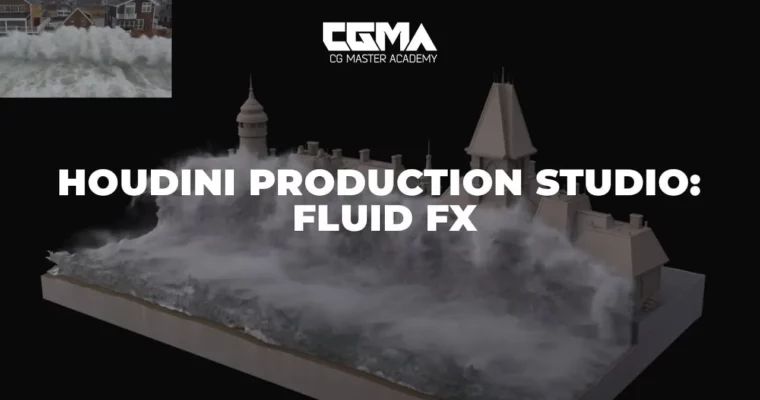
Houdini Production Studio – Fluid FX by Edward Ferrysienanda

Duration:9 weeks
Actual Duration:25h 14m
Release date:2023
Publisher:CGMA
Skill level:Advanced
Language:English
Exercise files:Yes
Software:Houdini
Course URL:https://www.vfx.cgmasteracademy.com/courses/51-houdini-production-studio-fluid-fx
This course is a straight shot into production-level Houdini FLIP workflows. You’ll move past the basics and build a massive village flooding shot, learning how to handle complex water simulations the way studios do. It’s the logical next step if you’ve already got a handle on Houdini fundamentals and want to specialize in fluid FX.
🎯 What you’ll learn
- Build a custom emitter tool for efficient fluid setups.
- Generate and control velocity fields to drive realistic simulations.
- Create a production-ready fluid meshing network.
- Master white water simulation and secondary effects.
- Post-process and optimize large simulation datasets for rendering.
✅ Requirements
- Skills: Good basic Houdini knowledge, comfortable navigating in SOPs and DOPs, basic VEX knowledge.
- Tools: Houdini 17.5 and up (Apprentice version is free and sufficient).
- Hardware: A computer capable of running Houdini; simulations will take longer and be lower resolution on less powerful machines.
📝 Description
This isn’t a theory-heavy overview. It’s a hands-on, project-based deep dive where you build a single, complex hero shot over nine weeks. You’ll start by getting your hands dirty with the FLIP solver internals, understanding viscosity, density, and divergence. Then you’ll move into practical techniques like building a waterfall HDA, setting up river velocity fields, and creating a beach simulation.
The real meat of the course is in the shot-building phase. You’ll learn how to plan a large-scale simulation, optimize your setup, and inject flow to drive the water. From there, it’s all about the details: generating convincing white water, spray, and mist, and then post-processing your sims to get the most out of them. The final weeks cover lighting and rendering in Arnold, including setting up ACES, shading water surfaces, and compositing your final AOVs. You’ll walk away with a portfolio-ready shot and a solid, repeatable workflow for any fluid FX task.
🧑🎓 Who this course is for
- Intermediate Houdini artists who have completed an introductory FX course and want to specialize in fluids.
- VFX artists looking to transition into a dedicated FX TD role.
- Anyone who wants to build a professional-grade water simulation portfolio piece.
🧑🏫 About the Author
Edward Ferrysienanda is a professional FX artist with deep experience in Houdini fluid simulations. He brings a production-focused mindset to the course, teaching not just the technical how, but the practical why behind each step. His approach is grounded in real-world studio pipelines, making this course a direct bridge to professional work.
🏁 Final Result
- A complete, large-scale water simulation shot of a village flooding, including primary fluid, white water, mist, and debris.
- A fully rendered and composited final sequence, ready for your demo reel.
📢 Guys, this is a Group Buy campaign, check the GBC forum thread to get access
You can find the course preview in the download section below.
 Channel