Creating Custom Micro Solvers in Houdini (Maximus & Soot) by Urban

Duration:5hr 30min
Release date:2025, September
Publisher:DoubleJump Academy
Skill level:Advanced
Language:English
Exercise files:Yes
Software:Houdini
Course URL:https://www.doublejumpacademy.com/workshops/creating-custom-micro-solvers-in-houdini-maximus-soot
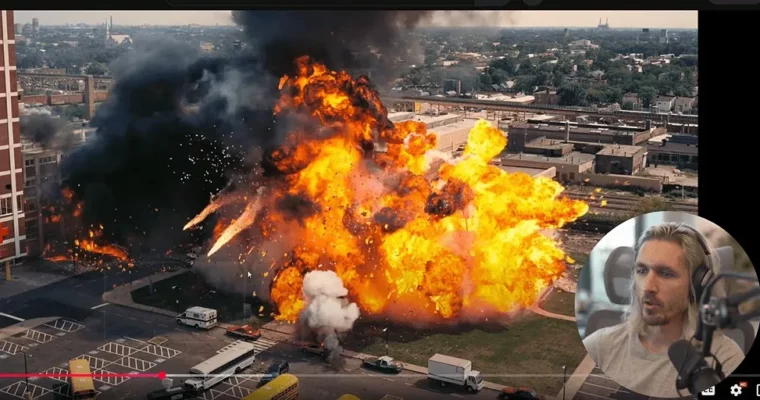
Tired of soft pyro that just fades out? This mini-masterclass hands you two custom Houdini microsolvers — Maximus Detailus for ultra-fine turbulence and Soot or Die for that black powdery smoke — plus a full breakdown of how they were built so you can start making your own.
🎯 What you’ll learn
- Build and control custom pyro microsolvers inside DOPs
- Generate multi-level turbulence details and natural eddies with Maximus Detailus
- Simulate soot from incomplete combustion with Soot or Die
- Use VEX logic to drive oxygen, heat, and smoke color
- Replace the default Houdini turbulence with a production-ready setup
- Erode any field with another field using the bonus Baby Erode solver
- Shade, render, and get super close to your sim without it falling apart
✅ Requirements
- Skills: Basic understanding of Houdini Pyro and DOP networks, familiarity with VEX basics
- Tools: Houdini FX / Indie / Apprentice with Pyro solver enabled
- Hardware: Multi-core CPU, minimum 16GB RAM, dedicated GPU for smooth viewport playback
📝 Description
Every big studio runs its own little secret sauce tools. This is DoubleJump sharing theirs. Urban walks you through the exact solvers he uses on high-end jobs — Maximus Detailus and Soot or Die — and shows you how they were put together. No magic button talk, just real DOP networks, VEX, and decisions that make fire look physical.
Maximus Detailus is a full replacement for the built-in Houdini turbulence. Instead of uniform noise that looks the same everywhere, you get evolving eddies and multiple levels of detail that ride along with the smoke. You can push in close and still see structure. That is what gets you the last 10% clients actually notice.
Soot or Die solves a different problem: fire that vanishes too cleanly. In real life, low oxygen and low heat leave behind black, powdery smoke from incomplete combustion. This microsolver adds that layer back in, so explosions, candles, rockets, and flamethrowers leave a dirty, lingering trail. It is perfect for that heavy, oily look.
The format is hands-on and project-based. You get around 5 hours of walkthrough, both HDAs with easy controls, multiple demo files, plus a bonus Baby Erode solver for eroding one field by another. If you already know basic Pyro FX and want big-studio detail from home, this is it.
🧑🎓 Who this course is for
- Intermediate to advanced Houdini FX artists who want better pyro detail
- Freelancers who need to deliver big-studio quality explosions and fire
- Technical artists curious how custom microsolvers are actually built
🧑🏫 About the Author
Urban Bradesko is a Houdini FX artist and tool builder focused on Pyro FX and solver development. At DoubleJump Academy, a SideFX Certified school, he teaches production workflows for fire, smoke, and explosions. He built Maximus Detailus and Soot or Die to solve real shot problems — vanishing smoke and flat turbulence — and now shares both the tools and the build process.
🏁 Final Result
- Portfolio-ready pyro shots with crispy turbulence detail and lingering soot, built with two custom microsolver HDAs plus the bonus Baby Erode tool.
 Channel