


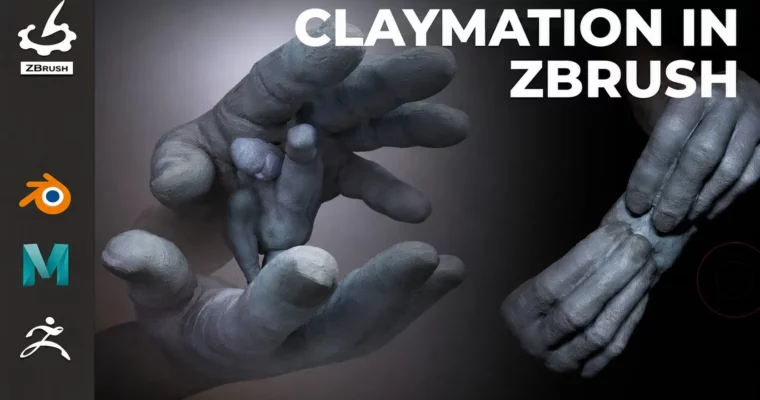
Claymation in ZBrush by Alexander Lee

Duration:5h 25m 58s
Actual Duration:5h 25m
Release date:2026, May 12
Publisher:Gnomon
Skill level:Intermediate
Language:English
Exercise files:Yes
Software:ZBrush, Maya, Blender
Course URL:https://www.thegnomonworkshop.com/workshops/claymation-in-zbrush
Alexander Lee teaches a unique approach to animation: sculpting every single frame by hand in ZBrush. This 5-hour workshop covers the full pipeline, from character setup in ZBrush and Maya to final compositing in Blender, using his proprietary UltraClay tool to manage the frame-by-frame workflow.
🎯 What you’ll learn
- Sculpt a character mesh in ZBrush
- Set up a character rig using an auto-rigging tool
- Animate in ZBrush using straight-ahead animation and stepped keys
- Set up materials for rendering and viewing vertex colors in the viewport
- Manage export/import of frame meshes using UltraClay
- Sculpt individual animation frames in ZBrush using Sculptris Pro
- Render a final animation in Maya
- Handle compositing in Blender
✅ Requirements
- Skills: Intermediate knowledge of ZBrush and an animation software (Maya recommended).
- Tools: 3-button mouse, drawing tablet.
- Hardware: Minimum 16GB RAM, dedicated GPU.
📝 Description
This workshop is built around a simple but powerful idea: treat each ZBrush subtool as a single frame of animation. Alexander Lee walks you through his entire process, starting with a custom ZBrush menu setup that speeds up your sculpting workflow. He then shows you how to block out a scene in Maya, sculpt and PolyPaint your main character, and set up a rig using the RapidRig Modular auto-rigging tool.
The core of the course is the frame-by-frame sculpting process. You’ll learn how to export animated meshes from Maya using the UltraClay tool, import them into ZBrush, and then sculpt each frame individually. Alexander covers techniques like using the Gizmo and SnakeHook brush for major forms, and Sculptris Pro for smooth transitions between objects. He also shows how to use playblasts in Maya to check timing and spacing, ensuring your animation flows naturally.
The final lessons cover lighting, rendering in Maya, and compositing the final image sequence in Blender. A bonus lesson provides a full installation tutorial for UltraClay, which is included with the workshop. This is a practical, hands-on course for anyone wanting to add a handcrafted, tactile feel to their digital animations.
🧑🎓 Who this course is for
- Intermediate to advanced artists comfortable with animation and sculpting workflows.
- Artists looking to explore a non-traditional, frame-by-frame animation technique.
- Beginners who want to jump straight into basic ZBrush animation using the early chapters.
🧑🏫 About the Author
Alexander Lee is a freelance senior technical artist who has worked in the video game and VFX industries since 2012. He has contributed to projects for Apple, Survios, and Pure Imagination, including Alien: Rogue Incursion and The Walking Dead: Onslaught. He has presented his techniques at Lightbox Expo and teaches at both Gnomon and LCAD.
🏁 Final Result
- A complete, hand-sculpted claymation animation sequence, ready for rendering and compositing.
- A solid understanding of the frame-by-frame sculpting pipeline using ZBrush, Maya, and UltraClay.
 Channel

can you please do Lern Sqred Ink Sktching Fundamentls?
Have only this – Sketching Everything with KleinerHai and Aaron Limonick’s first sketching course https://online-courses.club/category/tutorials/learn-squared/