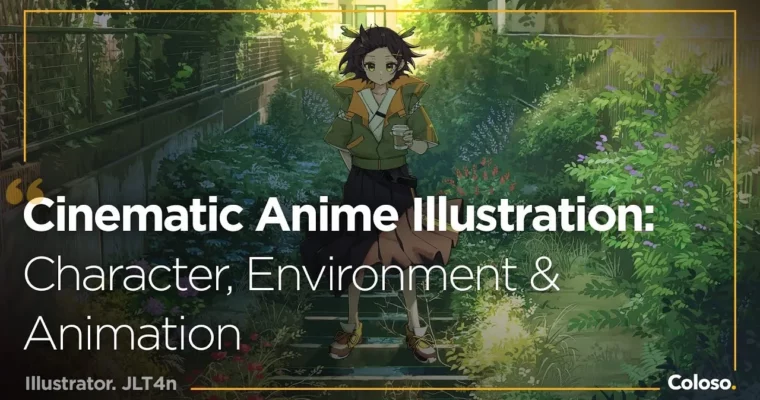
Cinematic Anime Illustration – Character, Environment & Animation by JLT4n

Duration:32 hours 48 minutes
Actual Duration:32h 48m
Release date:2026, May 28
Publisher:Coloso
Skill level:Beginner
Language:English
Exercise files:Yes
Software:Clip Studio Paint, Adobe Photoshop, Adobe Lightroom, Adobe After Effects
Course URL:https://coloso.global/en/products/illustrator-jlt4n-us
This course teaches you how to build anime illustrations that feel like movie stills. You’ll learn to combine character art with rich, realistic backgrounds using photobashing, color grading, and cinematic composition. The class also covers basic animation and compositing in After Effects to bring your final scene to life.
🎯 What you’ll learn
- Frame scenes using cinematic perspective and composition techniques
- Use photobashing to create detailed, realistic backgrounds
- Render characters with dramatic lighting and color harmony
- Apply camera effects like depth of field, bokeh, and lens flares
- Animate and composite a short scene in After Effects
✅ Requirements
- Skills: Basic understanding of drawing and painting
- Tools: Drawing tablet, Clip Studio Paint, Adobe Photoshop, Adobe Lightroom, Adobe After Effects
- Hardware: Computer capable of running the required software
📝 Description
This class is built around a simple idea: make your illustrations feel like scenes from an anime film. The instructor, JLT4n, breaks down his entire workflow, starting with how to find the right reference photos and frame a shot using perspective and leading lines.
You’ll spend a good chunk of time on photobashing — blending photos into your painting to create rich, realistic backgrounds without painting every brick and leaf from scratch. Then, it’s about making the character feel like they belong in that world. The lessons on lighting, color grading, and rendering focus on matching the character to the environment’s mood and atmosphere.
The final section is a bonus that sets this course apart: you’ll learn to animate a short loop of your scene. This covers keyframing in Clip Studio Paint and compositing in After Effects to add movement and polish. It’s a practical, no-fluff approach to creating portfolio-ready work that tells a story.
🧑🎓 Who this course is for
- Illustrators who want to move from standard anime style to a more cinematic, film-like look
- Artists looking to learn photobashing and matte painting techniques for backgrounds
- Anyone interested in adding basic animation and compositing to their illustration workflow
🧑🏫 About the Author
JLT4n is a self-taught freelance illustrator who specializes in character and environment artwork. He started drawing seriously during the pandemic and quickly built a career creating art for the VTuber industry, including work for Nijisanji, Hololive fan books, and various independent VTubers. His style is heavily influenced by anime directors like Makoto Shinkai and Hayao Miyazaki.
🏁 Final Result
- A complete cinematic anime-style illustration with a character and detailed background
- A short animated loop of your scene, composited in After Effects
📢 Guys, this is a Group Buy campaign, check the GBC forum thread to get access
You can find the course preview in the download section below.
 Channel