Ad Clicks : Ad Views : Ad Clicks : Ad Views : Ad Clicks : Ad Views : Ad Clicks : Ad Views :
Oh Snap!

It looks like you're using an adblocker. Adblockers make us sad. We use ads to keep our content happy and free. If you like what we are doing please consider supporting us by whitelisting our website. You can report badly-behaved ads by clicking/tapping the nearby 'Advertisement' X text.

Godot 4 – Build a 2D Action-Adventure Game by Ahmed Nassef

Godot 4 – Build a 2D Action-Adventure Game by Ahmed Nassef

/

Author:Ahmed Nassef

Duration:8 hours 4 minutes

Release date:2025, May

Publisher:Udemy

Skill level:Beginner

Language:English

Exercise files:Not Provided

Software:Godot 4

Course URL:https://www.udemy.com/course/godot-action-adventure

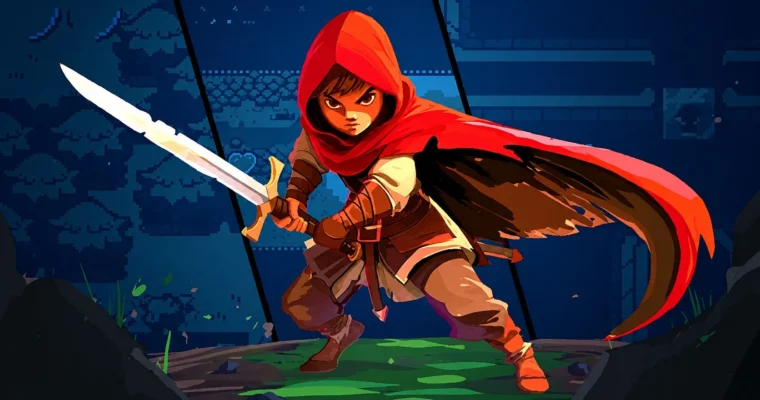
Build a complete 2D action-adventure game in Godot 4 from scratch, learning GDScript, puzzles, combat, and world design along the way.

Build a complete 2D action-adventure game in Godot 4 from scratch. This course walks you through creating a Zelda-like experience, covering everything from player and tilemaps to puzzles, NPC dialogue, and a full combat system. No prior game dev experience needed.

🎯 What you’ll learn

  • Build a full 2D action-adventure game in Godot 4 from start to finish.
  • Master GDScript, including variables, functions, signals, and more.
  • Design an expansive world with tilemaps, terrains, and hidden secrets.
  • Create puzzles with movable blocks, pressure plates, and switches.
  • Develop a dialogue system for NPCs to deliver lore and hints.
  • Make a combat system with enemy AI, knockback, and health.

✅ Requirements

  • Skills: No prior game development or programming experience required.
  • Tools: A computer running Windows, Linux, or macOS.
  • Hardware: A computer capable of running Godot 4.

📝 Description

This course is built around a single, focused goal: making a complete, playable 2D action-adventure game in Godot 4. You won’t be left with a half-finished prototype or a bunch of disconnected tutorials. Instead, you’ll follow a clear path from a blank project to a game with puzzles, NPCs, combat, and a world to explore.

The teaching style is hands-on and practical. Each concept is introduced and then immediately applied to the game. You’ll learn GDScript by writing it, not just reading about it. The instructor breaks down every line of code, explaining what it does and why it’s used. You’ll get challenges to test your understanding and solidify your skills.

The course covers the core systems of a classic action-adventure game. You’ll build tilemaps and terrains to create your world, design puzzles with blocks and switches, and create a dialogue system for NPCs. The combat system includes enemy AI, player attacks, health, and knockback. You’ll also learn how to structure your project with scenes, signals, and groups for clean, reusable code.

🧑‍🎓 Who this course is for

  • Complete beginners who want to make their first game.
  • Developers switching to Godot from another engine.
  • Anyone who wants to build a complete 2D action-adventure game.

🧑‍🏫 About the Author

Ahmed Nassef is a game developer and instructor with a passion for teaching. He started learning game development at age 12 with Scratch and later graduated with honors in Computer Science. He has worked as an indie developer creating educational games and web games, and as an instructor teaching kids programming and game development. He is part of the GameDev.tv Team, which has taught over 1 million students and is known for its high-rated, practical game development courses.

🏁 Final Result

  • A fully playable 2D action-adventure game with player movement, puzzles, NPC dialogue, and a combat system.
  • A solid understanding of GDScript and Godot 4’s core systems.
  • The confidence and skills to start building your own game projects.
Curriculum

📋 Course content

  1. Module 1: Welcome & Setup
    • Welcome to the Course1:25
    • Setting Up Godot3:17
    • Basics of Godot11:54
    • Godot 4.4’s Game Tab5:13
    • Basics of Programming in Godot10:22
    • Community & Support1:33
    • Accessing Our Projects4:38
    • Importing Assets2:33
  2. Module 2: Player Movement
    • Section Intro – Player Movement0:20
    • Setting Up the Player6:44
    • Introducing Variables10:41
    • If Statements & Reading Inputs8:51
    • Moving the Player10:34
    • Variable Scope & @export4:50
    • Animating the Player12:03
    • Elif & Else Statements7:31
  3. Module 3: Creating Environments
    • Section Intro – Creating Environments0:37
    • Introducing Tilemaps10:46
    • Introducing Terrains11:53
    • Adding Obstacles & Y-sorting9:35
    • Introducing Signals & Area2Ds7:40
    • Changing Scenes10:17
    • Introducing Autoloads7:19
    • Adding Dungeon Floors & Walls12:23
    • Scaling the Window4:22
  4. Module 4: Block Puzzles
    • Section Intro – Block Puzzles0:35
    • Introducing Physics Bodies5:59
    • Pushing the Block11:34
    • Introducing Groups5:41
    • Framerates & _physics_process()6:13
    • Creating a Puzzle Button10:20
    • Creating Our Own Signals10:51
    • Building a Block Puzzle7:54
    • Introducing Inherited Scenes10:08
    • Introducing Collision Layers8:29
  5. Module 5: Creating NPCs
    • Section Intro – Creating NPCs0:48
    • Creating Our Own Functions4:54
    • Creating a Basic NPC4:38
    • Introducing User Interfaces8:58
    • Adding an Interact Area9:41
    • Adding Multiple NPCs7:44
    • Pausing the Game3:51
    • Introducing Arrays9:00
    • Multiple Lines of Dialogue8:45
  6. Module 6: Switch Puzzles
    • Section Intro – Switch Puzzles0:30
    • Adding World Boundaries5:13
    • Introducing Switches8:21
    • Adding Secret Rooms8:23
    • Introducing Switch Puzzles9:40
    • Adding Treasure Chests8:40
    • Remembering Opened Chests6:21
    • Showing Collected Treasure9:14
  7. Module 7: Combat
    • Section Intro – Combat0:46
    • Adding Music & Sound Effects10:53
    • Player HP & Taking Damage11:00
    • Adding Player Health UI6:38
    • Setting up the Player Attack8:09
    • Animating the Player Attack16:46
    • Moving the Enemy13:58
    • Adding Knockback & Acceleration10:01
    • Polishing Combat7:04
    • Flashing When Taking Damage9:52
    • Fixing Interactions6:35
    • Adding Particle Effects12:27
    • Course Wrap-up0:42
Watch online or Download for Free
Godot 4 – Build a 2D Action-Adventure Game by Ahmed Nassef
NAME
SIZEDURATION

Download all Videos (64)
4.9 GB

Project Files (Assets, Resources)
100.5 KB

Download all

Join us on
  Channel    and      Group

Leave a Comment

Your email address will not be published. Required fields are marked *