


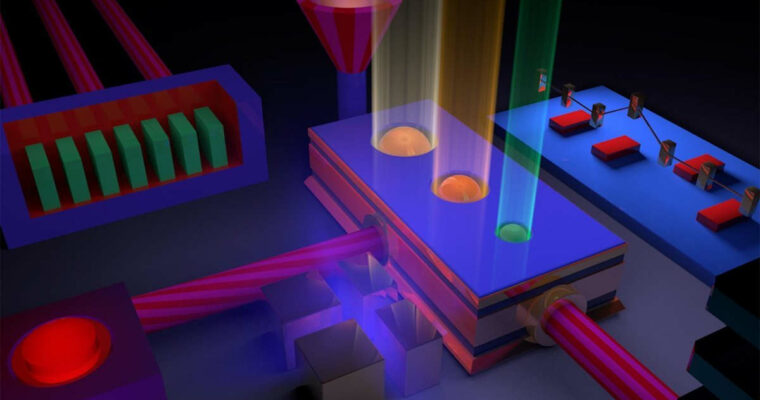
Cinema 4D R19 Essential Training Motion Graphics

Duration:04:30:00
Actual Duration:4h 30m
Release date:2017, September 29
Skill level:Beginner
Language:English
Exercise files:Yes
Course URL:https://www.lynda.com/CINEMA-4D-tutorials/Cinema-4D-R19-Essential-Training-Motion-Graphics/624344-2.html
Cinema 4D R19 Essentials: Motion Graphics introduces intermediate artists to the Cinema 4D workflow. If you’re new to Cinema 4D, please check out Learning Cinema 4D R19, which starts at the very beginning and introduces you to how the software works.
Here, learn key foundational concepts, such as spline modeling, lighting, and materials, which are crucial to understanding exactly how this 3D application functions. Instructor Andy Needham covers practical techniques for extruding shapes; working with MoGraph tools such as Cloners and Effectors; and adding lighting and camera views for fully realized 3D motion graphics. Plus, find out how to integrate assets from Adobe Illustrator, composite multipass renders with the After Effects and C4D workflow, and use the Takes System to try different materials and settings and export your projects in the exact sizes and resolutions you need.
Topics include:
- Setting up scenes
- Modeling with splines
- Using Illustrator files in C4D
- Extruding depth and detail
- Animating in the Timeline
- Creating clones
- Using Effectors
- Lighting motion graphics
- Applying materials
- Creating animated materials
- Compositing multipass renders in After Effects
- Rendering motion graphics in C4D
001 Welcome
002 What this course is and isn’t
003 Exercise files
004 New features highlighting
005 What are motion graphics_
006 How do motion graphics artists use Cinema 4D_
007 Big picture concepts
008 Examples of work
009 Starting a scene for the first time
010 Workflow tips
011 Create a start scene
012 What are splines_
013 Working with parametric spline primitives
014 Creating and manipulating splines
015 Build complex shapes with spline masks
016 Creating geometry with splines
017 Working with Adobe Illustrator files
018 Import and clean up Illustrator files
019 Extrude to add depth and detail
020 What is the Timeline_
021 F-curve manipulation
022 Create a logo wipe
023 Create a camera animation
024 Copying and offsetting keyframes
025 Moving animated objects
026 Working with sound
027 What is MoGraph_
028 Creating clones
029 Using Effectors
030 Deforming objects with Effectors
031 Other MoGraph objects
032 Offset animation with the Step effector
033 Enabling objects to be animated with MoGraph
034 Breaking objects into pieces
035 How do lights work_
036 Using different types of shadow
037 Adding falloff for realistic lighting
038 Scene lighting
039 Creating a basic light setup
040 What are materials_
041 Create and apply materials
042 Working with selections
043 Manipulating materials on objects
044 Working with reflective materials
045 Create a bumpy greeble texture
046 Add detail with pattern shaders
047 Animating animated materials
048 The motion graphics pipeline
049 Compositing tags
050 Common render settings
051 Set up multipass renders
052 Set up takes
053 Create previews renders
054 What is Cineware_
055 The AEC workflow
056 Challenge overview
057 Solution
058 Next steps
Ex_Files_Cinema4D_R19_EssT_MG.rar
 Channel




Subtitle please