Creating a Charged Energy Beam in Unreal Engine by Raúl Ruiz

Duration:2h 03m
Actual Duration:2h 3m
Release date:2026, July
Publisher:Gnomon
Skill level:Intermediate
Language:English
Exercise files:Yes
Software:Unreal Engine, After Effects, Krita, Cascadeur
Course URL:https://www.thegnomonworkshop.com/workshops/creating-a-charged-energy-beam-in-unreal-engine
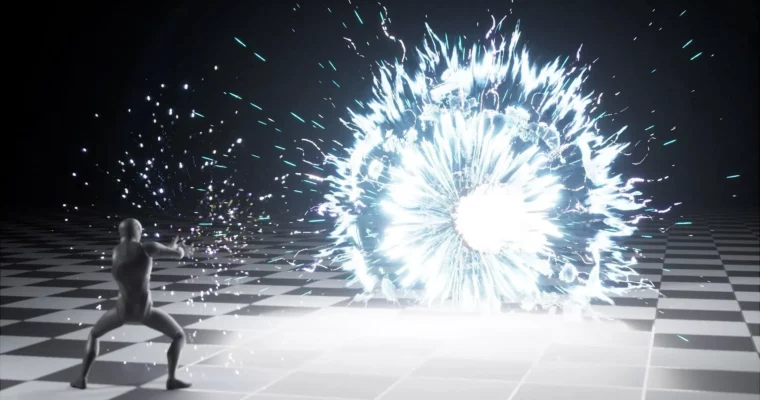
This workshop teaches you how to build a complete, production-ready cinematic VFX shot in Unreal Engine, focusing on a charged energy beam. Instructor Raúl Ruiz shows you the full pipeline, from planning and animation to final polish, using Niagara and Sequencer. You’ll learn how to make your effects read clearly on screen, not just as isolated elements, but as part of a cohesive presentation.
🎯 What you’ll learn
- Plan a VFX shot using references, storyboards, and timing beats.
- Create support animation in Cascadeur to reinforce shot intent.
- Set up a cinematic shot in Sequencer with camera, lighting, and composition.
- Build a three-phase Niagara effect: charge-up, beam launch, and blast.
- Use materials and math for masks, falloffs, and noise shaping.
- Render and apply a subtle post-production polish pass in After Effects.
✅ Requirements
- Skills: Basic understanding of Unreal Engine and Niagara.
- Tools: 3-button mouse, drawing tablet (recommended).
- Hardware: Minimum 16GB RAM, dedicated GPU.
📝 Description
This workshop is about building a complete VFX shot, not just a single effect. Raúl starts with the planning phase, using references and anchor frames to define the shot’s timing and visual intent. He then creates a short support animation in Cascadeur to give the scene context and energy.
The core of the workshop focuses on Niagara. You’ll build the energy beam in three practical phases: charge-up, beam launch, and blast. Raúl explains the math behind masks, falloffs, and noise shaping, showing you how to create flexible, art-directable systems. He also covers how to use timing proxies to lock down scale and rhythm before diving into the final build.
Finally, you’ll learn how to render your shot from Sequencer and apply a subtle polish pass in After Effects to enhance the presentation without hiding the real-time work. The goal is to give you a production-oriented mindset for making VFX decisions that serve both artistic intent and practical workflow.
🧑🎓 Who this course is for
- Intermediate real-time VFX artists who want to improve their shot presentation skills.
- Technical artists and Unreal Engine users looking to build complete cinematic effects.
- Students building portfolio pieces who want to move beyond isolated effects.
🧑🏫 About the Author
Raúl Ruiz is a real-time VFX artist specializing in Unreal Engine, Niagara, and shader-driven effects for games. His background spans both game development and film-oriented workflows, with a strong focus on building stylized and realistic effects that remain performant in production. He has contributed to large-scale projects including the Gothic Remake, creating and optimizing a wide range of real-time effects for gameplay and environments. Alongside production work, Raúl enjoys breaking complex VFX problems into clear, practical workflows for teaching.
🏁 Final Result
- A complete, polished cinematic VFX shot of a charged energy beam, ready for a portfolio or production demo.
 Channel