


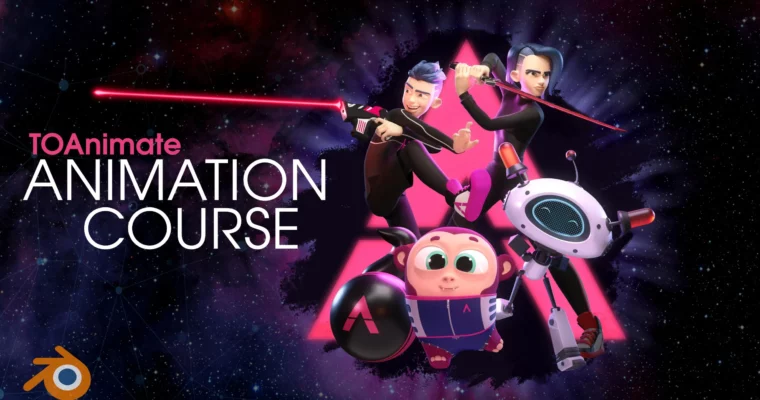
Blender Basics + Full Animation Course by Brian Kouhi

Duration:7 days
Actual Duration:30h 29m
Release date:2025
Publisher:TOAnimate
Skill level:Beginner
Language:English
Exercise files:Yes
Software:Blender
Course URL:https://www.toanimate.ca/toanimate
This course is your fast track to becoming a confident Blender animator. You’ll skip the boring stuff and jump straight into animating with professional-grade rigs, pre-lit sets, and a huge library of dialogue clips. By the end, you’ll have the skills to create expressive, character-driven animations that stand out.
🎯 What you’ll learn
- Navigate Blender’s 3D viewport and customize your workspace for animation
- Master the timeline, graph editor, and dope sheet for precise keyframing
- Use constraints like Child Of and baking for complex rig interactions
- Set up and animate cameras with techniques like rack focus and dolly zoom
- Import and sync audio and video references for lip-syncing and performance
- Work with professional rigs, including the feature-quality Max rig and Space Rover
✅ Requirements
- Skills: No prior animation experience needed. Just a willingness to learn and practice.
- Tools: A computer with Blender installed (free to download), and a 3-button mouse is highly recommended.
- Hardware: A dedicated GPU is recommended for smooth viewport performance, especially when working with complex rigs.
📝 Description
This isn’t your typical “watch me click buttons” tutorial. The TOAnimate team built this course around the idea that you learn best by doing. That’s why you get access to over $550 worth of custom-made rigs and props. The Max rig alone took 7 months to develop, and it shows. You’ll be posing, emoting, and animating with a level of control that’s usually reserved for studio productions.
Forget animating in an empty void. The course includes pre-lit, interactive sets with dozens of points of interaction. You can focus on your animation and staging, not on fiddling with lights and cameras. And when you’re ready to add dialogue, there’s a bank of 100+ original clips recorded by professional voice actors. You’ll learn how to sync lips and craft facial expressions that bring your characters to life.
The curriculum is structured to get you up to speed fast. You’ll start with the basics of the 3D viewport, then move through the timeline, graph editor, and dope sheet. From there, you’ll tackle constraints, cameras, and advanced rigging techniques. Each lesson is paired with a PDF handbook, and you’ll get lifetime access to new assets and lessons as they’re added. Plus, you’ll be invited to Animation Station, a private community of over 2,000 animators where you can get feedback and support.
🧑🎓 Who this course is for
- Animators who want to add Blender to their toolkit
- Beginners with zero experience in 3D animation
- Artists looking for a structured, project-based learning path
- Anyone who wants to create character animations with professional-grade tools
🧑🏫 About the Author
Brian Kouhi is a co-founder and instructor at TOAnimate. He graduated from OCAD University with a bachelor’s in animation and later completed Sheridan’s intensive post-graduate animation program. Brian has worked on popular shows like Paw Patrol and Abby Hatcher at Guru Studio, animated on the Netflix series Maya and the Three, and worked at UKEN games and Point Blank Games. He’s also built a community of over 30,000 artists on YouTube, where he shares his animation knowledge.
The course is taught by a team of industry professionals, including Simona Baranovicova, who has worked at DNEG and Industrial Light & Magic, and Vladimir Mokhov, a Blender generalist with 12 years of experience and a background from Sheridan’s animation program.
🏁 Final Result
By the end of this course, you’ll have a solid understanding of Blender’s animation tools and workflows. You’ll be able to animate the included rigs with confidence, create expressive performances with lip-sync, and stage your shots using professional camera techniques. You’ll walk away with a portfolio-ready animation reel and the skills to tackle your own projects.
 Channel


How does one watch this videos online? or can I only watch it after downloading?
try again, works like a charm for me