Ad Clicks : Ad Views : Ad Clicks : Ad Views : Ad Clicks : Ad Views : Ad Clicks : Ad Views :
Oh Snap!

It looks like you're using an adblocker. Adblockers make us sad. We use ads to keep our content happy and free. If you like what we are doing please consider supporting us by whitelisting our website. You can report badly-behaved ads by clicking/tapping the nearby 'Advertisement' X text.

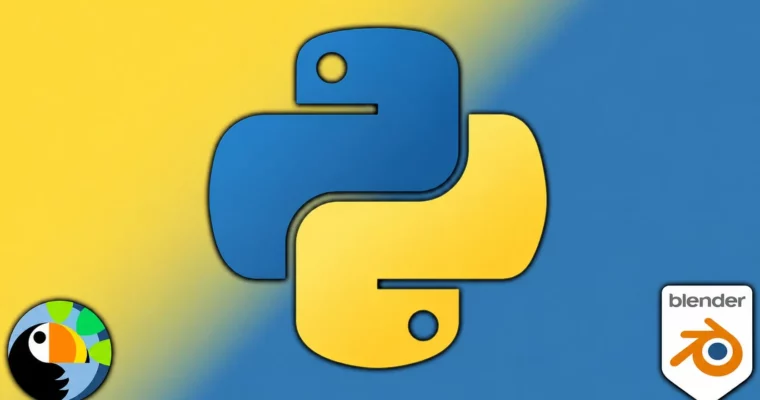
Blender Python Scripting – A Step-by-Step Guide for Beginner by Penny de Byl, Michael Bridges

Blender Python Scripting – A Step-by-Step Guide for Beginner by Penny de Byl, Michael Bridges

/

Author:Penny de Byl, Michael Bridges

Duration:9.5 hours

Release date:2025, March

Publisher:Udemy

Skill level:Beginner

Language:English

Exercise files:Yes

Software:Blender

Course URL:https://www.udemy.com/course/learn-blender-python

Learn to automate repetitive tasks and build your own tools in Blender using Python, even if you have zero programming experience.

This course is a straight-up, no-fluff guide to using Python inside Blender. It’s built for people who want to stop clicking the same buttons a thousand times and start writing scripts that do the heavy lifting. You’ll go from writing your first line of code to building tools that automate object placement, selection, and scene management.

🎯 What you’ll learn

  • Write and run Python scripts directly within Blender’s interface.
  • Automate repetitive tasks like selecting, renaming, and transforming objects.
  • Use core Python concepts like loops, functions, and conditionals in a 3D context.
  • Create procedural patterns like spirals, pyramids, and object arrays with code.

✅ Requirements

  • Skills: No prior programming experience needed.
  • Tools: A computer capable of running Blender 3.5 or later.

📝 Description

This isn’t a dry, academic lecture on Python. It’s a hands-on workshop where you learn by doing. The course is structured so you write a script, see it work in the viewport, and then get a challenge to modify it. You’ll be manipulating objects, creating loops, and building your own helper functions from the ground up.

The instructors focus on practical, applied Python. You’ll learn how to set up the system console for debugging, use for loops to select objects by type, and write functions that clean up your scene with a single command. The later sections get into procedural generation, where you’ll write code to create complex patterns like spirals, pyramids, and even a vortex of objects. It’s about giving you a toolkit of skills you can immediately use to speed up your daily Blender workflow.

🧑‍🎓 Who this course is for

  • Blender users of any level who are tired of repetitive manual tasks.
  • Anyone wanting a practical, project-based introduction to Python programming.

🧑‍🏫 About the Author

Penny de Byl is a full professor with over 25 years of experience teaching computer science, game development, and computer graphics. She holds a Ph.D. in artificial intelligence and has authored best-selling textbooks used in over 100 institutions. Her graduates work at companies like Apple, Ubisoft, and LinkedIn.

Michael Bridges is a self-confessed technology geek who loves teaching people how to get more out of their tools. He focuses on clear, jargon-free explanations, making complex topics accessible to beginners.

🏁 Final Result

  • A solid understanding of Python fundamentals applied directly to Blender.
  • A personal library of reusable scripts for automating object selection, transformation, and scene management.
  • The ability to create procedural patterns and object arrays using code.
Curriculum

📋 Course content

  1. Module 1: Introduction to Blender Python
    • Section Introduction1:35
    • What is Python2:29
    • Downloading Blender 3.5+ (Linux)4:10
    • Downloading Blender 3.5+2:10
    • My Blender Settings7:18
    • Where to Get Help6:07
    • Section Wrap Up0:50
  2. Module 2: Python Fundamentals
    • Variables7:21
    • Data Types9:50
    • Arithmetic Operators5:18
    • Comparison Operators6:24
    • Logical Operators7:15
    • Assignment Operators3:06
    • Bitwise Operators5:51
    • Order Operations6:20
    • Using Functions10:04
  3. Module 3: Blender Scripting Basics
    • Setting Up The System Console (Windows)2:27
    • Setting Up The System Console (MacOS)5:36
    • Setting Up The System Console (Linux)2:12
    • Printing To The System Console7:10
    • Clearing The System Console7:17
    • Easy Mode – Copy And Paste12:12
    • Magic Numbers10:04
    • Importing Modules6:50
    • Clearing The Scene4:28
    • Selecting Objects By Name8:56
    • Active Selected Object11:28
    • Commenting Your Code7:27
    • Selecting Objects By Index6:39
    • Making A For Loop Part I6:57
    • Making A For Loop Part II7:00
    • IF Statements7:50
    • Tabs vs Spaces4:21
  4. Module 4: Building Helper Functions
    • A Simple Helper Function5:18
    • Naming And Renaming5:23
    • A Wider Look At Functions13:49
    • Making A Function Do More6:27
    • main()5:38
    • ‘Installing’ Helper Functions MacOS4:03
    • ‘Installing’ Helper Functions Windows2:57
    • ‘Installing’ Helper Functions Linux5:36
    • Importing Helper Functions2:06
    • Multiple Arguments8:43
    • Creating Shorthand Functions5:43
    • *args9:26
    • Multi Function Functions6:50
    • Error Checking6:32
    • Selecting All6:08
    • Deselecting All6:18
    • Selecting By Type7:11
    • **kwargs7:39
    • Selecting By Name8:01
    • Match-Case6:54
    • Inverting Selection9:23
    • Final Section Challenge13:41
  5. Module 5: Advanced Automation & Procedural Generation
    • The Ternary Statement6:56
    • Updating Blender3:06
    • Setting an Objects Location9:50
    • Using enumerate()19:39
    • Re-Ordering Lists Part I4:45
    • Re-Ordering Lists Part II16:34
    • Anonymous Functions – Lambda5:37
    • Creating a Row of Cubes8:47
    • Nested For Loops9:18
    • Creating the Pyramid15:22
    • A Quick Cleanup4:45
    • Objects Around A Circle Part 113:43
    • Objects Around A Circle Part 29:02
    • Distribution Around A Cylinder8:02
    • Making A Helix Of Objects6:57
    • Reformatting Our Code For A Vortex9:10
    • Making A Vortex7:20
    • Randomly Placing Objects In A Volume8:49
    • Random Scale and Rotation7:44
    • Simple Intersection Calculation9:11
    • Implementing The Simple Intersection13:57
    • Using A While Loop For An Exact Number7:26
Watch online or Download for Free
Blender Python Scripting – A Step-by-Step Guide for Beginner by Penny de Byl, Michael Bridges
NAME
SIZEDURATION

Download all Videos (77)
1.6 GB


Download all

Join us on
  Channel    and      Group

Leave a Comment

Your email address will not be published. Required fields are marked *