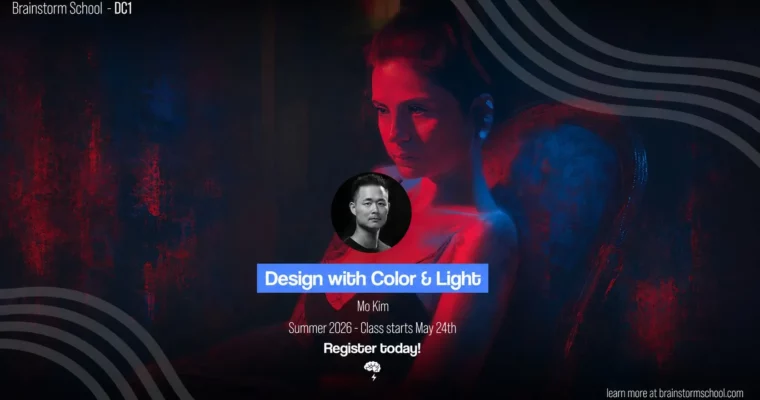
DC1 – Design with Color & Light by Mo Kim

Duration:3 hours * 10 Weeks (32:50)
Actual Duration:32h 50m
Release date:2024
Publisher:Brainstorm School
Skill level:Intermediate
Language:English
Exercise files:Yes
Software:Photoshop, Procreate, Clip Studio Paint, Affinity Photo
Course URL:https://brainstormschool.com/product/dc1-design-with-color-and-light-2/
This course is a straight-up bootcamp for your eye. It’s not about learning every brush in Photoshop. It’s about understanding how light and color actually work to tell a story. You’ll start by rendering simple spheres and cubes, and by the end, you’ll be re-lighting complex scenes and painting figures from life. The focus is on practical, high-level digital painting techniques that you can apply directly to concept art, visual development, or personal work.
🎯 What you’ll learn
- Use value and light to emphasize mood, emotion, and narrative.
- Analyze and replicate the composition of master paintings.
- Paint with a limited color palette for stronger, more cohesive images.
- Re-light existing artwork using adjustment layers.
- Develop a process for ideation and exploration using value and color.
✅ Requirements
- Skills: Basic familiarity with digital painting software.
- Tools: Graphics tablet, Cintiq, or iPad with drawing experience.
- Hardware: Computer with high-speed internet.
📝 Description
This isn’t a “paint a pretty picture” class. It’s a systematic breakdown of how to use value and light as your primary storytelling tools. You’ll start by getting your hands dirty with simple primitives, learning how light behaves on different surfaces. From there, you’ll jump straight into analyzing what makes a composition work by studying the masters.
The real meat of the course is in the application. You’ll paint figures from reference, learning to see and simplify form. Then you’ll take it outside with plein-air landscape painting, forcing you to make quick, confident decisions about color and atmosphere. The final weeks focus on a killer technique: re-lighting your own or existing work using Curves Adjustment Layers. This is a practical, industry-standard workflow that lets you experiment with mood without repainting everything. The entire course is designed to build a repeatable process for creating narrative-driven images.
🧑🎓 Who this course is for
- Artists who want to move beyond rendering and start using light to tell a story.
- Concept artists and illustrators looking to strengthen their understanding of color and composition.
- Anyone who feels their digital paintings are flat and wants to add depth and mood.
🧑🏫 About the Author
Mo Kim is a professional concept artist and instructor at Brainstorm School. With experience in the games and film industries, Mo brings a practical, no-nonsense approach to teaching. His focus is on building strong foundational skills that allow artists to solve visual problems efficiently and creatively.
🏁 Final Result
- A portfolio of 10 weekly assignments demonstrating a clear progression from basic rendering to complex, narrative-driven paintings.
- A strong understanding of how to use value and color to control mood and focus in an image.
- A practical workflow for re-lighting and color grading using non-destructive techniques.
📢 Guys, this is a Group Buy campaign, check the GBC forum thread to get access
You can find the course preview in the download section below.
 Channel