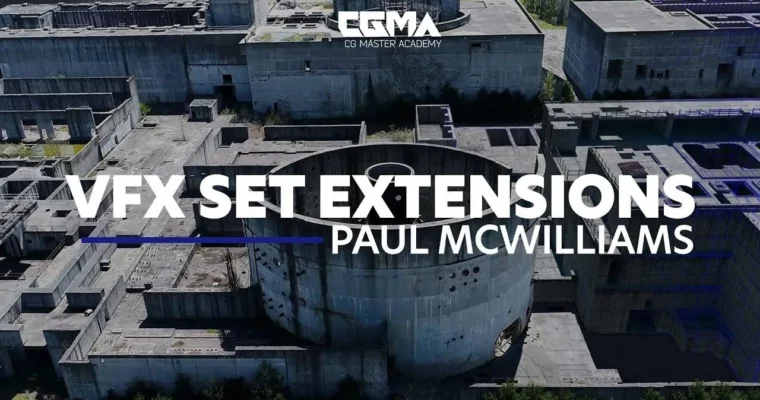
VFX Set Extensions by Paul McWilliams

Duration:8 weeks
Actual Duration:36h 20m
Release date:2021, October
Publisher:CGMA
Skill level:Intermediate
Language:English
Exercise files:Yes
Software:Autodesk Maya, Arnold Renderer, The Foundry Mari, The Foundry Nuke, Adobe Photoshop
Course URL:https://href.li/?https://www.cgmasteracademy.com/courses/168-vfx-set-extensions/
This is an 8-week, production-focused course that walks you through the entire process of creating a professional VFX set extension. You’ll take a real production scenario—extending an abandoned nuclear power station into live-action drone footage—and follow it from initial layout to final composite. It’s a hands-on, practical look at how environment artists and generalists actually work in the industry.
🎯 What you’ll learn
- Create production-ready 3D environments for visual effects
- Use image-based modeling techniques with match-moved camera data
- Build efficient UV layouts and subdivision-ready assets
- Texture and paint assets using Mari
- Develop realistic materials and shaders
- Light environments using professional VFX workflows
- Create and integrate digital matte paintings
- Use projection techniques within Nuke
- Composite render passes and AOVs into final shots
- Understand industry-standard VFX pipelines and production practices
✅ Requirements
- Skills: Basic working knowledge of Autodesk Maya and Adobe Photoshop. Recommended prior study includes Introduction to Production Modeling, Hard Surface Modeling for Film, and Lighting & Shading for Film.
- Tools: A 3-button mouse is recommended for navigation in Maya and Mari.
📝 Description
This course is built around a single, realistic production brief: extend an abandoned nuclear power station using live-action drone footage. That means you’re not just learning isolated techniques—you’re seeing how they fit together in a real VFX pipeline. Each week builds on the last, starting with layout and modeling, moving through UVs and texturing, then into look development, lighting, and finally compositing.
The workflow is centered on image-based modeling and camera projections, which are essential skills for any environment artist working with live-action plates. You’ll learn how to take match-moved camera data and build an accurate 3D environment that lines up perfectly with the footage. From there, you’ll develop the asset with proper UV layouts and UDIM workflows, then texture it in Mari using projection-based painting.
Lighting is a major focus. Matching your CG lighting to a photographic plate is one of the hardest parts of set extension work, and this course dedicates significant time to exposure balancing, shadow integration, and HDR workflows. You’ll also get hands-on with digital matte painting and projection in Nuke, which are critical for extending environments efficiently without modeling everything in full 3D.
By the end, you’ll have a complete, portfolio-ready shot that demonstrates your ability to handle a full set extension from start to finish. The weekly Q&A sessions and assignments keep you on track, and the workload of 10–15 hours per week is realistic for working professionals or students with other commitments.
🧑🎓 Who this course is for
- Aspiring Environment Artists looking to break into VFX for film and TV
- Lighting Artists who want to understand the full set extension pipeline
- 3D Generalists seeking to add digital matte painting and projection to their skillset
- Students who have completed introductory modeling and lighting courses and want a production-focused project
🧑🏫 About the Author
Paul McWilliams is an Environment Generalist and Lighting Artist with extensive experience in feature film visual effects. His credits include work on Harry Potter and the Deathly Hallows and the Academy Award-winning Inception. He has worked at leading VFX studios including DNEG and MPC, contributing to large-scale productions as both an artist and technical specialist.
Beyond production, Paul has held educational leadership roles as a Learning Lead at Technicolor Academy and as an instructor at the National Film and Television School (NFTS) in England. He also holds a Postgraduate Certificate in Education (PGCE) from University College London, so he knows how to teach, not just how to do. That combination of industry credibility and formal teaching experience makes him well-suited to guide you through a complex, multi-week production workflow.
🏁 Final Result
- A production-quality digital set extension of an abandoned nuclear power station, integrated into live-action drone footage
- A polished final composite demonstrating your ability to handle layout, modeling, texturing, lighting, matte painting, and compositing in a single cohesive shot
- A portfolio-ready piece that showcases your understanding of the full VFX environment pipeline
📢 Guys, this is a Group Buy campaign, check the GBC forum thread to get access
You can find the course preview in the download section below.
 Channel