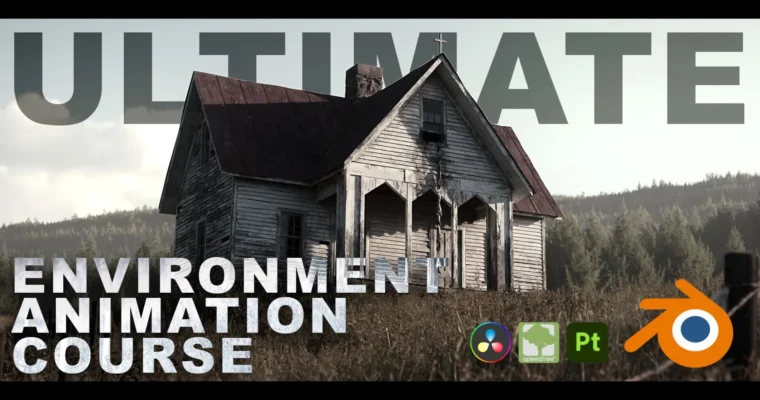
Ultimate Photorealistic Environment Animation Course – Blender, Substance Painter, SpeedTree, and more by Covingsworth

Duration:13 hours
Actual Duration:13h 25m
Release date:2022, November
Publisher:Gumroad
Skill level:Intermediate
Language:English
Exercise files:Yes
Software:Blender, Substance Painter, SpeedTree, Davinci Resolve
Course URL:https://covingsworth.gumroad.com/l/escapecourse
This course is a full production breakdown of a AAA-quality 3D environment animation. It’s 13 hours of fully narrated, edited chapters that cover the entire pipeline — from reference gathering and blockout to final color grading. Whether you’re just starting out or you’ve been doing this for a while, there’s plenty here to level up your workflow.
🎯 What you’ll learn
- Complete environment modeling workflow from blockout to high poly
- Professional UV unwrapping and texel density calculations
- Advanced material creation and texturing in Substance Painter
- Lighting setups that sell photorealism
- Foliage scattering and wind systems using Geometry Nodes
- Tree creation in SpeedTree, from basics to advanced breakdowns
- Camera animation, grass animation, and other dynamic elements
- Full rendering settings breakdown for optimal output
- Compositing in Blender and complete color grading in Davinci Resolve
✅ Requirements
- Skills: Basic understanding of 3D space and navigation in Blender
- Tools: 3-button mouse, drawing tablet recommended
- Hardware: Minimum 16GB RAM, dedicated GPU with at least 8GB VRAM
📝 Description
This isn’t one of those courses that shows you a pretty render and skips the boring parts. Covingsworth takes you through every single step of his actual production process — the same one he used for his most ambitious render to date. You’ll watch him model, texture, light, scatter foliage, animate, render, and grade, all in real-time with full narration.
The course is structured into 19 chapters, each broken into digestible 10-30 minute sections. That means you get the full process without the dead time. Every chapter is edited to keep the momentum going, so you’re not sitting through hours of waiting for viewport updates or staring at a progress bar.
What makes this course stand out is how it handles the software stack. Blender handles the heavy lifting for modeling, animation, and rendering. Substance Painter takes care of texturing with a workflow that translates to any other texturing tool. SpeedTree covers everything from basic tree creation to advanced breakdowns. And Davinci Resolve handles the final color grading — a step most environment courses completely ignore.
The best part? You don’t need to follow along with the exact same software. The texturing section works just as well as a standalone Substance tutorial, and the color grading chapter applies to any footage you’re working with. If you only care about one specific part of the pipeline, you can jump straight to that chapter and still get massive value.
🧑🎓 Who this course is for
- Beginner 3D artists who want a complete, no-fluff introduction to environment production
- Intermediate artists looking to fill gaps in their pipeline, especially around texturing and color grading
- Anyone who wants to see a full AAA-quality environment animation produced from start to finish
🧑🏫 About the Author
Covingsworth is a full-time 3D artist with years of experience in streaming, teaching, and video production. He’s accumulated a deep understanding of the environment art pipeline through countless client projects and personal work. His teaching style is direct and practical — no filler, no fluff, just the workflow that actually gets results. He’s known for breaking down complex processes into clear, repeatable steps that artists can immediately apply to their own work.
🏁 Final Result
By the end of this course, you’ll have a complete, portfolio-ready photorealistic environment animation. You’ll have gone through the entire production pipeline — from a blank scene to a fully rendered, color-graded animation — and you’ll have the knowledge to apply that same workflow to your own projects, whether they’re personal pieces or client work.
 Channel