Ad Clicks : Ad Views : Ad Clicks : Ad Views : Ad Clicks : Ad Views : Ad Clicks : Ad Views :
Oh Snap!

It looks like you're using an adblocker. Adblockers make us sad. We use ads to keep our content happy and free. If you like what we are doing please consider supporting us by whitelisting our website. You can report badly-behaved ads by clicking/tapping the nearby 'Advertisement' X text.

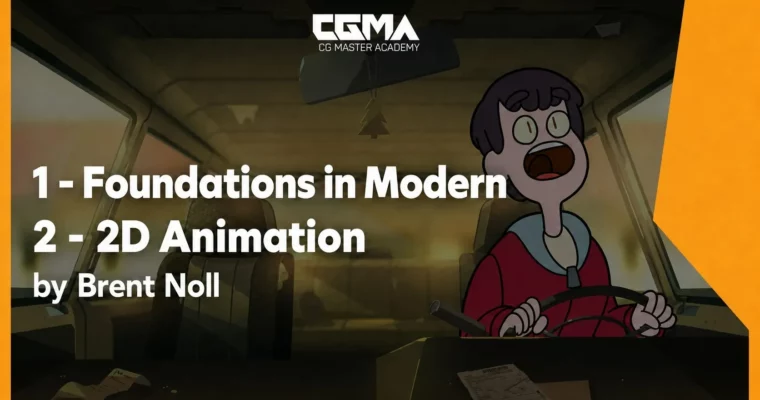
Foundations in Modern 20 Animation by Brent Noll

Foundations in Modern 20 Animation by Brent Noll

Author:Brent Noll

Duration:9 weeks

Release date:2019, October

Publisher:CGMA

Skill level:Intermediate

Language:English

Exercise files:Yes

Software:Adobe Animate CC, Adobe Premiere, Adobe After Effects

Course URL:https://href.li/?https://www.cgmasteracademy.com/courses/118-foundations-in-modern-2d-animation

Learn modern 2D animation from the ground up using Adobe Animate CC, from bouncing balls to a fully finished looping short.

This course skips the pegbars and pencils. You’ll jump straight into Adobe Animate CC and start animating from day one. It’s built around a series of hands-on projects that take you from the absolute basics of motion to a fully finished looping animation. You’ll work like a real clean-up artist, design characters that actually animate well, and build a complete walk cycle using the Richard Williams method. By the end, you’ll have a portfolio-ready looping short and a solid grasp of how modern 2D tools fit into a traditional animation workflow.

🎯 What you’ll learn

  • Create animations in Adobe Animate CC using drawing tools, symbols, and the frame picker
  • Apply the fundamental principles of motion, including squash and stretch, timing, and arcs
  • Clean up rough animation and color line art like a professional clean-up artist
  • Design animation-friendly characters with turnarounds and consistent model sheets
  • Build walk cycles using the four essential poses and Richard Williams’ approach
  • Rig simple facial and puppet-style characters with nested symbols and layer parenting
  • Composite and finish animations in After Effects and Premiere with lighting and sound

✅ Requirements

  • Skills: Basic understanding of drawing and design fundamentals. Completion of Analytical Figure Drawing and Fundamentals of Character Design is recommended.
  • Tools: Adobe Animate CC, Adobe Premiere, Wacom tablet (or equivalent)
  • Hardware: Drawing tablet, computer capable of running Adobe Animate CC smoothly

📝 Description

This isn’t your grandfather’s animation class. Forget about exposure sheets and peg bars—this course is built around the way modern studios actually work. You’ll start in Adobe Animate CC, learning the tools by doing, not by watching endless tutorials. The first project is a bouncing ball, but by week three you’re already cleaning up rough animation like a production artist. That’s the whole point: you learn by mimicking real studio workflows.

The curriculum is carefully sequenced. Each week builds on the last, so you’re never overwhelmed. You’ll tackle the principles of motion through hands-on exercises, then move into character design with a focus on creating designs that are actually animatable. The walk cycle week is a major milestone—you’ll use the Richard Williams method to construct a seamless loop that you can be proud of. Then comes lip-syncing and basic rigging with symbols, which opens up a whole new way of working.

The final project ties everything together. You’ll develop your own looping animation from storyboard to final composite, learning how to use After Effects for lighting and finishing touches. The course also covers practical stuff like exporting for social media and submitting to animation festivals like Loopdeloop. It’s not just about learning software—it’s about learning how to finish things and put them out into the world.

🧑‍🎓 Who this course is for

  • Beginners who want to learn 2D animation using modern digital tools rather than traditional paper methods
  • Illustrators and character designers who want to bring their characters to life through animation
  • Animators with some traditional experience who want to transition to Adobe Animate CC and modern rigging techniques

🧑‍🏫 About the Author

Brent Noll is an animation production artist based in Burbank, California. He currently works as a designer on Adult Swim’s Rick and Morty, and his short films have screened at festivals including Loopdeloop, Audfest, Austin Spotlight, Asifa-South, and The Los Angeles Animation Festival. He’s also the co-creator of BAM Animation!, a YouTube channel dedicated to helping young cartoonists learn to draw. Before landing in LA in 2013, Brent worked with studios like Disney TVA, DreamWorks Television, ShadowMachine, BentoBox, and Starburns Industries. He knows what it takes to work in professional animation, and this course reflects that real-world experience.

🏁 Final Result

  • A complete looping animation short, developed from your own concept and finished with compositing, sound, and color
  • A polished walk cycle using your own original character
  • A portfolio-ready demo reel piece that demonstrates your ability to work in a modern 2D animation pipeline
Curriculum

📋 Course content

  1. Week 1:  Crash into Flash! Learn the Basic Tools of Adobe Animate CC and How to Use Them
    • Create a Standard Animation Document
    • Explore the basic drawing tools
    • Practice animating text
    • Learn how to animate a bouncing ball using the principles of motion
    • Discuss timing charts
    • Learn how to export GIFs
  2. Week 2:  Fundamentals of Traditional Hand Drawn Animation
    • Continue exploring the fundamental principles of traditional animation
    • Learn how to rough out drawings and create a more dynamic ball bounce using squash and stretch
    • Animate a simple blob character
    • Add in-betweens to make animation smoother
    • Traditionally animate a flapping flag
  3. Week 3:  Animation Clean-up!
    • Learn animation by cleaning up rough animation
    • Explore more advanced Flash drawing techniques
    • Practice drawing characters on model
    • Color animation and line art
    • Learn how the different brush coloring modes work
    • Work on a scene from Kitchen Magician, an animation by Jack Cusamano
  4. Week 4:  Character Design for Animation
    • Draw a complete animated character turnaround
    • Create 8 poses using the Photoshop Timeline
    • Track facial features to maintain likeness
    • Improve character rotation skills while keeping designs consistent
    • Understand the importance of simplicity
  5. Week 5:  Walk Cycles
    • Learn about walk cycles and the Richard Williams method for constructing them
    • Discuss the 4 essential poses needed to create a walk cycle
    • Complete a practice walk cycle
    • Create an original walk cycle using your own character
    • Study the arcs, bounce, and timing involved in a walk cycle
    • Discuss secondary animation during a walk
    • Learn how to create an effective seamless walk-cycle loop
  6. Week 6:  Lip Syncing, a Lesson in Flash Symbols, Nested Animations and Basic Rigs
    • Design your own character around a provided voice-over
    • Learn the 10 basic mouth shapes needed for speech
    • Build a simple facial rig and animate a talking character
    • Discuss useful Flash techniques and puppet-style animation
    • Learn about nested symbols and the frame picker
    • Learn how to use Classic Tweens effectively with EASES
    • Demonstration of Layer Parenting and simple puppet rigs
    • Explore alternative clean-up methods using the pen and pencil tools
  7. Week 7:  Roughing Out and Completing Complex Animation from Storyboard
    • Animate a scene from a short film using a layered background
    • Discuss more structured animation techniques and how to draw characters “on model”
    • Learn how to effectively use a character turnaround sheet
    • Rough out character animation based on an animatic
    • Explore smearing, anticipation, timing, and arcs
    • Practice pose-to-pose animation
    • Apply secondary animation
  8. Week 8:  Create Your Own Animation! (A Looping Short)
    • Develop and execute your own idea from storyboarding through final animation
    • Learn how to export animation for final compositing
    • Understand the importance of PNG sequences
    • Get a mini introduction to After Effects and Premiere Pro
    • Add lighting, shadows, and other compositing techniques in After Effects
    • Learn how to export lossless video formats
    • Add sound and final finishing touches
    • Prepare animation for social media
    • Discuss the importance of completing independent animation projects, including submitting work to projects such as Loopdeloop
  9. Week 9:  Continue Creating Your Own Animated Loop
    • Students will continue developing and completing their final homework assignment

📢 Guys, this is a Group Buy campaign, check the GBC forum thread to get access

You can find the course preview in the download section below.

Watch online or Download for Free
Foundations in Modern 20 Animation by Brent Noll
NAME
SIZEDURATION
Week 01_Critical
0 B
Week 01_QnA_Past
0 B
Week 02
0 B
Week 02_Critical
0 B
Week 02_QnA_Past
0 B
Week 03
0 B
Week 03_Critical
0 B
Week 03_QnA
0 B
Week 03_QnA_Past
0 B
Week 03_Resources
0 B
Student Work Week3
0 B
Week 04
0 B
Week 04_Critical
0 B
Week 04_QnA
0 B
Week 04_QnA_Past
0 B
Week 05
0 B
Week 05_Critical
0 B
Week 05_QnA
0 B
Week 05_QnA_Past
0 B
Week 06
0 B
Week 06_Critical
0 B
Week 06_QnA
0 B
Week 06_QnA_Past
0 B
Week 07
0 B
Week 07_Critical
0 B
Week 07_QnA
0 B
Week 07_QnA_Past
0 B
Week 08
0 B
Week 08_Critical
0 B
Week 08_QnA
0 B
Week 08_QnA_Past
0 B
Week 08_Resources
29.5 MB
Student Examples
29.5 MB

Download all

Join us on
  Channel    and      Group

Leave a Comment

Your email address will not be published. Required fields are marked *