It looks like you're using an adblocker.
Adblockers make us sad. We use ads to keep our content happy and free. If you like what we are doing please consider supporting us by whitelisting our website. You can report badly-behaved ads by clicking/tapping the nearby 'Advertisement' X text.
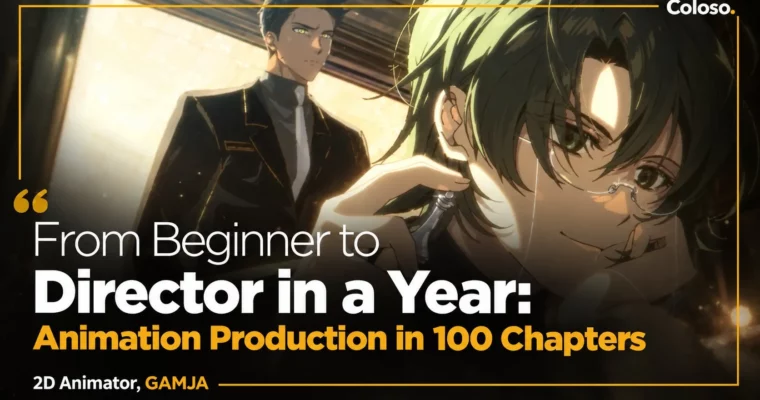
From Beginner to Director in a Year – Animation Production in 100 Chapters by GAMJA
Learn the full solo animation pipeline from planning to filming and build a debut-ready portfolio in 100 hands-on chapters.
Want to go from drawing still images to directing your own animated shorts? This 100-chapter class with freelance animator GAMJA walks you through the entire solo production pipeline — from character design and storyboards to cleanup, coloring, and After Effects filming — with 81 exercises so you actually finish with work to show.
🎯 What you’ll learn
Animate basics with bouncing balls, arcs, anticipation, and cushioning
Act faces with blinks, lip sync, head turns, and emotional timing
Move full bodies with walks, runs, hands, turnarounds, and rotoscoping
Design effects for light, fire, water, smoke, and explosions
Plan like a pro with character sheets, storyboards, layouts, and animatics
Direct shots using Japanese industry terms, timesheets, and camera work
Clean up, color, and polish shots with professional makeup techniques
Film in After Effects with plugs, blur, color correction, and rendering
Build a solo workflow for shorts, loops, commissions, and freelance debut
✅ Requirements
Skills: Basic drawing skills and familiarity with digital illustration
Tools: Clip Studio Paint EX, Adobe After Effects, drawing tablet
Hardware: PC or Mac capable of running Clip Studio Paint and After Effects, minimum 16GB RAM recommended
📝 Description
This isn’t a watch-and-forget theory class. GAMJA built it as a production line you follow yourself. You start with balls and hair to get timing and spacing into your hands, then move to faces and full-body acting. Every principle gets an exercise right away, so you feel how pose-to-pose, arcs, and cushioning change a shot.
Then it gets practical. You’ll design an original character, lock the concept with storyboards and animatics, and set up layouts that actually read on screen. GAMJA shows her real Clip Studio Paint setup — cels, cameras, animating sheets, shortcuts — plus the Japanese terms you’ll see on real jobs like hookups, tsume marks, T.U, pans, and filming notes. No guessing what a director wants. You learn to write it yourself.
Production is where most solo animators get stuck, so there’s a full block on that. Emotional acting for shock, laughs, and crying. Multi-character interaction. Cleanup, coloring, and makeup demos with file settings that save hours. Then you take it into After Effects for filming: plugs, bokeh and light effects, blur for depth, hue shifts, masking, Puppet tool, and final render settings.
Last part is straight talk about work. How to simplify the pipeline when you’re alone, how to make sellable looping shorts, what’s different between personal work and commercial jobs, and how to package a portfolio that gets freelance gigs. If you want to debut as an animator or small-team director, this is the checklist.
🧑🎓 Who this course is for
Aspiring animators who want practical skills to debut as freelancers
Beginners who can draw but have never finished an animated shot
Junior animators who want more natural, lively character acting
Future directors who want to run planning to filming solo
🧑🏫 About the Author
Hi, I’m GAMJA — freelance 2D animator and director working across Korea, China, and Japan. I started at outsourcing studio ZOOTON and served on the SICAF committee, then moved into commercials, promos, and music videos where speed and strong acting matter.
My credits include layouts and keyframes for Shinbi Apartment, Pokémon, Seasons of Blossom, Maple Story promos, Sanrio x Corelle, and direction for Maroani’s VOID. I teach the way I work: clear basics, lots of acting it out yourself, and a repeatable flow you can use on client work tomorrow.
🏁 Final Result
A finished solo-animated short featuring your original character — planned, keyframed, cleaned, colored, and filmed — plus 81 practice shots and loop animations ready for your animator portfolio.
Curriculum
📋 Course content
Module 1:Understanding the Animation Tools of Clip Studio Paint and Their Settings
Orientation
Understanding the Basics of Using Animation Tools in Clip Studio Paint
Setting Up Animation Work and Understanding Animating Sheets
Setting Up Shortcuts for Faster Work
About Frames and Komas
Cameras and Animation Folders
Exporting the Finished Work
Module 2:Understanding Basic Animation with a Ball




 Channel