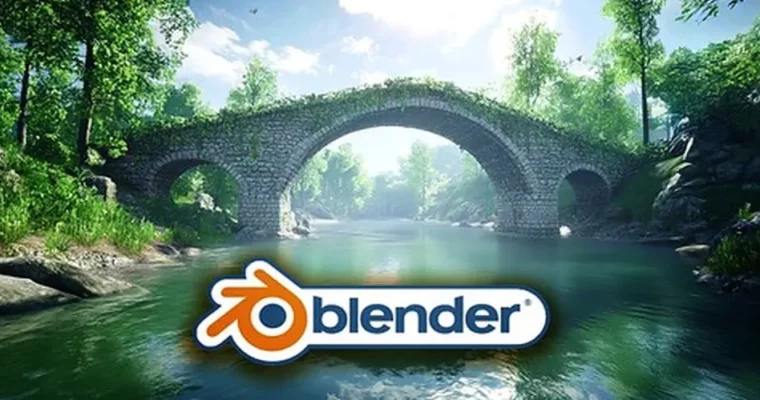
Blender Geometry Nodes – Procedural Bridge Generator by Vladan Trhlík

Duration:2h 28m
Actual Duration:2h 26m
Release date:2026, August
Publisher:Udemy
Skill level:Intermediate
Language:English
Exercise files:Yes
Software:Blender
Course URL:https://www.udemy.com/course/blender-geometry-nodes-procedural-bridge-generator
Stop modeling every bridge by hand. In this project you build a curve-based generator in Geometry Nodes that sweeps a profile along a path, adds arches and railings, and lays down a stone path that sticks to the bridge shape.
🎯 What you’ll learn
- Build a curve-based procedural bridge with adjustable shape and structural details
- Design a bridge profile with controls for width, height and railing supports
- Sweep the profile along a curve and control height displacement and steepness
- Expose Geometry Nodes inputs to tweak the bridge without remodeling
- Create openings with controls for count, spacing, scale and vertical offset
- UV unwrap curved bridge geometry and apply basic materials
- Break the generator into stages for profile, structure and stone path
- Generate path stones along a line using input curve length
- Align generated stones to curves so the path follows the bridge
- Integrate the stone path with the bridge and tune placement and scale
✅ Requirements
- Skills: Basic familiarity with Blender navigation, interest in procedural modelling
- Tools: Blender installed, 3-button mouse recommended
- Hardware: Computer capable of running Blender and working with Geometry Nodes
📝 Description
You start with a simple idea: draw a curve, get a bridge. Vlad walks you through the profile first — main body, width, height, railing supports — built from quadrilateral curves with clean inputs. That profile becomes the foundation for everything else, so you always know what drives what.
Then you sweep it. You take that profile and push it along a curve, add height offset and steepness with math functions, and suddenly you have a raised bridge shape you can bend however you want. Need it flatter for a game level? Steeper for a fantasy gorge? Just move the curve and slide the values. No rebuilding.
Openings are where it gets fun. You cut arches with cylinders and wire up controls for count, spacing, scale and vertical offset. Same with UV unwrapping — you unwrap the curved result and put down simple materials so it actually renders well instead of stretching all over the place.
The second half is the stone path. You first scatter stones on a straight line, learn to read curve length properly, then align everything to the bridge curves. By the end the path and the bridge work as one system, with placement, scale and alignment exposed for quick variations.
🧑🎓 Who this course is for
- Blender learners who want a practical Geometry Nodes project centered on a bridge
- Environment artists who want adjustable bridge shapes with a matching stone path
- Game-environment creators exploring procedural architecture workflows in Blender
- 3D modellers who want to link profile curves, mesh geometry and exposed controls
- Artists interested in UV preparation and material setup for curved procedural models
- Hobbyists building fantasy or architectural scenes who want their own bridge generator
🧑🏫 About the Author
Vladan Trhlík — Vlad from 3D Tudor — teaches Blender with a focus on practical, stylized projects you can actually finish. He is known for breaking procedural workflows into small, clear steps, so you understand the node logic instead of just copying it. His courses are built around fantasy and environment assets made for portfolios and game scenes.
🏁 Final Result
- A fully procedural, curve-driven bridge with adjustable profile, arches, railings, UVs, materials and an aligned stone path — ready to tweak and drop into your own scenes.
 Channel