Learn Game Development with C Programming and MonoGame by Kyle Schaub

Duration:6.5 hours on-demand video
Actual Duration:6h 34m
Release date:2025
Publisher:Udemy
Skill level:Beginner
Language:English
Exercise files:Yes
Software:C#, MonoGame, Visual Studio
Course URL:https://www.udemy.com/course/monogame/
Want to make games but never wrote code? This course gets you building fast with C# and MonoGame — the framework behind Stardew Valley and Celeste — through three small, finished 2D games.
🎯 What you’ll learn
- Make games using MonoGame from setup to build
- Write code using C# — variables, methods, loops, and conditionals
- Understand common programming fundamentals that transfer to other languages
- Design software using Object-Oriented Design — classes, constructors, and inheritance
- Utilize open-source software in your projects, including a camera system
- Finish 3 complete projects from scratch — shooter gallery, spaceship dodger, and action RPG
✅ Requirements
- Skills: Basic computer literacy, no prior programming experience needed
- Tools: Visual Studio, MonoGame Framework, MonoGame Content Pipeline Tool
- Hardware: Standard Windows or Mac PC capable of running Visual Studio
📝 Description
This is project-based learning in the best sense. You don’t sit through hours of theory — you write C#, run it in MonoGame, and see it on screen right away. The course alternates short programming blocks with full game builds, so new syntax gets used immediately.
You start with the basics: variables, data types, conditionals, and methods. Then you jump straight into a Shooting Gallery game. You’ll learn the MonoGame game loop, how to draw sprites with SpriteBatch, load assets with the Pipeline Tool, handle mouse input, and add score, timers, and randomness.
Next round goes deeper. You’ll pick up arrays, loops, classes, constructors, and static members — then use them to build a Spaceship dodger. That means keyboard movement, delta time for smooth motion, lists for managing asteroids, collision checks, difficulty ramp-up, and a proper main menu.
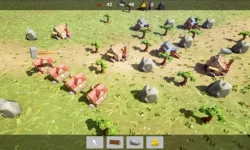
The final project is where it clicks: a top-down action RPG with animated player sprites, four-directional movement, projectiles, spawning enemies, health, and an open-source camera system that follows the action. You’ll also touch structs, enums, switch statements, and properties, plus sound effects and music to finish things off.
If you already code, there’s a quick syntax review to get you up to speed in C#. If you don’t, just code along lecture by lecture. You’ll end up with three working games on your machine you can tweak, break, and reuse.
🧑🎓 Who this course is for
- Anyone who wants to learn game development with a lightweight, code-first framework
- Anyone who wants to learn programming fundamentals through real game projects
- Anyone interested in picking up C# as a new language for indie games or Unity prep
🧑🏫 About the Author
Kyle Schaub is a game development instructor focused on practical C# and MonoGame training for beginners. His teaching style is straightforward and project-driven — short lectures, lots of coding along, and full games built from empty projects. He emphasizes readable object-oriented code and reusable patterns students can carry into their own indie projects.
🏁 Final Result
- Three finished MonoGame projects: a mouse-controlled Shooting Gallery with scoring and timer, a keyboard-controlled Spaceship dodger with menus, collisions, and difficulty scaling, and a top-down action RPG with animation, projectiles, enemies, camera follow, and audio — all ready to show, tweak, and expand in your portfolio.
 Channel