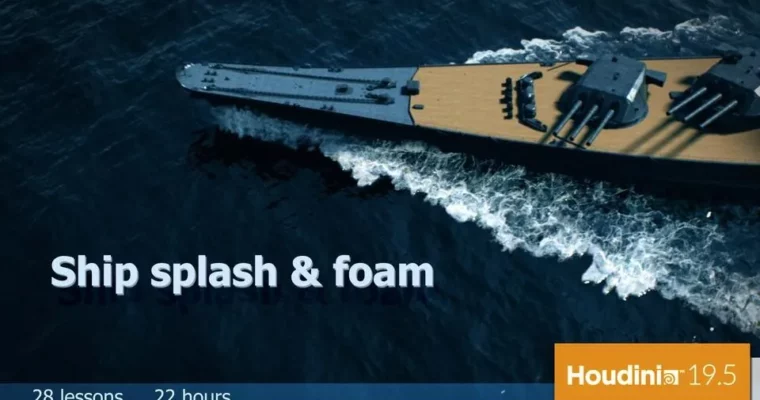
Ship Splash ang Foam by Andrii Zamorskyi

Duration:22h 38m
Actual Duration:22h 41m
Release date:2021
Publisher:CGCircuit
Skill level:Advanced
Language:English
Exercise files:Yes
Software:Houdini
Course URL:https://www.cgcircuit.com/products/ship-splash-and-foam
This is a full production breakdown for ship-water interaction in Houdini. You get the whole chain – from basic FLIP setup and art-directable splashes to long-distance foam, big waves, upresing, rendering, and compositing – built around one shot that actually looks like film.
🎯 What you’ll learn
- Set up a floating ship scene with collisions and an optimized FLIP container
- Control velocity fields for nose splashes and engine wash sources
- Add ocean waves and integrate them with the simulation
- Create and shade FLIP meshes for close-up water
- Build and render whitewater – volumes and particles
- Use displacement masks and render tweaks for better water detail
- Build long-distance foam assets and Kelvin wakes for wide shots
- Upres finished sims using new Houdini 19.5 workflows
- Set up big wave splashes, swirl, fade, and mist
- Composite raw passes into a final film-ready shot
✅ Requirements
- Skills: Basic Houdini SOPs and DOPs, understanding of FLIP basics and volumes
- Tools: Houdini 19.5 or newer, compositing app for final assembly
- Hardware: Multi-core CPU, 32GB+ RAM recommended, dedicated GPU for viewport and rendering
📝 Description
Ship foam looks simple until a director says “more spray, more foam, but different in this shot.” Same ship, different camera, different look. This course is about that reality. You will work with FLIP simulation, whitewater, and Houdini 19.5 tools, but the focus is control – how to shape the splash the way you or the client need it.
FLIP over long travel distances eats RAM fast. So a big chunk here is optimization. You will set up lean containers, solid collisions, camera optimization to cull what you don’t see, and separate setups for close-up vs. long-distance. That includes dedicated foam assets and Kelvin wakes for wide shots where a full sim makes no sense.
Then you push it further. You will take a finished low-res sim and do upresing for extra detail, build a big wave interaction with secondary splash sources, swirl, particle fade, and mist. For rendering you cover FLIP mesh, whitewater volumes and particles, displacement masks, and practical tweaks that make water read well. It wraps with compositing examples so the passes actually cut together.
🧑🎓 Who this course is for
- Houdini FX artists who know the basics and want production-level water interaction
- Freelancers and studio artists tasked with ships, oceans, wakes, and large splashes
- Anyone tired of default whitewater that looks the same in every shot
🧑🏫 About the Author
Andrii Zamorskyi has been doing FX since 2009. Started in TV and commercials, then moved into features. His main focus is visual effects and compositing, and he has taught Houdini, 3ds Max, RealFlow, After Effects, and Nuke for years. He knows where sims break in production and teaches how to fix them.
🏁 Final Result
- A finished ship splash shot with FLIP mesh, whitewater, foam, mist, and wake – rendered and composited, ready for your reel.
 Channel