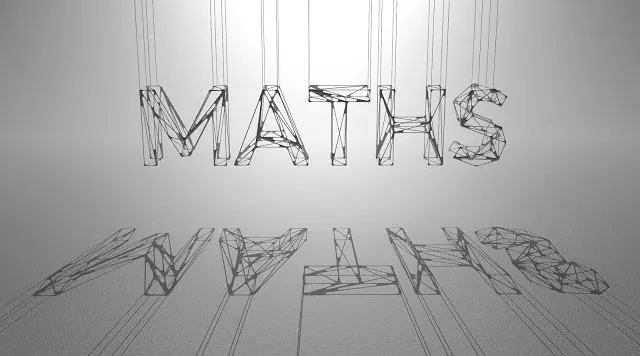
HS-223 – Maths for Artists by Divyansh Mishra

Duration:9.5 hours
Actual Duration:9h 20m
Release date:2023, June
Publisher:Houdini School
Skill level:Intermediate
Language:English
Exercise files:Yes
Software:Houdini, Redshift, Unreal Engine, Substance Designer
Course URL:https://www.houdini.school/courses/HS-223-Maths-for-Artists
This course is for artists who want to stop guessing and start controlling their tools with math. You’ll learn how to use functions, vectors, and matrices to build better motion graphics, shaders, and gameplay systems in Houdini. It’s not about abstract theory—it’s about practical, hands-on techniques you can use immediately.
🎯 What you’ll learn
- Build custom masks and patterns using mathematical functions.
- Understand and apply vectors for 2D and 3D motion graphics.
- Use quaternions to solve rotation problems without gimbal lock.
- Pack and unpack transformation matrices for complex setups.
- Optimize your existing Houdini networks using math.
✅ Requirements
- Skills: Basic understanding of Houdini’s interface and VEX (HS-001 and HS-115 recommended).
- Tools: A computer meeting SideFX system requirements, a second monitor recommended.
- Hardware: A dedicated GPU is recommended for rendering with Redshift.
📝 Description
This isn’t a dry math lecture. Divyansh Mishra teaches you to think like a technical artist, using math as a creative tool. You’ll start by building a solid intuition for mathematical functions—sine, cosine, and tangent—and immediately apply them to create custom masks and patterns in Houdini.
The course then dives into vectors, the building blocks of 2D and 3D graphics. You’ll learn how to use dot and cross products for everything from lighting calculations to art direction. From there, you’ll tackle quaternions and matrices, demystifying rotations and transformations so you can build complex, stable setups without hitting gimbal lock.
Each concept is paired with a practical Houdini exercise. You’ll build a function visualizer, create radial masks, and work with polar coordinates. By the end, you’ll have a new mindset for solving problems—whether you’re building a motion graphics tool, a shader, or a gameplay system.
🧑🎓 Who this course is for
- Houdini artists who want to move beyond copy-pasting VEX code.
- Motion designers looking to create more complex, procedural patterns.
- Technical artists who need a stronger foundation in math for shaders and tools.
- Game developers wanting to understand the math behind gameplay systems.
🧑🏫 About the Author
Divyansh Mishra is a Technical Artist currently working at Amazon Robotics. He specializes in tool building and automation, using Houdini, Unreal Engine, and Substance Designer as his primary tools. His background in solving real-world engineering problems gives his teaching a practical, no-nonsense edge.
🏁 Final Result
- A solid, intuitive understanding of how to apply math to your daily Houdini work.
- A set of reusable VEX snippets and techniques for masks, patterns, and transformations.
- The confidence to debug and optimize your own math-based setups.
 Channel