Sculpting CG Creatures in ZBrush – Cthulhu by 3dmotive LLC

Duration:4.5 hours
Actual Duration:4h 34m
Release date:2016, September
Publisher:Udemy
Skill level:Intermediate
Language:English
Exercise files:Yes
Software:ZBrush
Course URL:https://www.udemy.com/course/3dmotive-sculpting-cg-creatures-in-zbrush-cthulhu
Learn to sculpt a complex monster bust using ZBrush, starting from a simple DynaMesh sphere. This course focuses on practical techniques for building large forms and adding fine surface details to create a convincing creature.
🎯 What you’ll learn
- Sculpt a complex monster bust using ZBrush
- Master ZBrush’s features for creating large and small surface details
- Use DynaMesh to block out and refine organic forms
- Apply alphas for skin mottling, wrinkles, and bump details
✅ Requirements
- Skills: Intermediate knowledge of ZBrush interface and navigation
- Tools: Pixologic’s ZBrush sculpting software
- Hardware: A 3-button mouse or drawing tablet is recommended
📝 Description
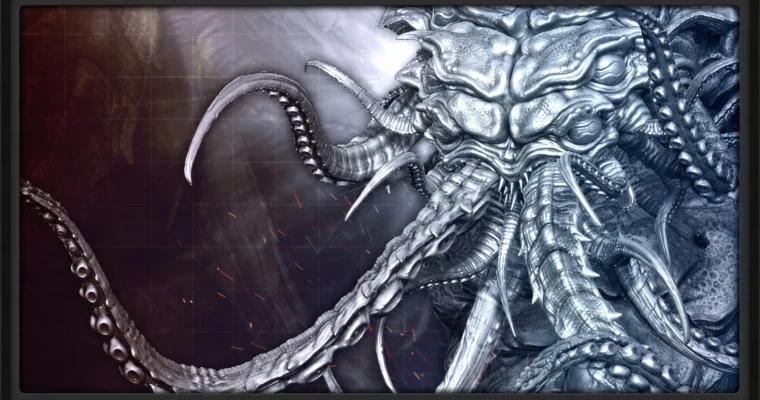
This course jumps straight into the deep end of ZBrush DynaMesh sculpting and H.P. Lovecraft’s mythos. You’ll start with a simple sphere and, using a mix of techniques, pull and push it into the basic shape of Cthulhu’s head, torso, and temporary tentacles.
The real focus is on building up detail. You’ll move from blocking out primary forms to using a variety of ZBrush brushes and alphas to create wrinkles, gills, skin mottling, and asymmetrical details. The workflow is practical and hands-on, showing you how to use tools like the Dam Standard brush for age lines and how to rework geometry with imported OBJs.
The course is structured to show the entire process, from rough blocking to a polished final sculpt. You’ll learn how to manage a complex DynaMesh model, pose tentacles, and apply fine surface details that make a creature feel real and lived-in. It’s a focused look at a specific creature sculpting pipeline, not a general ZBrush overview.
🧑🎓 Who this course is for
- Intermediate to Advanced ZBrush users interested in mastering the tools to sculpt monsters and characters
- Artists looking for a practical, project-based workflow for creating organic creature busts
🧑🏫 About the Author
3dmotive is a provider of high-quality 3D and game art training, created by industry professionals. The instructor for this course, Stephen Wells, is an expert 3D modeler with over 20 years of experience. He has created high and low polygon assets for game productions across fantasy, sci-fi, and horror genres, using software like 3ds Max, Maya, ZBrush, and Mudbox. His teaching style is direct and focused on practical skills.
🏁 Final Result
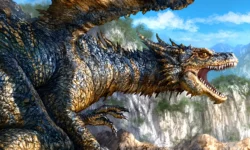
- A fully detailed, portfolio-ready digital sculpt of a Cthulhu bust, complete with complex skin textures, tentacles, and asymmetrical details.
 Channel