Ad Clicks : Ad Views : Ad Clicks : Ad Views : Ad Clicks : Ad Views : Ad Clicks : Ad Views :
Oh Snap!

It looks like you're using an adblocker. Adblockers make us sad. We use ads to keep our content happy and free. If you like what we are doing please consider supporting us by whitelisting our website. You can report badly-behaved ads by clicking/tapping the nearby 'Advertisement' X text.

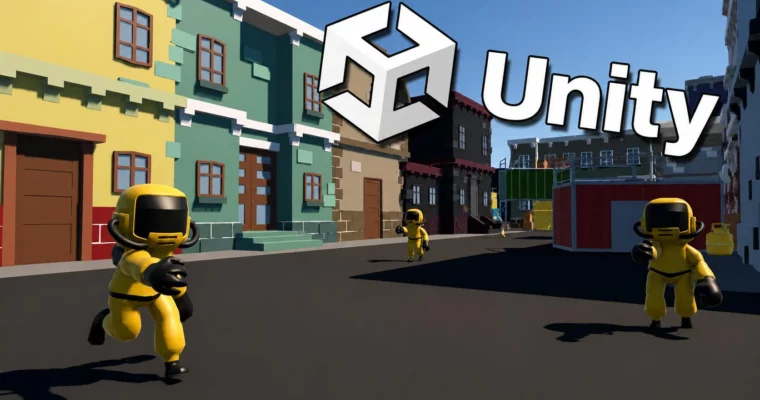
Learn To Create A First Person Shooter Game In Unity 6 & C# by James Doyle

Learn To Create A First Person Shooter Game In Unity 6 & C# by James Doyle

/

Author:James Doyle

Duration:9h 44m

Release date:2025, March

Publisher:Udemy

Skill level:Beginner

Language:English

Exercise files:Yes

Software:Unity 6

Course URL:https://www.udemy.com/course/unity6fps

Build a complete level-based FPS from scratch in Unity 6, learning C# and game development fundamentals along the way.

Build a complete first-person shooter from the ground up in Unity 6. This course walks you through creating a level-based shooting game, teaching you C# programming and core game development concepts by applying them directly to real gameplay systems. You’ll go from an empty project to a fully playable game with multiple levels, enemies, weapons, and a boss fight.

🎯 What you’ll learn

  • Program a first-person character controller with movement, jumping, and sprinting.
  • Build a full weapons system with raycasting, ammo management, and weapon switching.
  • Design and implement enemy AI with patrols, ranged attacks, and health.
  • Create a complete user interface including menus, HUD, and death/victory screens.
  • Manage audio systems for music and sound effects.
  • Construct modular levels and a unique boss battle.

✅ Requirements

  • Skills: Competent and confident with using a computer.
  • Tools: A copy of Unity 6.
  • Hardware: Mac or PC capable of running Unity 3D.

📝 Description

This course is built around a simple idea: learn to code by making a game. You won’t be memorizing abstract syntax. Instead, you’ll write C# scripts that directly control a player character, fire a weapon, or make an enemy patrol a level. Every lecture is a practical step toward a working game.

The curriculum covers the full development pipeline. You’ll start by setting up a first-person controller with smooth movement, jumping, and sprinting. Then you’ll build a weapons system from scratch, using raycasts for shooting, managing ammo, and creating visual impact effects. The enemy AI section teaches you how to create patrolling, attacking, and projectile-firing enemies. You’ll also design a modular level kit, build multiple levels, and cap it all off with a unique boss battle.

The course includes a complete project file for reference, so you can always check your work. It’s a hands-on, project-based approach that gives you a portfolio-ready game by the end.

🧑‍🎓 Who this course is for

  • Complete beginners with an interest in learning game development.
  • People who want to create and publish their own first-person games.
  • Developers who want to re-skill across to game development.
  • Artists looking to expand their game development range.

🧑‍🏫 About the Author

James Doyle is a game developer and instructor with a Bachelor’s degree in Computer Science. He has helped over 97,000 students learn Unity through his 31 courses. His teaching method focuses on coding in context, showing how each concept applies to real problems in game development. He has a background in independent game development and has released games on multiple platforms.

🏁 Final Result

  • A complete, playable first-person shooter game with multiple levels, a full weapons system, enemy AI, a boss battle, and a user interface.
Curriculum

📋 Course content

  1. Module 1: Getting Started
    • Introduction0:47
    • Project Assets0:03
    • Setting Up the Project4:19
    • Setting Up Scene Basics8:07
  2. Module 2: Player Movement
    • Moving The Player17:05
    • Moving With Speed11:01
    • Controlling The Player11:32
    • Moving Based On View10:57
    • Looking Sideways10:09
    • Looking Vertically7:27
    • Adjusting Controller Input2:48
    • Limiting The View Angle4:41
    • Locking The Cursor4:11
    • Adding Gravity10:06
    • Jumping8:08
    • Running Around4:07
    • Making Running More Visual9:35
  3. Module 3: Weapons & Combat
    • Setting Up A Weapon Controller9:47
    • Firing With Raycasts12:56
    • Adding Crosshairs & Weapons9:45
    • Creating An Impact Effect8:04
    • Using Our Impact Effect8:22
    • Adding Some Weapon Flash9:40
    • Preventing Too Many Jumps2:53
    • Impacting Enemies12:16
    • Repeating Shots6:27
    • Tracking Ammo3:38
    • Reloading5:01
    • Tracking Remaining Ammo6:30
    • Displaying Ammo19:50
    • Picking Up Ammo8:23
    • Preventing Weapon Clipping Through Objects8:14
  4. Module 4: Enemy AI
    • Setting Up The Enemy9:12
    • Moving The Enemy11:58
    • Getting In Range6:39
    • Moving Sideways6:48
    • Setting Up Animations8:55
    • Making Animations Work4:03
    • Setting Up Patrols11:16
    • Moving Between Points9:52
    • Fixing Point Heights2:28
    • Destroying Enemies12:48
    • Damaging Enemies3:46
    • Removing Bodies6:49
    • Making Projectiles9:58
    • Making Enemies Shoot12:15
    • Fixing Projectile Issues5:13
  5. Module 5: Player Health & Death
    • Setting Up Player Health10:12
    • Displaying Health6:56
    • Health Pickup5:17
    • Handling Player Death5:26
    • Adding a Death screen6:34
    • Respawning8:11
  6. Module 6: Advanced Weapons & Levels
    • Setting Up Weapons9:17
    • Setting Up More Weapons8:50
    • Switching Weapons9:10
    • Assigning Ammo7:21
    • Setting Up A Level Exit5:28
    • Making The Exit Work5:51
    • Making A Level Kit4:06
    • Making Levels8:07
  7. Module 7: Boss Battle & Finalization
    • Setting Up The Boss7:48
    • Splitting Up The Boss8:16
    • Adjusting The Spawned Bosses8:11
    • Giving Ammo8:15
    • Ending The Battle7:05
    • Adding A Main Menu9:25
    • Pausing The Game13:17
    • Creating A Victory Screen5:44
    • Keeping Audio Active6:53
    • Playing Music10:08
    • Playing Sound Effects12:18
    • Building The Game6:46
    • Next Steps0:43
    • Complete Project Files0:06
Watch online or Download for Free
Learn To Create A First Person Shooter Game In Unity 6 & C# by James Doyle
NAME
SIZEDURATION
2 – Getting Started
123.7 MB
4 – Running And Jumping
387.9 MB
10 – Weapon Switching
395.7 MB
15 – Finishing The Game
52.6 MB

Download all Videos (71)
6.4 GB


Download all

Join us on
  Channel    and      Group

Leave a Comment

Your email address will not be published. Required fields are marked *