


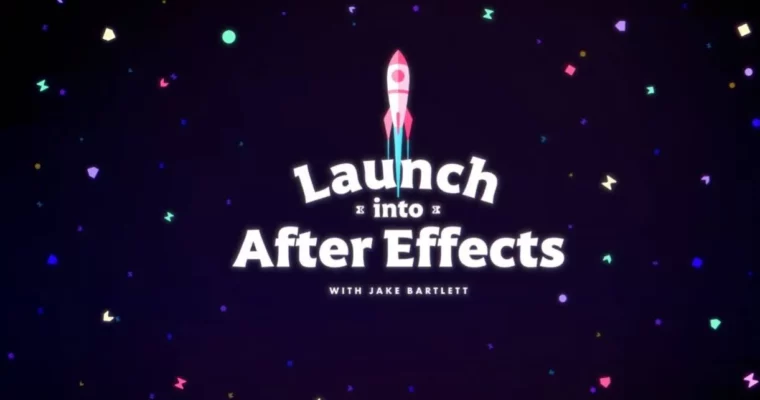
Launch Into After Effects by Jake Bartlett

Duration:12 weeks
Actual Duration:13h 31m
Release date:2025
Publisher:Jakein Motion
Skill level:Beginner
Language:English
Exercise files:Yes
Software:Adobe After Effects, Adobe Illustrator, Cinema 4D
Course URL:https://www.jakeinmotion.com/launch-into-after-effects
Ready to stop being intimidated by Adobe After Effects and start creating awesome motion graphics? This course is your launchpad, packed with over 90 lessons spread across 12 weeks. You’ll go from understanding the basics of the interface to building complex animations and completing professional-level projects that will seriously boost your portfolio.
🎯 What you’ll learn
- Master the After Effects interface and create custom workspaces.
- Animate shapes and text using keyframes and the graph editor.
- Integrate and animate illustrations from Adobe Illustrator.
- Create depth and parallax effects using 3D space and camera controls.
- Design futuristic, tech-inspired animations with custom effects.
- Craft dynamic text animations using text animators.
- Implement 3D Camera Tracking for seamless compositing.
- Master Trim Paths and shape layer animation techniques.
- Work with tracking tools for stabilization and screen replacements.
- Utilize green screen keying and compositing techniques.
- Complete a multi-shot animated sequence for your portfolio.
- Adopt best practices and efficient workflows in motion design.
✅ Requirements
- Skills: Basic computer literacy, familiarity with design concepts is helpful but not required.
- Tools: Adobe After Effects, Adobe Illustrator (for Week 2).
- Hardware: A computer capable of running Adobe After Effects smoothly.
📝 Description
This course is designed to take you from zero to hero in Adobe After Effects. We break down the software’s intimidating interface into manageable steps, starting with the absolute essentials like compositions and layers. You’ll quickly move on to practical applications, learning to animate shapes, text, and even illustrations imported from Adobe Illustrator.
We dive deep into creating depth with 3D space and camera controls, explore futuristic visual styles, and master powerful tools like text animators and Trim Paths. You’ll also learn crucial industry techniques such as 3D Camera Tracking, green screen compositing, and object tracking, enabling you to integrate graphics seamlessly into live-action footage. The curriculum is project-based, culminating in a substantial multi-shot animated sequence that serves as a strong portfolio piece. Expect clear explanations, practical examples, and bonus lessons to enhance your workflow and understanding.
🧑🎓 Who this course is for
- Absolute beginners curious about motion design.
- Motion Designers looking to expand their skillset and workflow efficiency.
- Video Editors wanting to add professional motion graphics to their editing toolkit.
- Graphic Designers aiming to bring their static designs to life with animation.
- Anyone who wants to create eye-catching animations and professional-grade motion graphics.
🧑🏫 About the Author
Jake Bartlett is a seasoned Motion Designer based in Denver, Colorado, with over a decade of professional experience since 2010. He’s also a dedicated educator, teaching After Effects for more than ten years. Jake has created over 30 courses, guiding more than 325,000 students on their motion design journeys. He also runs a popular YouTube channel, “Jake In Motion,” where he shares regular tutorials. Jake’s passion for teaching shines through his engaging and easy-to-understand video content, where he excels at breaking down complex technical and creative processes.
🏁 Final Result
- A portfolio-ready, multi-shot animated sequence called “Nano Jam,” showcasing a range of skills learned throughout the course.
- Proficiency in Adobe After Effects, enabling you to create polished, professional motion graphics.
- A solid understanding of animation principles, including keyframing, easing, and procedural animation.
- The ability to integrate graphics into video footage using tracking and compositing techniques.
- Confidence in applying industry best practices and efficient workflows to your motion design projects.
 Channel


There are few weeks missing after week 7.
sadly, that’s all we got