Ad Clicks : Ad Views : Ad Clicks : Ad Views : Ad Clicks : Ad Views : Ad Clicks : Ad Views :
Oh Snap!

It looks like you're using an adblocker. Adblockers make us sad. We use ads to keep our content happy and free. If you like what we are doing please consider supporting us by whitelisting our website. You can report badly-behaved ads by clicking/tapping the nearby 'Advertisement' X text.

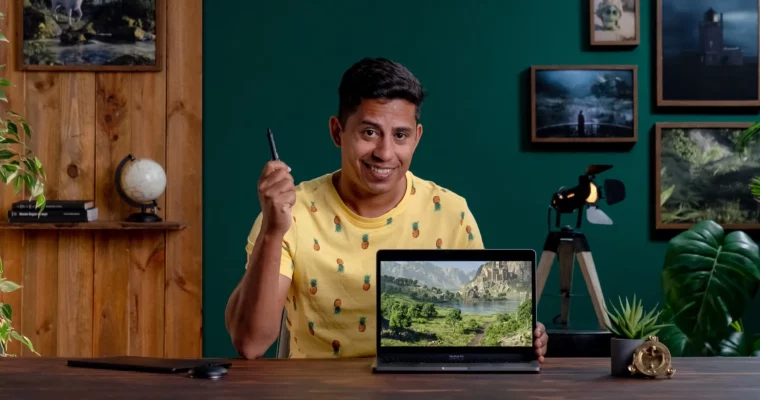
3D Environments – Create Otherworldly Fantasy Lands by Ale Barbosa

3D Environments – Create Otherworldly Fantasy Lands by Ale Barbosa

Author:Ale Barbosa

Actual Duration:15h 49m

Release date:2023, April

Publisher:Domestika

Skill level:Intermediate

Language:English

Exercise files:Not Provided

Software:Maya, Houdini, Clarisse iFX

Course URL:https://www.domestika.org/en/courses/4478-3d-environments-create-otherworldly-fantasy-lands

Build a complete fantasy 3D environment from scratch using Maya, Houdini, and Clarisse, guided by a pro who's worked on major film and game projects.

Build a complete fantasy 3D environment from scratch using Maya, Houdini, and Clarisse, guided by a pro who’s worked on major film and game projects.

๐ŸŽฏ What you’ll learn

  • Block out a 3D scene layout and composition
  • Model terrain procedurally in Houdini using heightfields
  • Set up lighting and create an asset library in Clarisse iFX
  • Develop textures for terrain, castle, and water
  • Dress the set with rocks, grass, flowers, bushes, and trees
  • Render and composite the final image

โœ… Requirements

  • Skills: Basic understanding of 3D space and familiarity with a 3D application’s UI
  • Tools: A 3-button mouse, a drawing tablet is recommended
  • Hardware: Minimum 16GB RAM, a dedicated GPU

๐Ÿ“ Description

This course is about building a complete fantasy environment from the ground up. Ale Barbosa doesn’t just show you the buttons to pressโ€”he walks you through his entire pipeline, from the first rough layout to the final render.

You’ll start by blocking out your scene in Maya, figuring out composition and scale. Then you’ll jump into Houdini to build terrain procedurally using heightfields. That’s where the real magic happens: sculpting mountains, carving out a river, and shaping the land to tell a story.

From there, you move into Clarisse iFX for lighting, look development, and set dressing. Ale shows you how to build an asset library, texture the castle and terrain, and scatter rocks, grass, and trees across the scene. The final module covers rendering layers and compositing the whole thing together.

The whole course is practical and hands-on. You’re not just watchingโ€”you’re building a portfolio piece that shows you can handle a full environment workflow.

๐Ÿง‘โ€๐ŸŽ“ Who this course is for

  • 3D artists who want to level up their environment-building skills
  • Anyone with basic 3D knowledge looking to learn a professional pipeline
  • Artists interested in fantasy or sci-fi world-building

๐Ÿง‘โ€๐Ÿซ About the Author

Ale Barbosa is a 3D artist specializing in digital environments. He’s worked on projects for Toyota and Doritos, and contributed to films and series like Finch (with Tom Hanks), Chip ‘n Dale: Rescue Rangers, and Amazon’s Lord of the Rings series. He also won an Excellence Award from 3D Total for his piece ‘The Pale White Dead.’ His passion lies in creating fantasy, sci-fi, and medieval settings, drawing inspiration from nature.

๐Ÿ Final Result

  • A complete fantasy 3D environment scene with terrain, castle, water, and atmospheric lighting, ready for your portfolio.
Curriculum

๐Ÿ“‹ Course content

  1. Module 1:  Introduction
    • About Me
    • Influences
  2. Module 2:  Workflow
    • Pipeline and Workflow
    • The Mood Board
  3. Module 3:  The Layout and Blocking the Scene
    • The Layout 111:47
    • The Layout 212:48
    • The Layout 3
    • The Interim Review16:29
    • Exporting to Houdini5:30
  4. Module 4:  Houdini Terrain Modeling
    • An Overview of Heightfields in Houdini 113:58
    • An Overview of Heightfields in Houdini 214:03
    • Working on the Background Mountain 1
    • Working on the Background Mountain 2
    • Working on the Background Mountain 3
    • Working on the Background Mountain 4
    • The Castle Mountain 1
    • The Castle Mountain 2
    • The Castle Mountain 3
    • The Foreground Terrain 1
    • The Foreground Terrain 2
    • The Water Terrain and Export to Clarisse iFX
  5. Module 5:  Pre-lighting
    • An Overview of Clarisse iFX 1
    • An Overview of Clarisse iFX 2
    • Creating an Asset Library 1
    • Creating an Asset Library 2
    • Creating an Asset Library 3
    • The First Pass of Lighting and References 1
    • The First Pass of Lighting and References 2
  6. Module 6:  Look Development
    • Texture and Look Development for the Castle 1
    • Texture and Look Development for the Castle 2
    • Texture and Look Development for the Castle 3
    • Texture and Look Development for the Castle 4
    • Texture and Look Development for the Castle 5
    • Texture and Look Development for the Castle 6
    • Procedural Look Development for the Terrain 1
    • Procedural Look Development for the Terrain 2
    • Procedural Look Development for the Terrain 3
    • Procedural Look Development for the Terrain 4
    • Procedural Look Development for the Terrain 5
    • Look Development for the River 1
    • Look Development for the River 2
    • Look Development for the Atmosphere
  7. Module 7:  Dressing the Set
    • Assembling the Rocks 1
    • Assembling the Rocks 2
    • Assembling the Rocks 3
    • Assembling the Rocks 4
    • Scattering Small Rocks 1
    • Scattering Small Rocks 2
    • Scattering Grass and Flowers 1
    • Scattering Grass and Flowers 2
    • Scattering Grass and Flowers 3
    • Scattering Bushes 1
    • Scattering Bushes 2
    • Scattering Trees 1
    • Scattering Trees 2
    • Scattering Trees 3
    • Adding Volumes
  8. Module 8:  Rendering and Compositing
    • Creating Layers, Optimizing the Render, and Rendering
    • The Final Composite
Watch online or Download for Free
3D Environments – Create Otherworldly Fantasy Lands by Ale Barbosa
NAME
SIZEDURATION
Unit001_Introduction
48.2 MB6m
Unit002_Workflow
84.2 MB26m
Unit003_The Layout and Blocking the Scene
169.6 MB1h 3m
Unit008_Rendering and Compositing
70.2 MB35m
Unit009_Final project
11 MB2m

Download all Videos (61)
2.3 GB15h 49m


Download all

Join us on
  Channel    and      Group

Leave a Comment

Your email address will not be published. Required fields are marked *