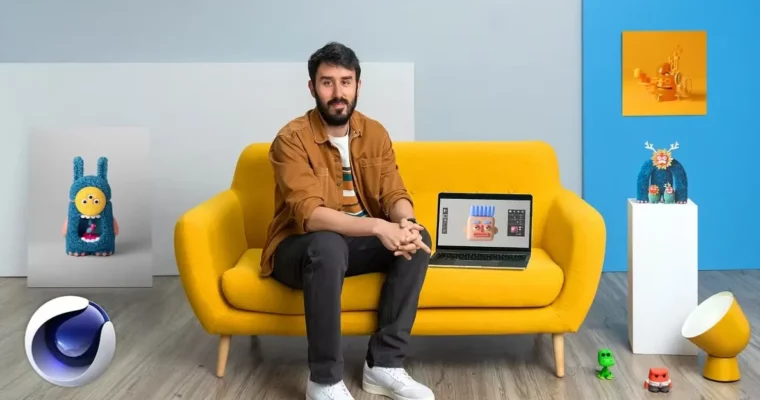
3D Character Design and Illustration by Enrique Escalona

Actual Duration:5h 15m
Release date:2021, June
Publisher:Domestika
Skill level:Beginner
Language:English
Exercise files:Yes
Software:Cinema 4D, Redshift, Adobe Illustrator
Course URL:https://www.domestika.org/en/courses/2386-3d-character-design-and-illustration
Got faces popping out of outlets and clouds? Good. This course shows you how to turn that pareidolia habit into finished 3D characters using Cinema 4D, Redshift, and Illustrator sketches.
🎯 What you’ll learn
- How to sketch expressive characters starting from simple geometric shapes
- How to model faces, bodies, and sidekicks in Cinema 4D with splines, deformers, and generators
- How to build background props to give your character a place to live
- How to light a scene, apply color and textures, and render with Redshift
- How to prep sketches in Adobe Illustrator and use a mood board for reference
- How to present your final render for portfolio and social media
✅ Requirements
- Skills: Basic computer skills and an interest in drawing. No prior 3D experience needed.
- Tools: Cinema 4D, Redshift renderer, Adobe Illustrator for sketch cleanup and mood boards
- Hardware: Computer capable of running Cinema 4D, dedicated GPU recommended for Redshift, 3-button mouse
📝 Description
Enrique works fast and keeps things simple. You start with doodles, pareidolia, and references, then build a mood board you can actually use while you model. No long theory lectures — he shows you the Cinema 4D interface and sticks to the tools he uses daily.
The core of the course is modeling. You learn how splines, deformers, and generators turn boxes and tubes into bodies with personality. The face gets special attention because that is where the charm lives. You model eyes, mouth, horns, and other features one by one, then repeat the process for a smaller sidekick so your main character is not floating alone.
Then you give them a home. Enrique walks through simple background elements and composition choices that make a render read well without overloading the scene. Finally, you switch to Redshift for color, textures, and photographic lighting. He breaks down a clean studio-style setup and renders it out, plus shares how he presents work so it looks good on Domestika, Instagram, or in your portfolio.
🧑🎓 Who this course is for
- Anyone into 3D illustration who wants to make memorable, kid-book-style characters
- Beginners in Cinema 4D who want a complete project from sketch to final render
🧑🏫 About the Author
Enrique Escalona is a graphic designer and 3D illustrator based in Mexico, known for chunky characters with simple expressions and big personalities. His work leans on pareidolia and everyday shapes turned into friendly monsters, warriors, and sidekicks. He works daily with Cinema 4D and Redshift for freelance illustration and personal projects, and teaches his practical, sketch-first workflow to beginners getting into character work.
🏁 Final Result
- A fully modeled and rendered 3D character with a sidekick and background set, from initial Illustrator sketches to a polished Redshift render ready for your portfolio.
 Channel