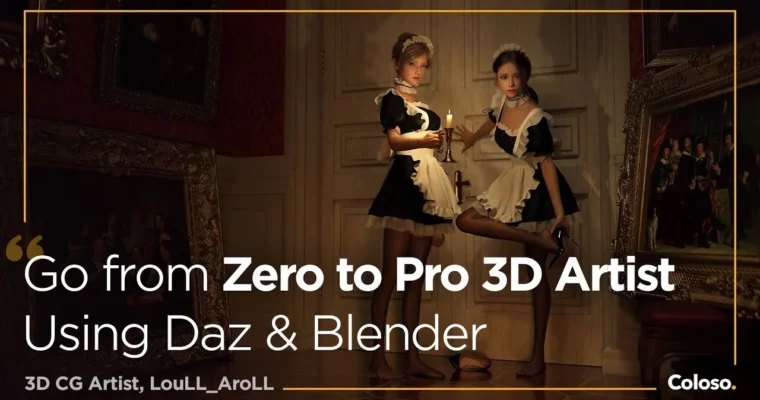
30 Days from 0 Skill to Pro 3D Artist with Daz & Blender by LouLL_AroLL

Duration:33 hours 40 minutes
Actual Duration:41h 44m
Release date:2025
Publisher:Coloso
Skill level:Beginner
Language:English
Exercise files:Yes
Software:Blender, Daz Studio, Photoshop
Course URL:https://coloso.global/en/products/3dcgartist-loullaroll-us
This course is a straight shot from zero to a pro-level 3D artist. You’ll skip the boring theory and jump straight into building a complete, cinematic scene using Daz Studio and Blender. The whole thing is designed for people who can’t draw or model, but want to create stunning, realistic artwork. It’s about using smart shortcuts and a solid workflow to get results fast.
🎯 What you’ll learn
- Build a complete 3D scene from a simple idea to a final render.
- Use Daz Studio to create and customize characters without modeling from scratch.
- Sculpt unique features and realistic clothing in Blender.
- Master cinematic lighting and composition to tell a story.
- Apply post-processing techniques in Photoshop to polish your final image.
✅ Requirements
- Skills: Basic computer literacy. No drawing or 3D modeling experience needed.
- Tools: A 3-button mouse.
- Hardware: A computer capable of running Blender 4.0+ and Daz Studio 4.15+.
📝 Description
This isn’t your typical “learn every button” tutorial. LouLL_AroLL focuses on the why behind the work. He teaches you to think like a director, not just a technician. The core idea is that a great scene starts with a story, not a polygon.
You’ll begin by creating a simple 2D collage to define your scene’s mood and narrative. Then, you’ll jump into Daz Studio to quickly generate a base character, bypassing the steep learning curve of traditional modeling. From there, it’s all about refinement in Blender: sculpting unique features, creating realistic skin shaders, and building clothing from the body mesh.
The real magic happens when you learn to light your scene. LouLL_AroLL breaks down cinematic lighting techniques, showing you how to use light and shadow to fix flaws, create atmosphere, and guide the viewer’s eye. He also shares his “5-2-1 meter observation method” for adding realistic details that make your scenes feel tangible and lived-in. By the end, you’ll have a complete, portfolio-ready image and a repeatable workflow for your next project.
🧑🎓 Who this course is for
- Complete beginners who want to create high-quality 3D art without learning complex modeling.
- 2D artists looking to expand their skillset into the 3D space for more realistic results.
- Hobbyists who feel stuck and want a clear, project-based path to improve their scenes.
🧑🏫 About the Author
LouLL_AroLL, also known as Louis, is a freelance 3D CG artist who transitioned from a career in architecture. He started 3D art as a hobby and, after five years of self-teaching, turned it into a full-time profession. He has worked as a concept artist and key art contributor on projects for Tencent (Honor of Kings) and Archetype Entertainment (Exodus). His personal work, “Creak,” is one of the most-liked pieces on Artstation. He brings a practical, no-nonsense approach to teaching, focusing on the workflows that actually get results in a professional pipeline.
🏁 Final Result
- A complete, cinematic 3D scene featuring a custom character in a detailed, story-driven environment.
- A portfolio-ready final render, polished in Photoshop.
- A repeatable workflow for creating future 3D scenes from concept to completion.
📢 Guys, this is a Group Buy campaign, check the GBC forum thread to get access
You can find the course preview in the download section below.
 Channel