Ultimate SpeedTree 10 to Unreal Engine 5 PCG Masterclass by Jan Benkwtiz

Duration:15.5 hours
Actual Duration:15h 22m
Release date:2025, November
Publisher:Udemy
Skill level:Intermediate
Language:English
Exercise files:Yes
Software:SpeedTree 10, Unreal Engine 5, Blender, Substance 3D Painter
Course URL:https://www.udemy.com/course/ultimate-speedtree-10-to-unreal-engine-5-pcg-masterclass
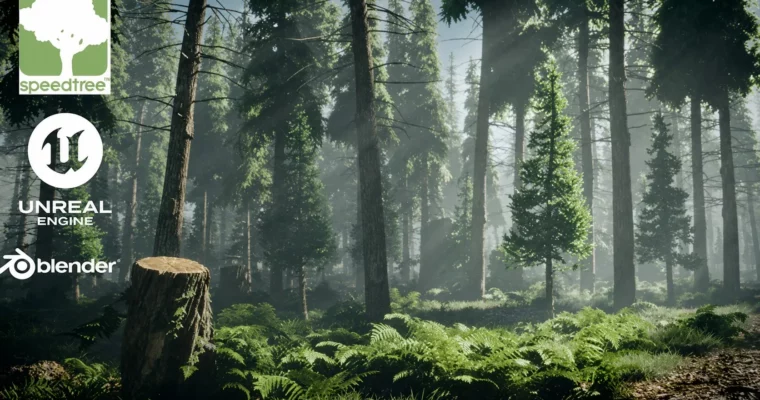
Build a complete, stormy forest biome from scratch using SpeedTree 10, Blender, Substance Painter, and Unreal Engine 5’s PCG system. This course skips the fluff and gets straight to the pipeline used by indie studios and AAA environment artists in 2025.
🎯 What you’ll learn
- Create realistic pine trees, saplings, grass clumps, and ferns in SpeedTree 10
- Build advanced pivot-based wind systems for trees and grass in Unreal Engine 5
- Scatter thousands of assets instantly with PCG while maintaining performance
- Carve a natural forest path using spline blueprints that push foliage away
- Texture assets with displacement in Substance 3D Painter
- Set up reusable material functions for color correction and wind control
✅ Requirements
- Skills: Basic knowledge of Unreal Engine 5 and Blender
- Tools: 3-button mouse, drawing tablet recommended
- Hardware: Minimum 16GB RAM, dedicated GPU
📝 Description
This course is all about the brand new SpeedTree 10 with a full pipeline for creating a stormy forest biome. You’ll use Blender, Substance Painter (optional), and finish everything off in Unreal Engine 5.5.
No beginner theory here. Just straight-to-the-point, follow-along lessons. You’ll model realistic pine trees, saplings, grass clumps, ferns, and a detailed mossy tree stump in SpeedTree 10. Then texture with proper displacement in Substance 3D Painter, clean UVs and fix origins in Blender Cycles, and build advanced pivot-painter wind systems in UE5 so trees and grass bend naturally with full control.
The real magic happens with PCG (Procedural Content Generation). You’ll scatter thousands of assets instantly while keeping 30+ fps, carve a natural forest path using splines that automatically push foliage away, and create reusable material functions for easy color correction and wind adjustments using material parameter collections. Finally, light everything cinematically for portfolio-ready shots and gameplay.
By the end, you’ll have a stunning, game-ready forest and the exact workflow to create any biome you want. Perfect for intermediate artists ready to level up to pro.
🧑🎓 Who this course is for
- 3D environment artists looking to master modern foliage pipelines
- Game developers wanting to build procedural forests with PCG
- Filmmakers and CG artists needing realistic, game-ready vegetation
🧑🏫 About the Author
Jan Benkwtiz is a seasoned environment artist and instructor with deep experience in SpeedTree, Unreal Engine, and procedural workflows. He focuses on practical, no-fluff tutorials that mirror real studio pipelines, helping artists build portfolio-ready assets and scenes.
🏁 Final Result
- A complete, game-ready stormy forest biome with realistic trees, grass, ferns, and a mossy stump
- A reusable PCG setup for scattering foliage and carving forest paths
- Advanced pivot-based wind systems for natural animation
- Cinematic lighting and material functions for portfolio-quality renders
 Channel