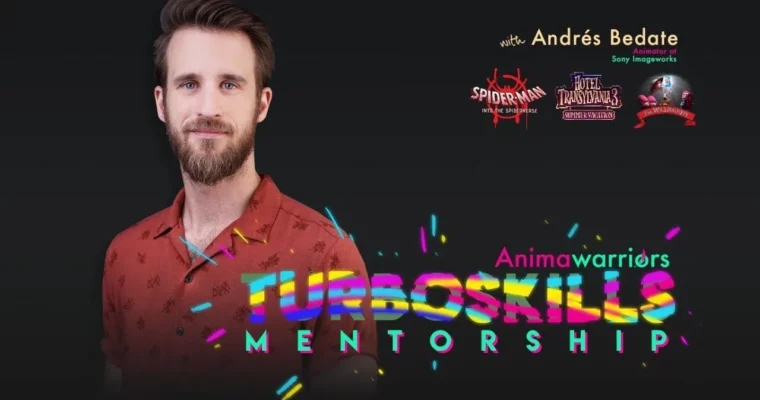
TurboSkills Mentorship by Andres Bedate

Actual Duration:29h 29m
Release date:2023, October 3
Publisher:Animawarriors
Skill level:Advanced
Language:English
Exercise files:Yes
Software:Autodesk Maya
Course URL:https://www.animawarriors.com/
This isn’t another basics course. It’s a recorded mentorship that shows how a working feature lead actually gets shots from rough blocking to clean, believable final. You’ll tighten up your body mechanics, fix messy splining, and build a workflow you can reuse on every shot without burning out.
🎯 What you’ll learn
- Transition cleanly from golden poses to in-betweens with keys every 2 to 4 frames
- Clean up arcs, spacing, and trajectories for hands, fingers, and full body
- Use your own body as reference for anticipation, overshoot, and secondary timing
- Build a sustainable personal workflow for feature-level polish
- Push creative choices while keeping shots technically solid
✅ Requirements
- Skills: Basic understanding of animation principles, comfortable with blocking and graph editor
- Tools: Autodesk Maya or similar 3D animation package, 3-button mouse
- Hardware: Computer capable of running 3D animation software, minimum 16GB RAM
📝 Description
This mentorship was recorded with one goal: close the gap between knowing the basics and shipping shots that hold up at a top studio. Andres walks through his own production process step by step. No theory dumps. Just poses, curves, and decisions.
You’ll start with planning. How to lock strong golden poses, where to place detailed keys, and how to keep your scene readable when you start adding in-betweens. If your blocking always falls apart during spline, this part fixes that.
Then comes the spline pass. This is where most animators get stuck. You’ll look at real problems like wobbly trajectories, floaty spacing, and fingers that pop for no reason. Andres shows how to read the curves, clean the arcs, and keep hands and arms tracking believably through space.
The other big piece is reference. Not just copying video, but using your own body to figure out weight, anticipation, and overshoot. How long do you wind up? Where does the energy go? When does it settle? That physical logic is what makes cartoony or realistic shots feel grounded.
Fair heads-up on format: this is now archive footage from the Animawarriors Library. No live reviews, no deadlines, no certificates. You watch, you pause, you apply it to your own shots. If you’re at that middle stage and want your work to look sharper and more hireable, it’s solid material to study.
🧑🎓 Who this course is for
- Intermediate 3D animators stuck in floaty splines who want cleaner, punchier body mechanics
- Advanced animators aiming for feature film jobs who need a faster, more reliable workflow
🧑🏫 About the Author
Andres Bedate is a Lead Animator at Sony Pictures Animation with credits on high-end feature productions. His work earned him an Annie Award nomination, and he’s known in the community for clear, no-nonsense teaching on mechanics and spline polish. He teaches the exact workflow he uses in production.
🏁 Final Result
- A polished body mechanics shot with clean arcs, solid weight, and feature-level spline quality ready for your reel.
 Channel