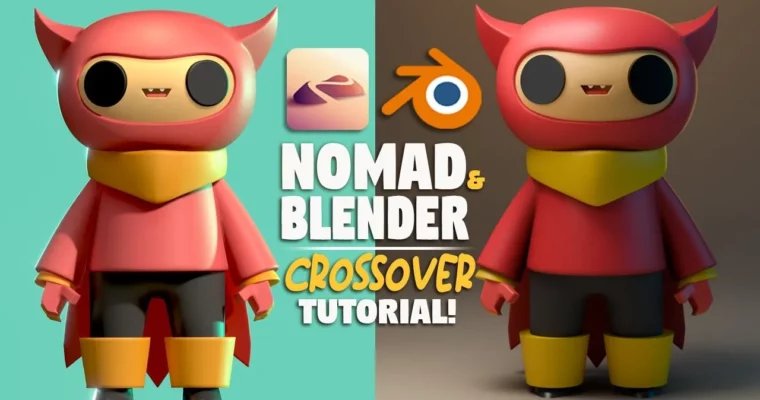
The Ultimate Nomad Sculpt to Blender Crossover 3D Class by Dave Reed

Duration:3h 40m
Actual Duration:3h 40m
Release date:2024, October
Publisher:Skillshare
Skill level:Beginner
Language:English
Exercise files:Yes
Software:Nomad Sculpt, Blender
Course URL:https://www.skillshare.com/en/classes/the-ultimate-nomad-sculpt-to-blender-crossover-3d-class
This course is the perfect bridge for anyone who’s been sculpting on their iPad with Nomad Sculpt and wants to take those creations into a full desktop 3D pipeline. Instructor Dave Reed walks you through building a complete character from scratch, then shows you exactly how to export it and give it a professional-grade render in Blender. No prior Blender experience is needed for the second half.
🎯 What you’ll learn
- Sculpt a complete character from a reference in Nomad Sculpt
- Use Nomad’s PBR materials and lighting for a quick preview
- Export your sculpt and import it into Blender
- Set up materials, lighting, and cameras for a final render in Blender
✅ Requirements
- Skills: Basic familiarity with Nomad Sculpt’s interface and tools.
- Tools: iPad or tablet for Nomad Sculpt, a computer (Mac/PC) capable of running Blender.
- Hardware: A computer with a dedicated GPU is recommended for faster rendering.
📝 Description
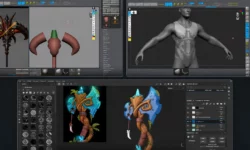
This class is split into two clear halves. First, you’ll build a stylized character called “Red Dynamo” from the ground up in Nomad Sculpt. covers everything from blocking out the helmet and horns to detailing the face and cape. He also shows you how to use Nomad’s built-in LitPBR shaders to get a nice preview of your work before you ever touch a desktop.
The second half is where the magic happens. Dave assumes you know nothing about Blender and starts from the very basics of the interface. You’ll learn how to properly export your Nomad file, import it into Blender, and then set up a full render scene. This includes creating materials, positioning lights, and using Blender’s powerful render engine to get a final image that looks way more polished than anything you can do on a tablet alone. It’s a practical, no-fluff workflow that you can immediately apply to all your past projects.
🧑🎓 Who this course is for
- Nomad Sculpt users who want to learn how to render their work in Blender.
- Intermediate iPad sculptors looking to expand their skills into a desktop 3D pipeline.
- Complete Blender beginners who want a project-based introduction to the software.
🧑🏫 About the Author
Dave Reed is a 2D & 3D Illustrator based in Brooklyn, NY, and a Skillshare Top Teacher. He specializes in character design and digital art, creating stylized, vibrant work that blends traditional illustration techniques with modern 3D tools. His teaching style is direct and encouraging, focused on giving students practical, actionable workflows.
🏁 Final Result
- A fully rendered, portfolio-ready image of your “Red Dynamo” character, complete with materials and lighting.
- A repeatable workflow for exporting any future Nomad Sculpt project into Blender for high-quality rendering.
 Channel