It looks like you're using an adblocker.
Adblockers make us sad. We use ads to keep our content happy and free. If you like what we are doing please consider supporting us by whitelisting our website. You can report badly-behaved ads by clicking/tapping the nearby 'Advertisement' X text.
The Complete Guide to Unity 3D – Making a Top Down Shooter by Unity Alex Dev
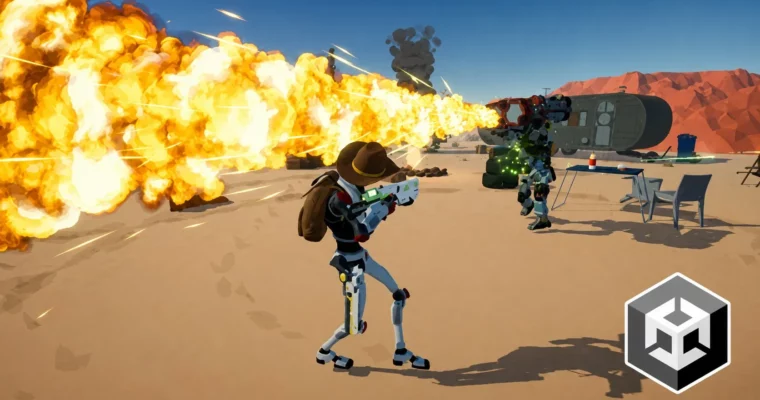
Build a complete top-down shooter from scratch in Unity, covering everything from player movement and weapons to enemy AI and procedural levels.
Build a complete, polished top-down shooter in Unity, even if you’re a complete beginner. This course walks you through every step, from setting up your first player controller to designing complex enemy AI and procedural levels. You’ll end up with a portfolio-ready game and a deep understanding of Unity’s core systems.
🎯 What you’ll learn
Create a versatile player controller with the New Input System and 3D animations.
Build an advanced, expandable weapon system with multiple fire modes and ammo management.
Design challenging enemy AI, including melee, ranged, and boss enemies with unique abilities.
Implement procedural level generation for endless replayability.
Develop a complete quest and mission system.
Create a functional and scalable UI for menus, HUD, and game states.
Integrate a drivable car system with physics and interactions.
Polish your game with audio, visual effects, and post-processing.
✅ Requirements
Skills: Basics of C# will be helpful, but not required.
Tools: PC or Mac capable of running Unity 2020 or later.
Hardware: [REQUIRES UPDATE]
📝 Description
This isn’t just a tutorial series—it’s a full production pipeline for a top-down shooter. You’ll start by building a solid foundation with the New Input System and a versatile player controller that handles movement, aiming, and shooting. From there, you’ll construct an expandable weapon system with different fire modes, reloads, and ammo types.
The real meat of the course is the enemy AI. You’ll build a state machine to control melee enemies that dodge, block, and throw axes. Then you’ll create ranged enemies that use cover, throw grenades, and advance tactically. Finally, you’ll design two unique bosses with special abilities like flamethrowers and jump attacks.
But it doesn’t stop at combat. You’ll implement a procedural level generation system to create endless, replayable levels. A full quest system with different mission types (hunt, defend, delivery) gives your game structure. You’ll even add a drivable car system with physics, damage, and enter/exit mechanics.
Every section ends with a project cleanup and refactoring session. You’ll learn to write clean, maintainable code and use Scriptable Objects for data-driven design. The course also covers audio implementation, visual effects, and post-processing to give your game that final polished look.
🧑🎓 Who this course is for
Anyone who wants to build a high-quality, portfolio-ready 3D game.
Beginners with an interest in learning game development and C#.
Developers who want to specialize in shooter, survival, or roguelike genres.
People interested in working in the game design industry.
🧑🏫 About the Author
Unity Alex Dev is a self-taught game developer with a bachelor’s degree in computer science. He has over 5 years of teaching experience and has helped thousands of students learn game development through his comprehensive, project-based courses. His approach focuses on practical, real-world skills and clean coding practices.
🏁 Final Result
A fully playable top-down shooter game with multiple weapons, enemy types, bosses, and missions.
A procedural level generation system that creates unique levels every playthrough.
A portfolio-ready project demonstrating advanced Unity skills in AI, UI, and game systems.
Curriculum
📋 Course content
Module 1: Getting Started & Core Mechanics
Important to know – Mindset of the course5:32
Important to know – Crash Course3:35
Install Unity7:55
Basic tools, Windows and Components10:47
Creating Tank with simple shapes11:37
Execution order, Input and Movement11:15
Tank’s rotation10:12
Tank’s aim7:54
Tower’s rotation10:39
Shooting bullets11:34
Setup small playground5:35
Collision detection and simple camera controller6:08
Setup testing ground and Character Import12:19
Setup New Input System17:38
Setup movement8:44
Setup gravity4:31
Setup aim6:20
Rig Setup and Animations10:26
Setup walk animation23:04
Setup run animation15:50
Setup fire animation19:07
Create weapon controller8:50
Setup weapon 3D model’s16:39
Animation rigging – Setup2:31
Rig aim constraints11:26
Left hand IK – attach left hand to the gun6:58
Left hand IK – diffrent weapons13:37
Weapon animation layers9:56
Introducing layer sync7:29
Reload Animations25:40
Weapon Grab Animations30:58
Clean up & Project6:45
Module 2: Player & Camera Systems
Setup Camera3:33
Camera Settings6:01
Player Aim and Decomposition of Player Movement9:58
Smooth character rotation – Lerp & SLerp11:48
Camera’s Lookahead18:14
Decomposition of Aim and Camera9:43
Create a bullet11:11
Setup bullet’s direction11:05
Setup Precise Aim5:15
Setup Target Lock9:29
Visualise Aim with Laser17:21
Clean up & Project7:11
Module 3: Physics & 3D Setup
Update project to LTS2:08
Import 3D models12:50
How to setup 3D colliders17:15
Important about Pivot point9:00
Rigidbody14:38
Collision detection type5:51
Flexible mass of a bullet5:02
Shiny bullet & URP setup10:02
Impact Visual Effect of a Bullet13:08
Training ground upgrade22:19
Clean up & Project6:55
Module 4: Advanced Weapon System
Weapon class5:59
Weapon type2:07
Weapon slots10:28
Weapon pickup6:28
Weapon’s ammo5:02
Weapon’s reload13:25
Weapon’s model18:40
Equip weapon11:40
Backup weapon model22:56
Reload speed & Equipment speed13:55
Object pool – Bullet pool20:10
Weapon’s fire rate9:04
Weapon ready check15:15
Shoot type : Single and Auto6:59
Bullet’s spread14:39
Multi-shot and burst shot24:54
Gun distance22:41
Camera distance12:55
2+ weapon slots21:51
Clean up & Project7:58
Module 5: Data-Driven Design & Interaction
Global object pool24:15
Constructor3:22
Scriptable object19:55
Weapon data & Project8:58
Closest interactble13:12
Interaction and inheritance10:23
Weapon pickup interaction15:04
Drop current weapon as pickup item17:18
Ammo box pickup18:56
Clean up & Project6:36
Module 6: Melee Enemy AI
Brief enemy design8:25
AI Navigation Setup10:36
State Machine Setup14:51
Idle State12:28
Move State9:05
Visuals and Animations20:55
Manual rotation and smooth transition17:38
Recovery state21:20
Root transform position4:22
Chase State13:18
Attack State23:38
Attack Set28:43
Next attack random10:31
Multiple slash attacks10:37
Dead state & Ragdoll31:30
Simple health system2:39
Enemy ability – Shield19:50
Enemy ability – Dodge13:01
Enemy ability – Axe throw16:08
Enemy’s Axe32:20
Clean up, Refactoring & Project23:51
Module 7: Melee Enemy Polish & Variation
Updating enemy’s FBX Model and Ragdoll13:35
Updating avatar and animations7:56
Setup random look5:42
Setup random weapon15:39
Setup random corruption16:50
Animator override31:01
Enemy weapon trail effect8:57
Attack data update7:48
Clean up & Project4:27
Module 8: Ranged Enemy AI
Move and Idle state9:26
Battle state5:04
Bullet14:20
Attack cooldown7:48
Weapon model and refactoring17:17
Animation layers6:50
Left hand IK26:23
Weapon data21:47
Cover system – cover state15:54
Cover system – cover points15:09
Cover system – best cover search25:44
Cover system – perks & decision making13:24
Advance state17:27
Smart aim18:09
Advance duration and cover duration6:08
Unstoppable enemy18:44
Grenade throw state12:58
Grenade state visuals34:07
Grenade setup27:06
Dead state & grenade addition12:55
Idle & weapon – visuals improvements12:31
Object pool – bug fix8:55
Clean up & Project5:00
Module 9: Boss Enemy AI
Setup boss model and rig6:03
Idle and Move14:03
Attack22:14
Jump attack25:17
Ability – flamethrower19:29
Visuals – Flamethrower16:22
Action cooldown12:07
Chase behavior10:15
Visuals – Flamethrower batteries14:57
Visuals – Landing zone8:01
Visuals – Weapon trails5:24
Jump attack physical impact6:15
Dead state11:00
New Boss with Hummer24:59
New Boss Ability14:21
Ability Fallback3:58
Clean up & Project2:15
Module 10: Damage & Health Systems
Interfaces9:29
Hitbox7:15
Health controller9:44
Friendly fire13:53
Player’s hitbox and death16:26
Grenade damage13:00
Melee enemy’s hitbox4:14
Melee enemy attack check28:36
Melee enemy axe damage6:27
Enemy’s shield5:14
Grenade bug fix4:17
Boss’s hitbox4:05
Boss’s attack check13:14
Boss’s flamethrower damage check10:57
Boss’s jump attack damage check6:22
Boss’s hummer attack check5:41
Implementing Damage Value Parameters in Health Reduction System20:08
Creating a dummy8:04
Balancing player’s weapons damage19:52
Balancing Melee enemies9:16
Balancing Range enemies11:55
Boss balance11:42
Headshot modifer3:59
Clean up & Project8:25
Module 11: Procedural Level Generation
System design9:18
Creation, position and rotation31:45
Automation8:57
Intersection check14:32
Generation restart12:32
New & Updated 3D Models14:25
Object’s setup12:47
Enemy’s setup17:02
Blockout / greyboxing22:33
3D models and NavMesh12:09
Zone Limit11:20
Wrapping up level part into prefab4:27
How to setup pre-made level parts7:32
Assemble everything together ( NavMesh,Enemies,Levels )14:04
Clean up & Project2:41
Module 12: Mission & Quest System
Mission/Quest Manager8:41
Timer Mission10:40
Simple Drop System For Enemies/Missions5:22
VIP Enemy Mission16:45
Hunt Mission14:57
Car Delivery Mission11:57
Last Defence Mission23:39
Clean up & Project1:21
Module 13: User Interface (UI)
Getting UI Elements12:07
Health Bar14:07
Weapon UI28:46
Mission Goal UI23:57
Transparent UI element on Mouse Hover15:38
Main Menu Layout15:13
UI Buttons7:38
Main Menu Buttons Functionality12:40
Mission Selection UI17:06
Weapon Selection UI38:21
Play Button6:25
Pause UI16:47
Time Manager10:16
Game Over UI7:54
Fade Screen10:16
Comic Panel UI17:50
Win Screen UI8:46
Settings UI19:20
Clean up & Project8:00
Module 14: Car System
Car Controls5:40
Car Setup17:51
Car Movement22:55
Car Drift13:55
Wheel Drive Type, Brakes and Mass10:58
Drift and Brakes Hot Bug Fix2:43
Quick Car Setup20:32
Car Enter/Exit Mechanic26:06
Car’s Interaction with Enemies19:26
Car’s Interactions with Player4:41
Car Health Controller6:29
Car Info UI9:06
Police Car Wheels Bug Fix2:21
Car and Camera’s Lookahead Time3:43
Clean up & Project8:31
Module 15: Audio System
Where to get Audio7:32
Audio Listener and Audio Source8:34
Audio Manager and Background Music7:47
Sound effects – UI13:54
Player’s Weapon Sound Effects12:21
Sound of footsteps10:10
How to Improve Your Sound effects11:13
Sound Effects and Distance19:47
Car Sound Effects8:59
Sounds with delay and fade in/out8:35
Volume Settings8:45
Save and Load Settings9:13
Clean up & Project3:11
Module 16: Polish & Final Touches
Post Processing20:35
Improving shadows4:20
Footsteps marks14:18
Car wheel marks7:21
Import and Arrange Visual Effects13:45
Car Explosion – Visuals, Impact, Damage20:01
Character Aim Improvements27:38
Updated Pivot Point of Terrain, Dune and Mountains0:05
Thank you for everything!0:15
Watch online or Download for Free
The Complete Guide to Unity 3D – Making a Top Down Shooter by Unity Alex Dev




 Channel