Minecraft Animation Workshop by Dillon Gu

Duration:2h 15m
Actual Duration:2h 15m
Release date:2018, April
Publisher:Blender Studio
Skill level:Beginner
Language:English
Exercise files:Yes
Software:Blender
Course URL:https://studio.blender.org/training/minecraft-animation-workshop/
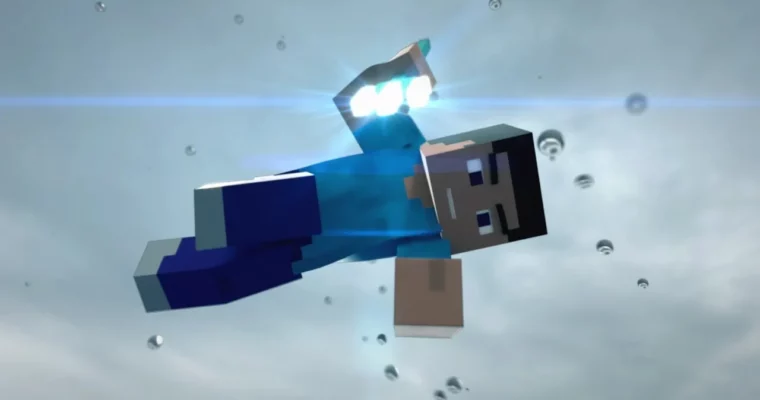
Dillon Gu walks you through his entire process for creating a Minecraft animation in Blender. This workshop covers everything from exporting your world with Mineways to rigging characters, animating action sequences, and rendering the final video for YouTube.
🎯 What you’ll learn
- Export a Minecraft world using Mineways
- Texture a Minecraft world in both Blender Render and Cycles
- Rig and import a Minecraft character
- Animate a character throwing a trident
- Set up lighting and render in Cycles and Blender Render
✅ Requirements
- Skills: Basic familiarity with Blender’s interface
- Tools: A copy of Mineways (free)
- Hardware: A computer capable of running Blender
📝 Description
This isn’t a theory-heavy masterclass. It’s a straight-to-the-point workshop where Dillon Gu shows you exactly how he built his Trident Animation from scratch. You’ll start by using Mineways to export your own Minecraft world, then bring it into Blender with proper textures for both the Blender Render and Cycles engines.
The course then moves into character setup. You’ll get an overview of the Boxscape Studios rig, learn how to apply a custom skin, and import your character into the scene. The core of the workshop is the animation section, where you’ll learn to block out the throw, use dynamic parenting to attach the trident to the character’s hand, and time the action for maximum impact.
Finally, Dillon covers the rendering and export pipeline. You’ll set up lighting for both render engines, tweak your render settings, and add sound effects to create a finished video ready for YouTube. It’s a complete, no-nonsense workflow for anyone who wants to make their own Minecraft animations.
🧑🎓 Who this course is for
- Blender beginners who want to create Minecraft animations
- Minecraft fans looking to learn 3D animation
- Hobbyists wanting a complete project-based workflow
🧑🏫 About the Author
Dillon Gu is a Blender artist known for his Minecraft animations. He has a strong following on YouTube for his creative and polished work, and this workshop is a direct look into the techniques he uses to produce his popular videos.
🏁 Final Result
- A fully animated Minecraft video featuring a character throwing a trident, complete with sound and final render.
 Channel