It looks like you're using an adblocker.
Adblockers make us sad. We use ads to keep our content happy and free. If you like what we are doing please consider supporting us by whitelisting our website. You can report badly-behaved ads by clicking/tapping the nearby 'Advertisement' X text.
MatrixGold Essentials for Jewelers – Video Training Course by Rik Juod
Learn MatrixGold from the ground up with project-based lessons, covering everything from ring modeling to STL export for 3D printing.
A practical, project-based course for getting started with MatrixGold. You’ll build real jewelry pieces from scratch, learning the essential tools and workflows for 3D modeling, rendering, and preparing files for 3D printing and casting.
🎯 What you’ll learn
Navigate the MatrixGold interface and customize your workspace.
Model rings, earrings, and pendants using builders and dynamic commands.
Add gems, prongs, cutters, and millgrain details.
Hollow out models to reduce weight for casting.
Export STL files for 3D printing.
✅ Requirements
Skills: No prior MatrixGold experience needed. Familiarity with basic jewelry concepts is helpful but not required.
Tools: A valid license of MatrixGold and Rhino 6 or 7.
Hardware: A Windows PC and a 3-button mouse.
📝 Description
This isn’t a dry theory course. Every lesson is built around a real jewelry project, so you’re learning by doing. You’ll start with simple rings and work your way up to complex halo settings, earrings, and pendants.
The instructor, Rik Juod, has been teaching CAD for jewelry since 2003. He knows exactly where beginners get stuck and how to guide you through it. Each video includes on-screen prompts and visual cues, so you can follow along at your own pace.
You’ll learn how to use MatrixGold‘s builders and dynamic commands to speed up your workflow. The course also covers practical skills like hollowing out a ring to reduce weight, adding millgrain details, and exporting an STL file for 3D printing. Completed .3DM project files are included for every lesson, so you can compare your work or jump ahead.
With nearly 14 hours of content and more exercises on the way, this course gives you a solid foundation in CAD for jewelry design. Whether you’re a bench jeweler moving into digital or a complete beginner, you’ll walk away with a portfolio of finished pieces.
🧑🎓 Who this course is for
New users of MatrixGold who want a structured, project-based introduction.
Jewelers transitioning from Rhino, Matrix, or RhinoGold.
Bench jewelers with hand-making experience who want to learn CAD for design, printing, and casting.
🧑🏫 About the Author
Rik Juod has been teaching CAD for jewelry design since 2003. He spent over nine years at a technical college in Sydney, teaching four classes a week with around 16 students each. That hands-on experience taught him how to explain complex 3D concepts to beginners. With over 18 years in the field, he knows the best workflows for using Rhino and MatrixGold to design jewelry that’s ready for production.
🏁 Final Result
A portfolio of completed jewelry designs, including rings, earrings, and pendants.
Practical experience exporting STL files for 3D printing and casting.
A thorough understanding of the core MatrixGold tools you’ll use in your own projects.
Curriculum
📋 Course content
Module 1: Getting Started
Course Overview (Preview)2:37
Creating Cursor Tool tips, & other options4:45
Lets look at our new settings3:53
Module 2: Basic Ring Modeling
Modeling the ring, adding gems & millgrain25:43
Resizing the ring & saving an STL file for 3D printing5:33
Modeling the ring & add the Initals13:36
Hollow the ring to reduce weight8:16
Module 3: Halo & Cathedral Designs
Modeling the double Halo & cathedral shank29:40
Adding prongs & cutters28:18
Modeling the ring band and 3-rows of gems23:19
Adding prongs, cutters, and creating an azure21:31
Module 4: Advanced Ring Techniques
Modeling the ring, Baguettes, & side gems30:13
Modelling the Trellis Eternity Ring27:03
Adding the gems & creating the u shaped prongs11:27
Creating the u-shaped under rail18:21
Module 5: Chain & Domed Rings
Modeling the Chain Ring19:22
Modeling the Chain Ring & ring shank19:59
Modeling the Chain Ring (with gems)18:52
Adding the Gems, prongs & gem cutters17:52
Modeling the Domed Oval Ring24:03
Creating the channel, adding prongs, & cutting the gem seats20:35
Module 6: Bezel & Channel Settings
Making the ring band & bezel setting27:27
Creating the Torus & cresent-shaped channel curves9:53
Placing the gems, prongs, bail & exporting to an STL file22:46
Module 7: Floral & Motif Designs
Designing the Floral Motif23:49
Arraying the motif and Bezels19:36
Designing the earrings & hinge33:53
Module 8: Surface Editing & Halos
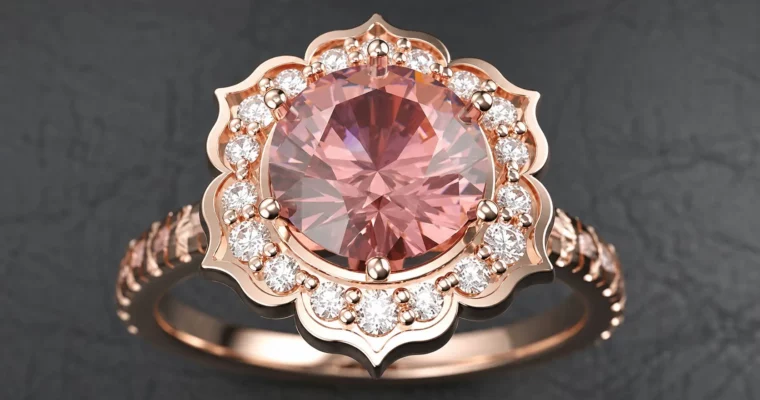
Making the 6 petal halo using surface editing techniques44:15
Making the cathedral ring shank & decorative under gallery33:31
Polar Array & finishing the ring6:15
Module 9: Rub Over & Scalloped Settings
Making the ring, hollowing out the inside, & adding the rub over gem.36:50
Making the Halo & scalloped cutters29:49
Finalising the cutters & polar array21:01
Module 10: Pendants & Final Projects
Creating the pattern element & centre setting30:51
Finalising the pendant with princess cut gems and adding a bail20:26
Creating the settings & ring34:53
Creating the setting & prong wires30:32
Creating the ring and placing gems, prongs & cutters23:38
Watch online or Download for Free
MatrixGold Essentials for Jewelers – Video Training Course by Rik Juod
NAME
SIZEDURATION
Udemy – MatrixGold Essentials for Jewelers [Rik Juod]




 Channel