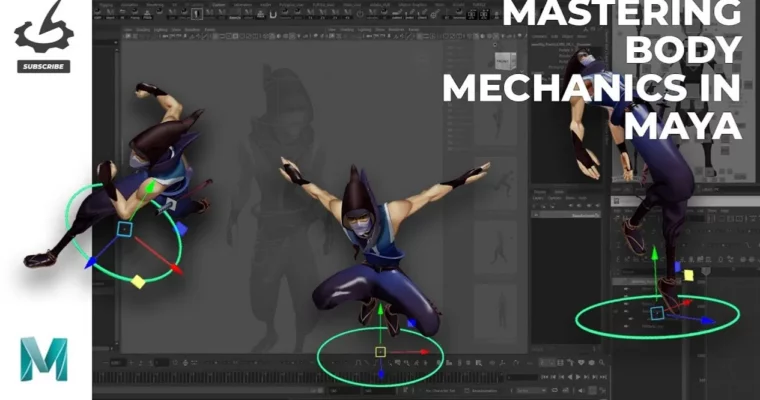
Mastering Body Mechanics in Maya by Kevin Nguyen

Duration:just under four hours
Actual Duration:3h 58m
Release date:2025, March
Publisher:Gnomon
Skill level:Intermediate
Language:English
Exercise files:Yes
Software:Maya
Course URL:https://www.thegnomonworkshop.com/workshops/mastering-body-mechanics-in-maya
This workshop is all about making your character animation life easier. Kevin Nguyen shows you how to use the Master Control in Maya the right way, so you can stop fighting the rig and start focusing on the performance. It’s a practical, production-ready workflow that works for personal shots and studio work alike.
🎯 What you’ll learn
- Use the Master Control to simplify complex character posing
- Streamline body mechanics animation for film and game cinematics
- Eliminate technical hurdles when animating shots with lots of movement
- Apply a professional workflow using the Peinto Anim Rig
✅ Requirements
- Skills: Basic understanding of Maya’s animation tools and character rigging concepts
- Tools: Autodesk Maya, Peinto Anim Rig (commercial rig by Kiel Figgins)
- Hardware: Computer capable of running Maya smoothly
📝 Description
The Master Control in Maya—sometimes called the world control or global control—is usually just used to place characters in a scene. But Kevin Nguyen shows you it can do way more than that. When used correctly, it becomes a powerful tool for simplifying the entire animation process, especially when you’re dealing with complex mechanics.
This workshop is built around a practical, time-saving workflow that removes a lot of the technical headaches from posing. Instead of wrestling with individual controls, you’ll learn how to leverage the Master Control to make broad, confident adjustments that keep your animation clean and your focus on the performance. It’s the kind of approach that works whether you’re animating a personal project or a shot with a tight deadline in a professional studio.
The training uses Kiel Figgins’ commercial Peinto Anim Rig, a solid, production-ready rig that’s perfect for demonstrating these techniques. By the end, you’ll have a clear, repeatable process for tackling shots that require a lot of movement, especially those tricky body mechanics sequences that can eat up your day if you don’t have a solid plan.
🧑🎓 Who this course is for
- Animators looking to speed up their character animation workflow in Maya
- Artists transitioning from game animation to film or cinematic work
- Anyone struggling with complex body mechanics shots and wanting a cleaner approach
🧑🏫 About the Author
Kevin Nguyen is the Owner and Senior Animator at K-Win Z Artist Inc. With over a decade of experience in feature films, game cinematics, and commercials, he’s worked at studios like Halon Entertainment, Animal Logic, and Sony Pictures Imageworks. His background spans both the big screen and the gaming world, giving him a well-rounded perspective on what it takes to deliver quality animation under real production pressure.
🏁 Final Result
By the end of this workshop, you’ll have a solid grasp of how to use the Master Control to streamline your body mechanics animation. You’ll walk away with a repeatable workflow that you can apply directly to your own shots, making complex character movement faster to block out and cleaner to refine.
 Channel