Digital Tutors – Sculpting a Female Assassin in ZBrush by Jean Arvan

Duration:3h 28m
Actual Duration:4h 52m
Release date:2019, February 28
Publisher:Pluralsight
Skill level:Advanced
Language:English
Exercise files:Yes
Software:Maya
Course URL:https://www.pluralsight.com/courses/modeling-female-char-animation-maya-705
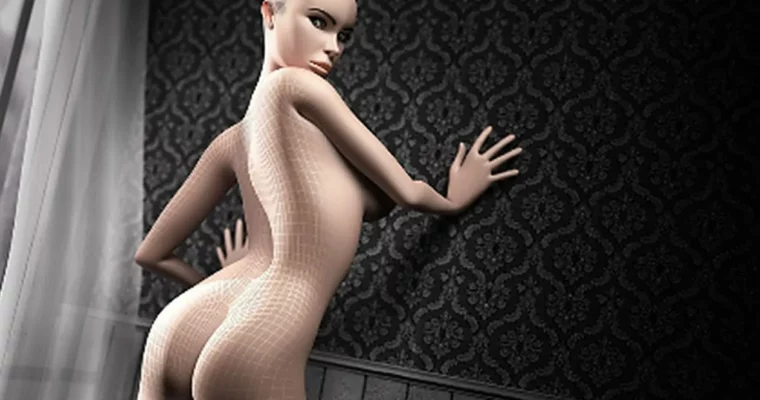
If you want a female model that doesn’t fall apart when you rig it, this is the workflow. You’ll start from cubes in Maya and build a full high-res female using solid polygon modeling, proper topology, and anatomy that reads right even with simple geometry.
🎯 What you’ll learn
- Block out a full female body from primitive cubes with correct proportions
- Model animation-friendly topology for hips, breasts, midsection and legs
- Build a clean head with eyes, nose, lips, ears and tear ducts
- Create hands with articulated fingers and feet with proper toes
- Avoid common beginner mistakes in edge flow for deformation
- Capture female anatomy and high-res realism with low-density geometry
✅ Requirements
- Skills: Basic understanding of polygon modeling, familiarity with Maya interface and viewport navigation
- Tools: Maya 2012 or newer, 3-button mouse
- Hardware: PC capable of running Maya, dedicated GPU recommended for smooth high-res preview
📝 Description
This isn’t a push-random-verts kind of tutorial. You start with a cube and learn how to think in loops and volumes. The focus is on edge flow, female anatomy, and building forms that hold up when the rig bends them. Hips, chest, shoulders — all the spots where beginners get pinching and collapsing get extra attention.
The head section is super methodical. You block the skull, then build the eye sockets, tear ducts, nose, lips, jaw and ear as separate problems. No skipping. You also get a solid pass on fixing face topology so your loops actually go around the mouth and eyes the way a rigger wants them to.
Hands and feet get their own full workflow too. You’ll block the palm, shape the thumb, then build fingers and toes so they look right without a ton of dense geometry. By the end you have a complete, clean female base you can take into sculpt, retopo, or straight to rig for film, broadcast, and games.
🧑🎓 Who this course is for
- Modelers who can box-model a bit but struggle with clean female forms and deformation
- Students and freelancers who want an animation-ready character for film, broadcast or games
🧑🏫 About the Author
Jean Arvan is a 3D artist and instructor working with Pluralsight / Digital Tutors, focused on character modeling in Maya. He teaches practical, production-style workflows with an emphasis on clean topology and believable anatomy. His lessons are known for being direct, step-by-step, and built around mistakes to avoid in real projects.
🏁 Final Result
- Finished high-resolution female character base mesh built entirely in Maya, with clean animation-ready topology from head to toes — ready for rigging, sculpt detailing, or portfolio presentation.
 Channel