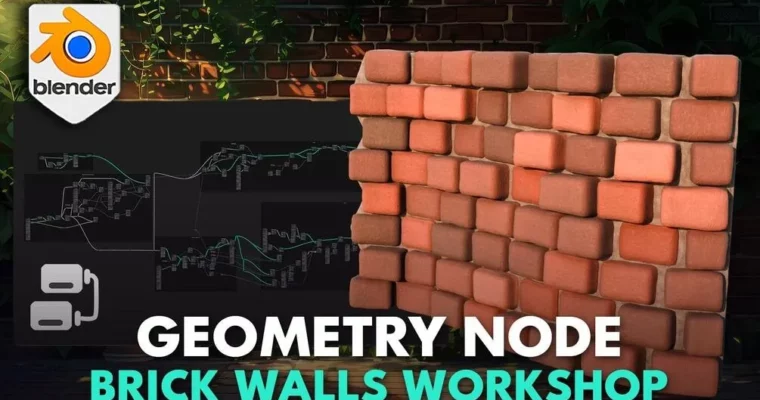
Blender Basics Geometry Node Brick Walls Workshop by 3D Tudor

Duration:4.5 hours
Actual Duration:4h 33m
Release date:2026, January 2
Publisher:Udemy
Skill level:Beginner
Language:English
Exercise files:Yes
Software:Blender
Course URL:https://www.udemy.com/course/blender-geometry-node-workshop/
Build a fully procedural brick wall generator from scratch using Blender’s Geometry Nodes. This workshop takes you from absolute beginner to confident node-wrangler, teaching you how to create dynamic, realistic walls that you can tweak and reuse in any project.
🎯 What you’ll learn
- Navigate and manipulate the Blender viewport with confidence.
- Build a complete Geometry Node setup for a brick wall generator.
- Create dynamic spawn points and align bricks precisely along curves.
- Generate realistic PBR materials and weathering effects.
- Apply your skills to a practical castle wall and tower project.
✅ Requirements
- Skills: No prior experience in Blender or 3D modeling is necessary.
- Tools: A computer with Blender installed.
- Hardware: A standard computer (Microsoft, Linux, or Mac) capable of running Blender.
📝 Description
This isn’t a theory-heavy lecture. It’s a hands-on workshop where you build a real, working tool. You’ll start by learning the Blender viewport and the absolute basics of Geometry Nodes. From there, you’ll construct a brick wall generator piece by piece.
The core of the course is about understanding the logic behind procedural modeling. You’ll learn to use curve lines as a base, create dynamic spawn points that react to scale, and align bricks using the align euler to vector node. The goal is to give you a system you can control, not a one-off model.
Once the structure is solid, you’ll dive into making it look good. The course covers creating realistic PBR materials for both bricks and cement, using noise textures to add color variation and weathering. You’ll even set up displacement and bevel effects for that worn, authentic surface.
The final project ties it all together: you’ll use your new generator to build a castle wall and tower, complete with walkable pathways. It’s a practical test that shows you how to adapt your node setup for different scenes.
🧑🎓 Who this course is for
- Aspiring architects and environment artists wanting to master procedural modeling in Blender.
- 3D modelers and visual artists looking to add a powerful, time-saving tool to their workflow.
- Game designers and indie developers who need to create detailed, reusable environment assets.
- Hobbyists and DIY enthusiasts who enjoy building and customizing their own 3D worlds.
🧑🏫 About the Author
3D Tudor, founded by Neil Bettison, is a professional prop and environment artist with over 9 years of experience. Neil’s passion for 3D modeling started with creating assets for Cities: Skylines. After earning a BA(Hons) in Computer Games Arts from the University for the Creative Arts (UCA), he built a successful freelance career.
Neil is a top-rated instructor on Udemy with over 200,000 students. His courses are known for their clear, to-the-point instruction and use of live on-screen tooltips, making them accessible for beginners and intermediate users alike. His workflow spans Blender, Maya, ZBrush, Substance Painter, and Unreal Engine.
🏁 Final Result
- A fully functional, customizable Geometry Node setup for generating brick walls.
- A portfolio-ready miniature castle scene featuring walls, towers, and pathways.
- The practical knowledge to create your own procedural generators for future projects.
 Channel