Blender 3D Cartoon Animal Character Modeling for Beginners by Amit kumar deb

Duration:1h 57m
Actual Duration:1h 57m
Release date:2024
Publisher:Udemy
Skill level:Beginner
Language:English
Exercise files:Yes
Software:Blender
Course URL:https://www.udemy.com/course/blender-3d-cartoon-animal-character-modeling-for-beginners
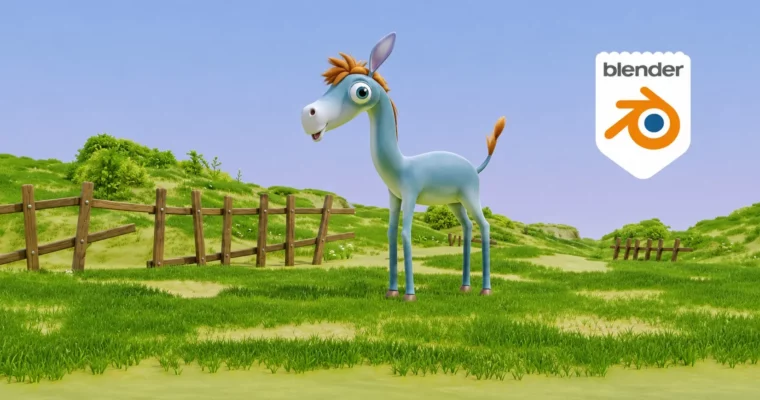
If you already click around Blender without getting lost and want to actually finish a character, this one’s for you. You’ll take a simple blockout to a finished cartoon animal with color, fur, and a little scene to show it off.
🎯 What you’ll learn
- Plan and block out a cartoon animal character from basic shapes
- Model body parts like legs, tail, ears, and eyes with clean cartoon proportions
- Refine forms and fix topology for a smooth, cute look
- Set up and troubleshoot vertex groups for color and fur control
- Color your character with vertex painting and materials
- Create stylized particle hair and fur in Blender
- Model a simple background and wooden barrier for presentation
- Light and render a polished portfolio image
✅ Requirements
- Skills: Basic Blender navigation, understanding of basic 3D modeling concepts
- Tools: Blender (free), 3-button mouse
- Hardware: PC or Mac capable of running Blender, 8GB+ RAM recommended
📝 Description
This isn’t a tour of the Blender interface. It’s a straight-to-work character build. You start with a blob-like body and push it into shape, then add legs, tail, ears, and big cartoon eyes. Short lessons, one clear task per video, no fluff.
The middle part is where it gets useful. You’ll work with vertex groups to control where color and fur go, then paint the character directly with vertex painting. When groups break — and they will at first — there’s a full troubleshooting lesson to fix weights and clean up bleeding colors. That alone saves beginners hours.
Then you add personality. You’ll use Blender’s particle hair system to get that soft, stylized fluff, not photoreal fur, but the chunky cartoon kind that reads well in renders. Finally you model a tiny background scene with a wooden barrier, set up simple lighting and rendering, and export a clean final image you can actually post.
🧑🎓 Who this course is for
- Blender beginners who know basic navigation and want to finish their first character
- Aspiring 3D artists who want cute cartoon work for their portfolio
- Game developers and animators who need custom stylized animals for projects
- Hobbyists who just want to bring their own creature ideas to life in 3D
🧑🏫 About the Author
Amit kumar deb is a 2D and 3D animator and artist teaching character modeling and animation with a very hands-on approach. With years of production experience and 1,010+ students across 3 courses, he focuses on the how and the why, so you don’t just copy clicks. Expect clear steps, practical fixes for common beginner mistakes, and techniques you can reuse on your next model.
🏁 Final Result
- A finished cartoon animal character with painted colors, stylized fur, and a simple background scene — lit and rendered as a portfolio-ready image.
 Channel